Showing posts with label BMW Coding. Show all posts

Tuesday, April 12, 2022

BMW Coding vs BMW Programming

If you're here I'm sure you'll want both options to keep the flair of your older E-Series BMW while still being equipped with the latest multimedia features, ideally at a great price. And what could be a better way than BMW coding? You may think fast, relatively easy and affordable. Great, sign me up!

But you gotta hold your horses for a second, mate, because a lot depends on your BMW specs. If your car even remotely remembers the days when Jaws hit theaters, coding (as you might imagine) isn't your first choice for an upgrade. Your BMW must be at least a year of manufacture 2004 with an on-board computer (RAD) in order to get any coding options at all.

And frankly, there are many. But if you want to go straight to the ultimate multimedia and vehicle control options for programming on your BMW E-Series, read on!

BMW Coding vs BMW Programming

Just a quick reminder for those who don't know, BMW coding is not the same as BMW programming. When coding, you assign data groups to a selected controller's operating program to change its basic operation. For example, locking or unlocking specific features that are already coded.

While BMW coding manipulates your software's existing features, BMW programming is a complex process of writing or rewriting new features that were not previously present in your car. And is therefore usually carried out by BMW technicians before the car leaves the factory. Unlike BMW programming, BMW coding is much more secure and can be done remotely.

What are BMW coding options for E-Series?

So for the TOP 6 coding options available for your E90, E60, E70 or other E-Series BMWs, there is:

● BMW map update
● BMW Enhanced Bluetooth coding
● SiriusXM coding
● Digital speedometer coding
● Start & Stop button coding
● Remote window control unlocking

Importantly, which coding options are available for your vehicle, and how you'll code them, depends on your iDrive system's head unit.

1. BMW map update

Even if your E-Series isn’t of the latest date, it doesn’t mean your maps can’t be. With BMW map update you can obtain the freshest info about opened/closed routes in your region, see thousands of new points of interest and know time saving detours.

Also, whether you do BMW E90 coding or update G20, the process is always kept simple. Just put your USB flash drive with a coding file into the USB port and enter an FSC code on the iDrive.

2. BMW Enhanced Bluetooth coding

Another thing you don’t have to lag behind with are phone pairing possibilities. Let’s be honest, as for multimedia features, Bluetooth media streaming is the least your E-Series should be capable of in this day and age.

If you’re missing out, simply unlock BMW Enhanced Bluetooth. It will allow you to play your favorite Spotify music through the car speakers via Bluetooth, pair up multiple devices via Bluetooth at once, make hands-free phone calls and much more. For mobile addicts particularly, this could be another simple E60, E70 or E90 coding option you can’t miss.

3. BMW SiriusXM coding

But hey, not all E-Series owners want to find their way around music apps and setting up Spotify accounts. For some, good old FM radio is enough… or so they say, cause they haven’t yet experienced the pleasure of having over 175 channels in their cars at all times ;)

SiriusXM is a BMW satellite radio bringing hundreds of entertainment, sport and news channels to your car, no matter the US State or Canadian province you live in. And thanks to BimmerTech’s SiriusXM coding, you can enjoy them in your E-Series too! Just spare 30-minutes on USB or remote cable coding and plenty of channels from the Howard Stern Show to TikTok Radio will be at your hand on the road – a few months may even be for free!

Since BimmerTech uses a genuine BMW activation code, you can benefit from the free trial period on All Access SiriusXM subscription. Up to one year, if you are the original owner of your E-Series. Or 2 months, in case your car is certified pre-owned.

4. BMW Digital speedometer coding
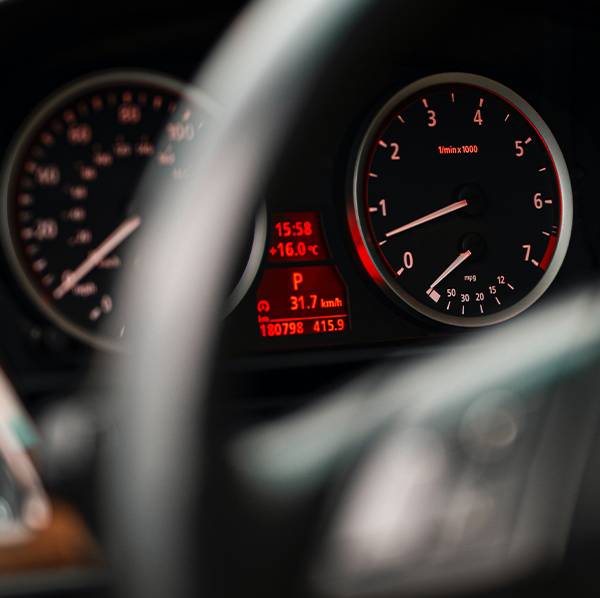
Know what else can be at your hand… or at a glance shall we say? Your actual speed.

BMW Digital speedometer coding Having an E-Series BMW, you know how inaccurate the analogue speedometer can be and how hard it is to check your exact speed on the spot, especially when you drive pedal to the metal. So instead of picking up another ticket for being that little over the speed limit, why not rely on the digital readout?

The digital speedometer coding will add a digital number on your in-dash screen and make your read out quicker, especially when your speed changes rapidly.

It may not give you the feel of a fully digital cluster, but considering that E-Series BMWs are out of the market for 6WB replacements, it is your makeshift digital experience for a fraction of the cost.

5. BMW Start & Stop deactivation

And if you search for upgrades enhancing the sporty feel of your E-Series even further, auto start stop deactivation is another BMW coding option worth looking at. It’ll turn off the automatic engine shut off feature and program your car to remember its previous settings next time you start it up.

No motor overclocking here, but definitely something to at least help you beat folks off the lights.

Wonder whether BMW start stop is bad for your engine? Find your answer in our expert guide.

6. Remote window control coding
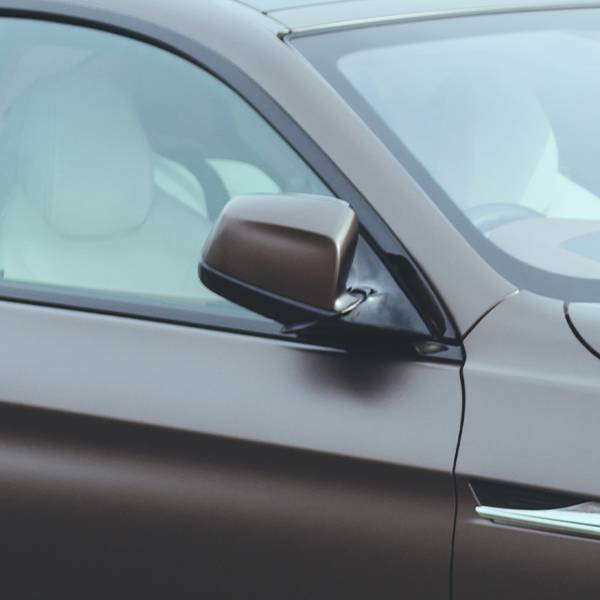
Remote window control coding Lastly, the BMW coding option you’ll surely appreciate during hot summers – remote window control unlocking. Since, E-Series cars are not equipped with preconditioning options, such as BMW remote start, manual BMW ventilation is your only way to air out your interior before you get in. And with remote window control coding, you’ll be able to do it using your BMW key fob!

Just stand within range of your car and press the lock button on your fob for a few seconds. Your windows and sunroof will open or close automatically to bring a breath of fresh air to your car.

How to code BMW E-Series?

All sounds good, but how do you code these things in? Is there a BMW coding app for that or will you have to equip yourself with OBD adapters or any specific BMW programming software?

Nothing too complicated for sure. Depending on your vehicle specifications, you’ll be able to code your car either via coding cable or a USB flash drive. Enter your VIN here to check which Bimmer coding tool you’re compatible with.

BMW USB coding

If you’re compatible with USB coding, it’s as simple as inserting your USB stick with the coding file into the USB port of your BMW and waiting 60 seconds as the coding performs itself automatically. Learn more about the BMW USB coding process.

BMW cable coding

As for the cable coding procedure for E-Series, a DCAN coding cable and a laptop running Windows with a regular USB port will do. There’s no special BMW programming software you have to download on your own or any BMW coding apps. Our technician will take care of everything remotely and guide you how to share your laptop with him so he can code BMW for you.

Anyways ;) Once you purchase your BMW coding option you’ll receive all remote coding session preparation instructions, so that everything goes smoothly.

At one point of the BMW coding session you’ll be asked to connect your laptop to your BMW. And that’s what the BMW OBD port is for. You’ll be able to find it just above the pedals.

See how to connect your coding interface to your BMW OBD port in this video. Keep in mind that for your BMW E90 coding (or any other E-Series) you’ll use the DCAN cable instead of ENET interface.

How to retrofit BMW E-Series?
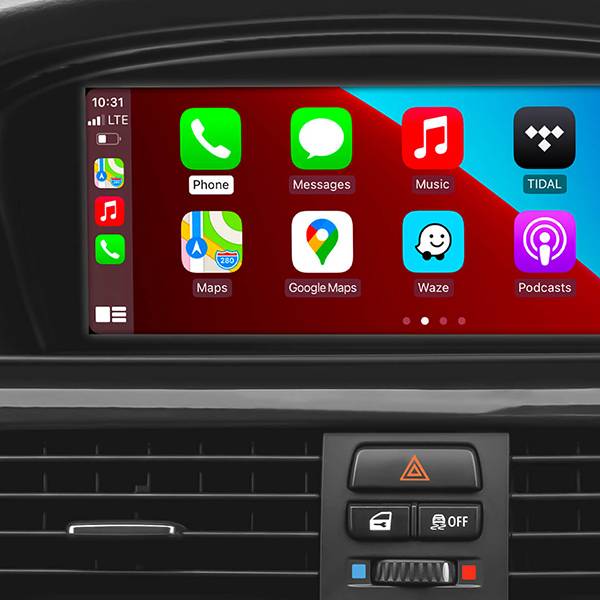
If you feel like unlocking the options in your BMW software wasn’t enough and count on some more upgrades to spice up your older vehicle, you still have plenty to choose from – like BMW CarPlay or Android Auto, as unbelievable as it may sound.

How to retrofit BMW E-Series Our BMW CarPlay and Android Auto upgrade for CIC head units will bring your E-Series up to modern day standards by letting you pair up your phone with your car and allow you to display your apps on the iDrive screen. What’s more, thanks to our MMI’s Android Auto support, you’ll be able to connect your Android smartphone to the module, or even add BMW backup cameras or front cameras for a bargain. Get to know more on how to add BMW CarPlay to pre-2016 vehicles.

If your BMW iDrive is older than CIC, upgrading BMW CarPlay may be out of the question (unless you replace your head unit). The good part is, you’re still in the game for SmartView Apple TVs and BMW audio upgrades – meaning you’re more than welcome to enjoy Netflix backed up by some good tunes when on the road ;)

Thursday, January 20, 2022

BMW Coding Support and Solutions


BMW coding

BMW coding for your BMW 1, 2, 3, 4, 5, 6, 7, X, I, (2004-current E, F, and G, I chassis), and BMW Mini (R5x & F5x) Vehicles using bmw diagnostic tool such as INPA, NCS Expert, and E-Sys. The features below represent a majority of the conveniences that can be disabled/enabled on your BMW (if applicable to your chassis).

Lights
*   Amber/Corner lights delete
*   Angel eyes as DRL
*   Disable bulb out warnings (disables warm and cold testing of bulbs)
*   Double flash hazards (not applicable on F-series chassis)
*   Pathway lighting with the key fob (follow me home lights)
*   Fog and high beams on at the same time
*   LCI taillight retrofit coding
*   Aftermarket HID coding
*   Disable DRL high beams
*   Disable DRL taillights
*   Front turn signals on when welcome lights activated
*   Angel eyes on when welcome lights activated

Cluster
*   M style digital speedometer
*   True car speed on the digital speedometer
*   Lock doors once a certain speed is reached/Unlock doors when the key is ejected
*   Turn off the car and eject the key fob by holding the ignition button in when parked
*   Nighttime illumination in a cluster with Daytime Running Lights
*   Turn signals in HUD
*   Disable Auto Start/Stop by default (F and G series only)
*   Remember the last setting of Auto Start/Stop (F and G series only)
*   Entertainment options in HUD (F series only)
*   Recent call list in HUD (F series only)
*   Assisted Driving View (G series only)

iDrive

*   Traffic options added to CCC/CIC navigation to alert you to any traffic congestion and offer detour options **More info**
*   Aux audio input enable
*   Enable Mp3 playback (Is your BMW compatible?)
*   Bluetooth retrofit coding
*   Satellite Radio input enable (needs hardware module to function)
*   CD changer input enable (needs hardware module to function)
*   Remove Legal disclaimer in Idrive
*   Remove weather band from entertainment source selection
*   Skip AM band on entertainment source selection
*   CIC retrofit coding
*   CIC DVD-in-Motion (For vehicles with CIC units only) *additional fee*
*   Update CCC DVD navigation maps ($15 installation fee). **Do I have CCC or CIC?**
*   Climate shortcut display shows in iDrive when fan button pushed (e9x only)
*   Seat heater “hi-med-low” slider in iDrive (e6x only)
*   Navigation FSC update code for latest Maps *additional fee*
*   Radio/Navigation off when the door opened (F series only)
*   Automatically set time by GPS in iDrive (NBT iDrive only)
*   Enhanced Bluetooth and USB (F series only)
*   Side view cameras on at all speeds (F series only)
*   Top view cameras on at all speeds (F series only)
*   Backup view camera on at all speeds (F series only)
*   Remove PDC + Cam disclaimer (F series only)
*   Tire pressure + Temperature in TPMS (F series only)
*   Phone Ringtone sent to CIC (F series only – not applicable on cars with no navigation)
*   DRL front and rear options (G series only)

Climate

*   AC blower was not turned on automatically when ignition switched on
*   LED fan speed indicator on in the Auto mode
*   Pressing “AUTO” on climate control does not turn on AC

Body

*   Windows up/down sunroof open/close with a key fob button press
*   Mirror fold in with key fob (must-have mirror fold option)
*   Disable seat belt butlers
*   Disable seat belt chime
*   Alarm module retrofit coding
*   Change alarm siren type to Euro (E-series chassis only)
*   Disable auto-dimming mirror (side-views)
*   Disable window safety feature (opening doors will not interrupt roll-up operation – not applicable to E6x)
*   Disable door chime when the door is open and the key is in slot
*   Enable acoustic notification on lock/unlock (must have alarm module)
*   Convertible roof-top open while driving (E-series convertibles)
*   Convertible roof-top open with the key fob (E93, and F-series convertibles)
*   One-touch auto open/close sunroof
*   Easy Entry – seat moves back a little when you open the door (F series only)
*   Enable Blind Spot Detection at lower speeds  (F series only)
*   Reprogram 3rd and 4th buttons on key fob (I3 Only)
*   Trunk close with key fob and interior button (F, X3, X5 series only. Not including 6 series F models)

Engine
Diagnostics and Service

*   Clear engine and transmission adaptations
*   Reset FRM short circuit counters/locks
*   Write VIN# and program used replacement ECUs/modules
*   Disable Neutral Idle Control per bulletin SI B24 03 08
*   New battery registration
*   Read/Clear OBD and BMW specific diagnostic codes
*   BMW Diagnostics and calibration using ISTA/Rheingold/INPA/Tool32
*   Replacement fuel injector parameter coding (N54/N55 engines)
*   Adjust idle RPM’s (not available for R5x BMW Mini models)

I3

*   Allow 2.4 Gallon Tank Capacity (I3 only)
*   Allow REX anytime below 75% “Hold Mode” (I3 only)
*   Eco-Pro or Eco-Pro+ on startup (I3 only)
*   Traffic Jam Assistant (I3 only)

BMW Performance Power Kit PPK (for N54 & N55 engines)

*   For N54 equipped vehicles produced from 03/2008 till 03/2010
*   For N55 equipped vehicles produced up till 02/2012
*   Increased torque of 317 ft-lbs (manual trans) or 332 ft-lbs (auto trans), available from just 1,500 rpm
*   Increased maximum output* of 320 horsepower (see graph image)
*   Faster acceleration from 0 to 75 mph

**Please include the last 7 digits of your VIN# in the quote.
Alpina B3 Transmission Flash (for N54 & N55 engines)

*   For N54/N55 equipped E9x vehicles produced from 03/2007+
*   Smoother shifting
*   Quicker up-shifts in D mode (Better fuel economy)
*   More precise shifting with fantastic rev-matching on downshifts in Sport mode.

**Please include the last 7 digits of your VIN# in the quote.
E90/E92/E93 M3 Euro GTS DCT flash

*   Improves the jerky or clunky downshifting when coming to a stop
*   Quicker and smoother gear shift engagement
*   Reduced clutch slip at higher RPMs
*   No more lag when shifting into reverse
*   Toggling the shifter switches to D2 instead of S3 with S mode memory

**Please include the last 7 digits of your VIN# in the quote.
N52 Three Stage Intake Manifold Flashing (for N52B30 engines)

*   For N52B30 equipped 1, 3, 5, and Z4 series E chassis vehicles
*   Up to 255bhp with 221 lb-ft of torque @ 6600rpm (265bhp for the 130i)
*   BMW 130i, 330i, 530i, Z4si factory software reliability

**HP gains to wheels will be more conservative.

**Please include the last 7 digits of your VIN# in the quote.
E46 M3 w/SMG II

*   CSL rev-matching and motor inertia DME parameters
*   CSL Transmission Software Flash
*   Cold-Start Delete
*   EWS Delete
*   Sport button memory
*   Speed governor removal
*   Enable shift lights with Manual Transmission

**If the vehicle has aftermarket tune or ECU upgrade please inquire if possible.

Thursday, August 26, 2021

How to Start BMW Coding/Programming

For a beginner who get starts on coding, programming, creating keys, tuning for BMW, what hardware and software should I start learning and working with?

Here are genera conclusion:

For diagnosis you can start with Inpa and ISTA.
For coding you can use NCS expert (for E series) and Esys (for F and G series).
For BMW programming start with Ista P and WinKFP (for E series) and Ista D and Esys (for F and G series).
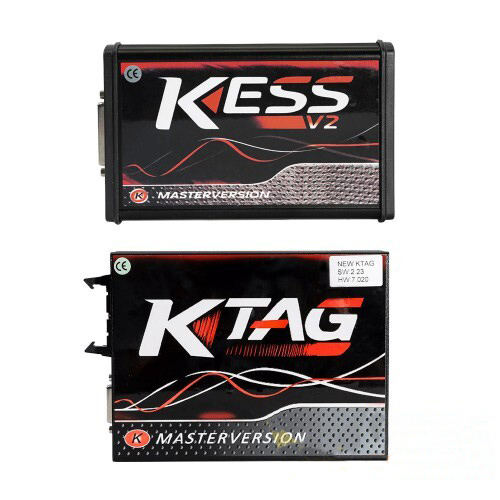
For BMW ECU tuning you first need to read/write files – use mpps, Kess, Ktag, Galleto, MMC, PCM, Bitbox, Autotuner …etc.
For manipulating files you need Winols, Bitedit, swiftec..etc
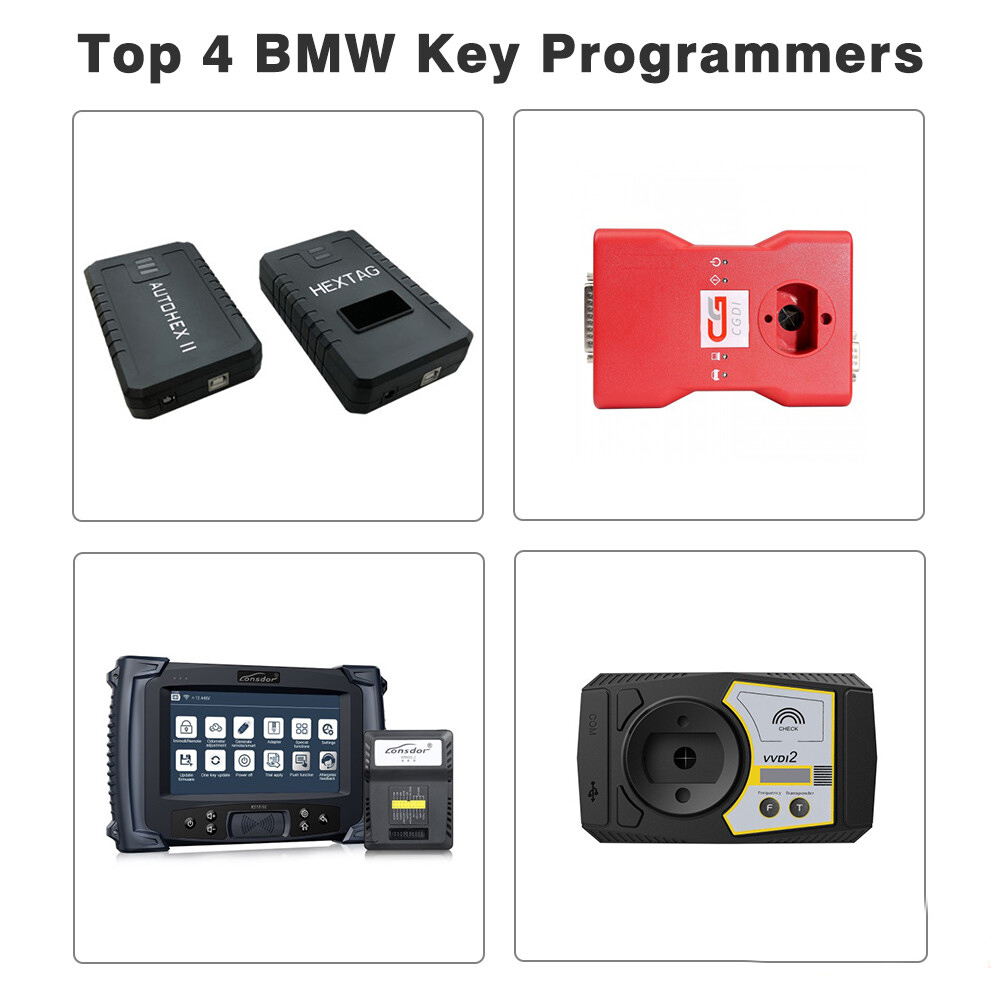
For BMW key programming try Xhorse VVDI, Tango, Lonsdor, CGDI BMW, AutoHex, BMW explorer and many other.

For BMW diagnosis and programming:

How-to-Start-BMW-Coding-Programming-1

For BMW ECU tuning:

How-to-Start-BMW-Coding-Programming-2

For BMW key programming:

How-to-Start-BMW-Coding-Programming-3


Monday, August 2, 2021

Intro to BMW Coding Diagnosis and setting up Ediabas


Intro-to-BMW-Coding--Diagnosis-and-setting-up-Ediabas

Ediabas is the suite of software that BMW gives its engineers to diagnose / configure vehicles at the factory as well as on the field. Most BMWs since the 1990s have had some capability of being “coded” – that means some features can be altered / enabled with the use of the right software and hardware. Most options are there simply to allow for regional configurations, dealer configurations, different equipment, etc. But in a lot of modules, especially newer cars, there are functions that were never enabled from the factory, which can be fun to play with.

BMW Dealerships also have a set of software for diagnosis/coding. Generally they require significantly more computing resources, are somewhat clunky to use, and not much more functional than what the Ediabas suite can do. There are some diagnostic functions that can be useful. That said, I will not cover those applications in this post, they will likely be covered elsewhere.

So before you get started, you’ll need an OBDII interface. You have a few options here:

USB or Serial -> K-line interface

*   Supports most BMWs from the mid 90s until 09/2007
*   On E36 and earlier models, functionality is limited
*   Will require pins 7 and 8 to be bridged together to access non-powertrain modules
*   On cars with the 20-pin connector, you’ll need an adapter to access non-powertrain modules
*   Can be used with some tuning software
*   For USB interfaces, you want one with the FTDI FT232RL chip (others may work, but this is proven to be reliable)

USB -> D-CAN Interface

*   Supports all the cars that K-line interfaces support, plus D-CAN BMWs (BMWs built from 09/2007 onward, however do note that functionality is limited on Fxx vehicles).
*   Some will come with a built-in switch to connect or disconnect pins 7 and 8 together (2010+ BMWs need pins 7 and 8 to be disconnected at the cable end).
*   The vast majority of these cables have flawed firmware that can cause some errors in D-CAN mode (no impact to K-line mode used on pre-09/2007 cars). This firmware error can cause some modules to be bricked
*   It is therefore recommended to buy Bimmergeeks’ Pro Cable if you’re going to be flashing modules on MY2008+ BMWs
*   Alternatively you can flash the fixed firmware yourself using an ASP programmer (search ediabaslib firmware)
*   Full Disclosure: I helped Bimmergeeks with their cables and some software and was gifted one of their pro-cables as a thanks, but otherwise have not received any sort of compensation financial or otherwise.

Serial -> ADS Interface

*   These cables require a true serial port (USB->Serial will not work)
*   Will allow communication with all E36 modules
*   Likely also works with newer pre-DCAN cars, but I never tested this.
*   Not compatible with newer versions of Ediabas, so you’ll likely be limited to 32-bit versions of Windows.

BMW ICOM Interface

*   This is what dealerships use for diagnostic purposes, it is fairly expensive (a genuine “ICOM Next” costs around $700; the old version was actually even more expensive).
*   Connect via ethernet or wifi (most Chinese clones will be missing wifi)
*   Compatible with all BMWs ever made (including E36 era vehicles), does require an adapter for cars with the 20-pin connector
*   Little bit of a pain to setup, I’m not covering that here
*   Note: BMW recently released the “ICOM Nano” which is a wireless only device which is actually fairly reasonable priced (~$130). However at this time it is unclear if it works with pre-DCAN cars.

ENET Cable

*   These only work with Fxx cars, I’m only mentioning it here so that you know not to buy them unless you have one of those cars

I would recommend most people buy the USB -> D-CAN cables. These do not cost significantly more than cables without D-CAN, and will generally work with most BMWs. You might also read about BMW yellowheads, OPS, OPPS, Modic, etc… – these are largely legacy interfaces that should not be necessary. For consumer use, the USB -> D-CAN is going to be enough for nearly everything. For professional use, you may want to consider a BMW ICOM (though even that is not strictly necessary).

You will also need a computer. Generally any Windows computer running Windows 2000 or newer is adequate. You can also run Windows in a virtual machine if using a mac or linux system. 32-bit and 64-bit are both fine.

Setting up the software

*   Find ‘ediabas-6.4.3-full.nrg’, mount that image using your favorite image mounting tool (I like WinCDEmu) and install the software.
*   *   This package is circa 2004, so it’s missing stuff for newer cars
*   *   This package will install, but will not properly function on 64-bit cars, so see below to getting things up to date
*   Download “Standard Tools 2.12.rar” and run that setup. If it gives you the option to transfer data, do so.
*   Download the E46 Sp-daten files (and any other chassis you’re interested in working with). Almost any version you find online will be sufficiently up to date. Bimmergeeks typically has up to date copies.
*   *   Extract all the files somewhere
*   Copy the contents of the ECU folder to C:\Ediabas\ECU
*   Copy the contents of the sgdat folder to C:\NCSExper\sgdat, C:\EC-APPS\INPA\sgdat, C:\EC-APPS\sgdat
*   Copy the contents of the “daten” folder to C:\NCSEXPER\daten\E46
*   Run laden.bat with administrative privileges

*   Start WinKFP, click Import -> Import Assembly Data, and then point to the “DATA” folder that you extracted

Setting up your cable

*   Plug in your USB cable.
*   *   If you need drivers, you can get them from the ftdi website
*   Go to your device manager, and find your cable under serial ports
*   *   Change the port to COM1 (if the system warns you it’s in use, set it anyway)
*   *   Change the latency to 1ms (default is 16).

That’s the basic setup, time to test things. Open up INPA, you should see two black dots. And if you try to diagnose an E46 module, it should work. You may get an error about the version not matching or something to that effect, that is normal.

Okay, that’s the basic setup. Most of you will probably be interested in messing with NCS Expert.

Tuesday, July 6, 2021

BMW Coding Support and Solutions


BMW coding for your BMW 1, 2, 3, 4, 5, 6, 7, X, I, (2004-current E, F, and G, I chassis), and BMW Mini (R5x & F5x) Vehicles using BMW factory software such as INPA, NCS Expert, and BMW Diagnostic Software E-Sys. The features below represent a majority of the conveniences that can be disabled/enabled on your BMW (if applicable to your chassis).

Lights

Amber/Corner lights delete
Angel eyes as DRL
Disable bulb out warnings (disables warm and cold testing of bulbs)
Double flash hazards (not applicable on F-series chassis)
Pathway lighting with the key fob (follow me home lights)
Fog and high beams on at the same time
LCI taillight retrofit coding
Aftermarket HID coding
Disable DRL high beams
Disable DRL taillights
Front turn signals on when welcome lights activated
Angel eyes on when welcome lights activated

Cluster

M style digital speedometer
True car speed on the digital speedometer
Lock doors once a certain speed is reached/Unlock doors when the key is ejected
Turn off the car and eject the key fob by holding the ignition button in when parked
Nighttime illumination in a cluster with Daytime Running Lights
Turn signals in HUD
Disable Auto Start/Stop by default (F and G series only)
Remember the last setting of Auto Start/Stop (F and G series only)
Entertainment options in HUD (F series only)
Recent call list in HUD (F series only)
Assisted Driving View (G series only)

iDrive

Traffic options added to CCC/CIC navigation to alert you to any traffic congestion and offer detour options **More info**
Aux audio input enable
Enable Mp3 playback (Is your BMW compatible?)
Bluetooth retrofit coding
Satellite Radio input enable (needs hardware module to function)
CD changer input enable (needs hardware module to function)
Remove Legal disclaimer in Idrive
Remove weather band from entertainment source selection
Skip AM band on entertainment source selection
CIC retrofit coding
CIC DVD-in-Motion (For vehicles with CIC units only) *additional fee*
Update CCC DVD navigation maps ($15 installation fee). **Do I have CCC or CIC?**
Climate shortcut display shows in iDrive when fan button pushed (e9x only)
Seat heater “hi-med-low” slider in iDrive (e6x only)
Navigation FSC update code for latest Maps *additional fee*
Radio/Navigation off when the door opened (F series only)
Automatically set time by GPS in iDrive (NBT iDrive only)
Enhanced Bluetooth and USB (F series only)
Side view cameras on at all speeds (F series only)
Top view cameras on at all speeds (F series only)
Backup view camera on at all speeds (F series only)
Remove PDC + Cam disclaimer (F series only)
Tire pressure + Temperature in TPMS (F series only)
Phone Ringtone sent to CIC (F series only – not applicable on cars with no navigation)
DRL front and rear options (G series only)

Climate

AC blower was not turned on automatically when ignition switched on
LED fan speed indicator on in the Auto mode
Pressing “AUTO” on climate control does not turn on AC

Body

Windows up/down sunroof open/close with a key fob button press
Mirror fold in with key fob (must-have mirror fold option)
Disable seat belt butlers
Disable seat belt chime
Alarm module retrofit coding
Change alarm siren type to Euro (E-series chassis only)
Disable auto-dimming mirror (side-views)
Disable window safety feature (opening doors will not interrupt roll-up operation – not applicable to E6x)
Disable door chime when the door is open and the key is in slot
Enable acoustic notification on lock/unlock (must have alarm module)
Convertible roof-top open while driving (E-series convertibles)
Convertible roof-top open with the key fob (E93, and F-series convertibles)
One-touch auto open/close sunroof
Easy Entry – seat moves back a little when you open the door (F series only)
Enable Blind Spot Detection at lower speeds  (F series only)
Reprogram 3rd and 4th buttons on key fob (I3 Only)
Trunk close with key fob and interior button (F, X3, X5 series only. Not including 6 series F models)

Engine
Diagnostics and Service

Clear engine and transmission adaptations
Reset FRM short circuit counters/locks
Write VIN# and program used replacement ECUs/modules
Disable Neutral Idle Control per bulletin SI B24 03 08
New battery registration
Read/Clear OBD and BMW specific diagnostic codes
BMW Diagnostics and calibration using ISTA/Rheingold/INPA/Tool32
Replacement fuel injector parameter coding (N54/N55 engines)
Adjust idle RPM’s (not available for R5x BMW Mini models)

I3

Allow 2.4 Gallon Tank Capacity (I3 only)
Allow REX anytime below 75% “Hold Mode” (I3 only)
Eco-Pro or Eco-Pro+ on startup (I3 only)
Traffic Jam Assistant (I3 only)

BMW Performance Power Kit PPK (for N54 & N55 engines)

For N54 equipped vehicles produced from 03/2008 till 03/2010
For N55 equipped vehicles produced up till 02/2012
Increased torque of 317 ft-lbs (manual trans) or 332 ft-lbs (auto trans), available from just 1,500 rpm
Increased maximum output* of 320 horsepower (see graph image)
Faster acceleration from 0 to 75 mph

**Please include the last 7 digits of your VIN# in the quote.
Alpina B3 Transmission Flash (for N54 & N55 engines)

For N54/N55 equipped E9x vehicles produced from 03/2007+
Smoother shifting
Quicker up-shifts in D mode (Better fuel economy)
More precise shifting with fantastic rev-matching on downshifts in Sport mode.

**Please include the last 7 digits of your VIN# in the quote.
E90/E92/E93 M3 Euro GTS DCT flash

Improves the jerky or clunky downshifting when coming to a stop
Quicker and smoother gear shift engagement
Reduced clutch slip at higher RPMs
No more lag when shifting into reverse
Toggling the shifter switches to D2 instead of S3 with S mode memory

**Please include the last 7 digits of your VIN# in the quote.
N52 Three Stage Intake Manifold Flashing (for N52B30 engines)

For N52B30 equipped 1, 3, 5, and Z4 series E chassis vehicles
Up to 255bhp with 221 lb-ft of torque @ 6600rpm (265bhp for the 130i)
BMW 130i, 330i, 530i, Z4si factory software reliability

**HP gains to wheels will be more conservative.

**Please include the last 7 digits of your VIN# in the quote.
E46 M3 w/SMG II

CSL rev-matching and motor inertia DME parameters
CSL Transmission Software Flash
Cold-Start Delete
EWS Delete
Sport button memory
Speed governor removal
Enable shift lights with Manual Transmission

**If the vehicle has aftermarket tune or ECU upgrade please inquire if possible.