Showing posts with label BMW Diagnostic Software. Show all posts

Saturday, April 16, 2022

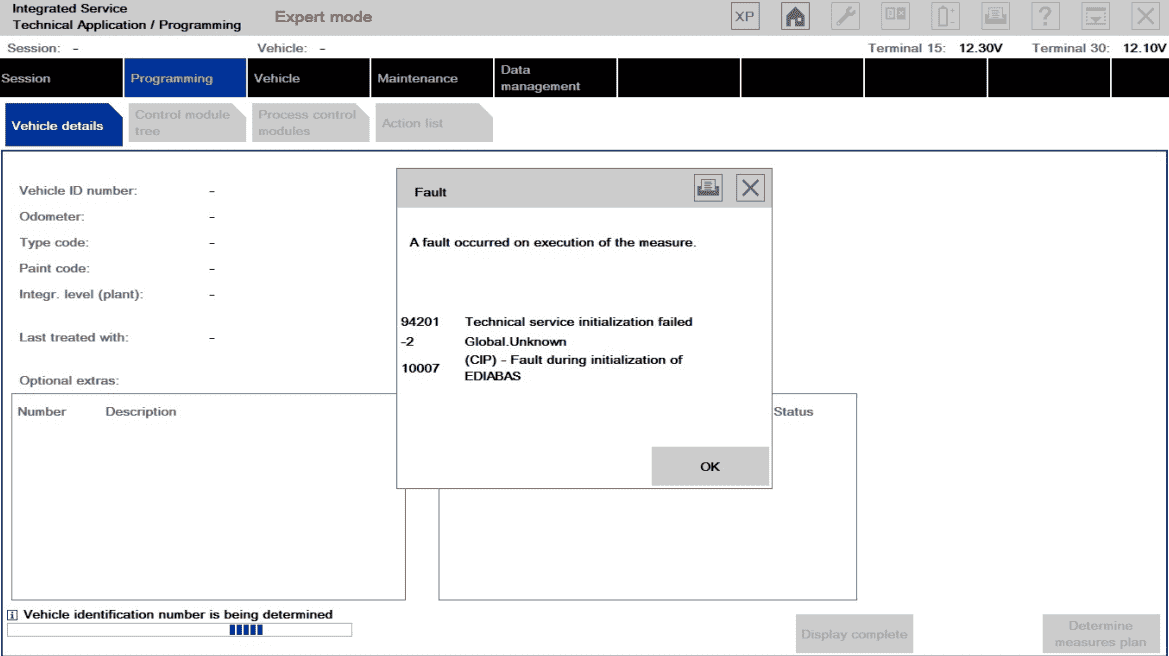
How to Solve bmw icom error message 94201、63031、63104

BMW ICOM ISTA/P: when starting programming dialog in ISTA/P appear the error message 94201、63031、63104

1. End the conversation
2. Disconnect the ICOM from the vehicle
3. Disconnect the vehicle battery for 10 minutes
4. Reconnect the battery and start a new ISTA/P dialogue
5. Turn on the ignition switch
6. Reconnect the ICOM to the vehicle
7. Select ICOM in the ISTA/P Connection Manager
8. Start a programming conversation
9. If the problem is considered solved, please do the following
9-1. End the conversation
9-2. Ensure workshop pre-activated programming dialog
9-3. Restart the programming device (PC, ISID or ISSS)
9-4. Start a new programming session with another ICOM. Remember to turn on the ignition switch before connecting the ICOM to the vehicle

Any question you have please contact us.
https://www.obd2tool.com/search-BMW+ICOM.html

Friday, April 15, 2022

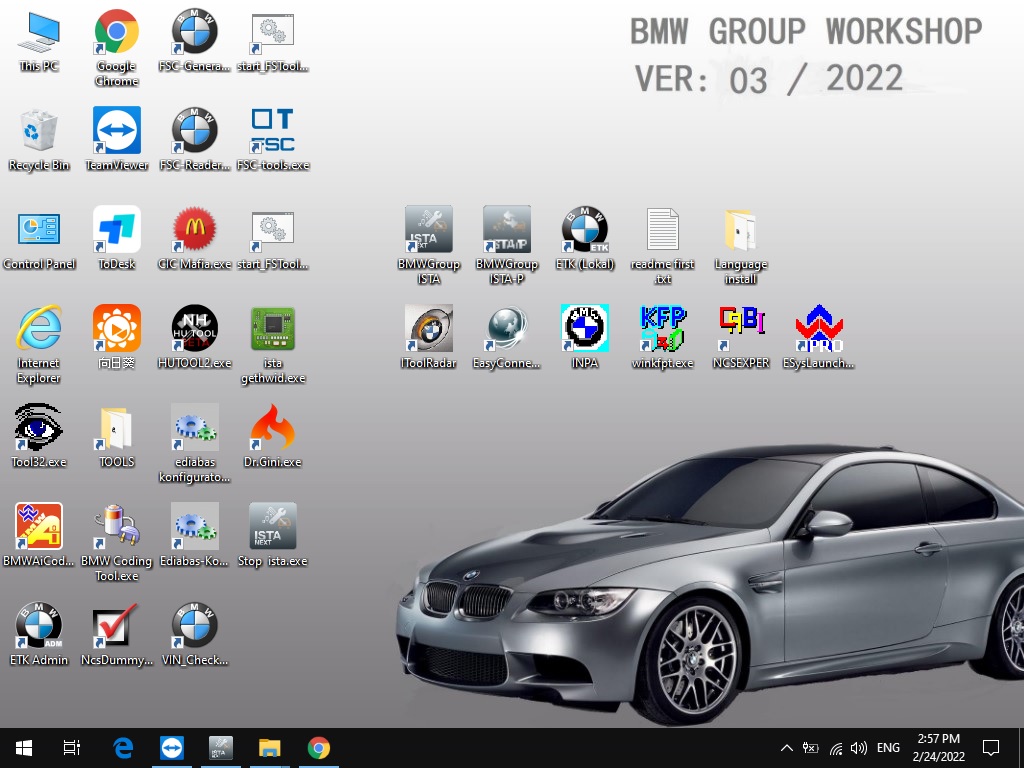
V2022.03 BMW ICOM Next A2 A3 software

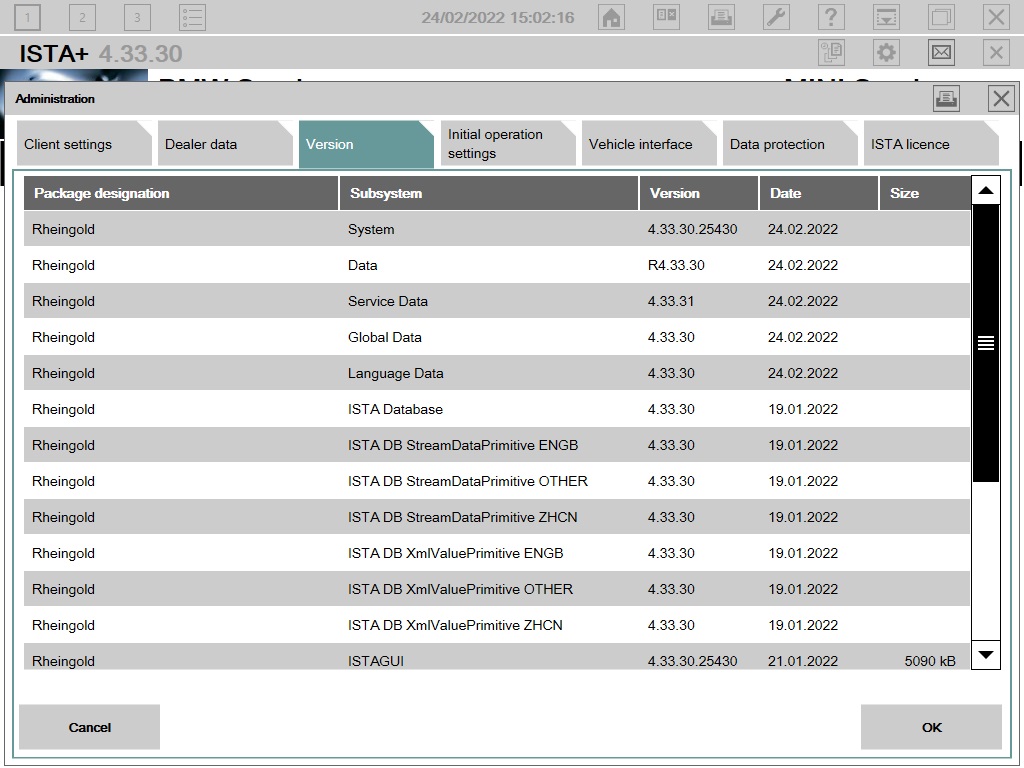
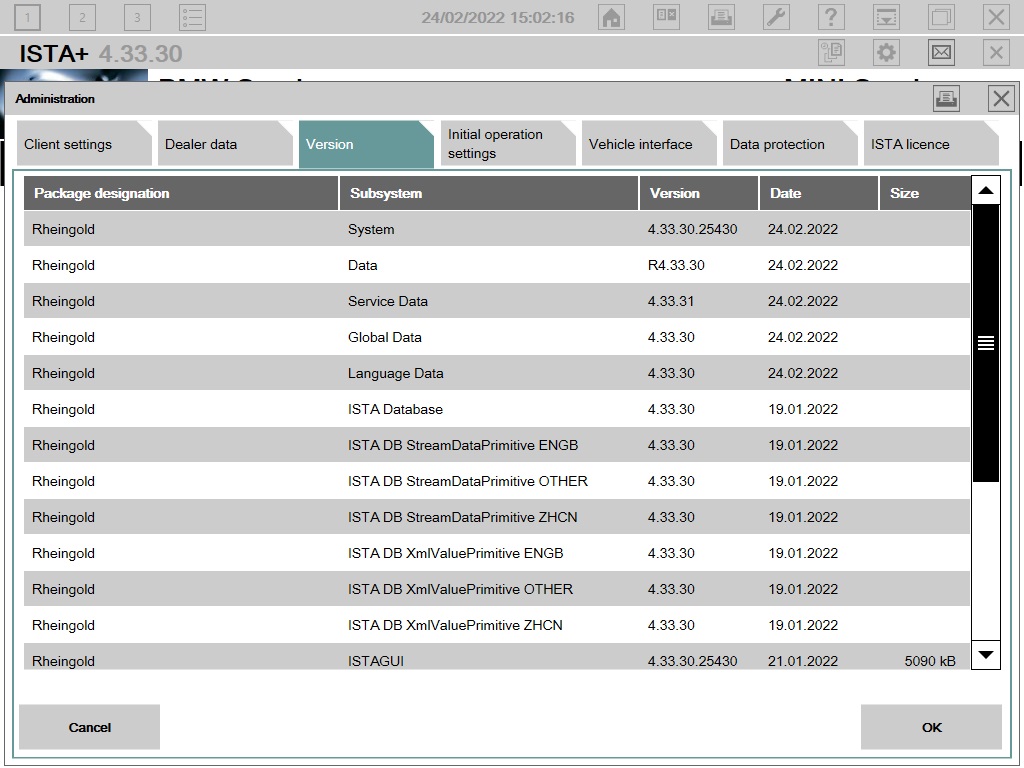
BMW ICOM V2022.03 Newest Vsrsion Software ISTA-D ISTA 4.33.30 ISTA-P 3.68.0.800 with Engineer Programming

Software Version : V2022.03
ISTA - D: 4.33.30,with SDP Programming Database 4.33.30
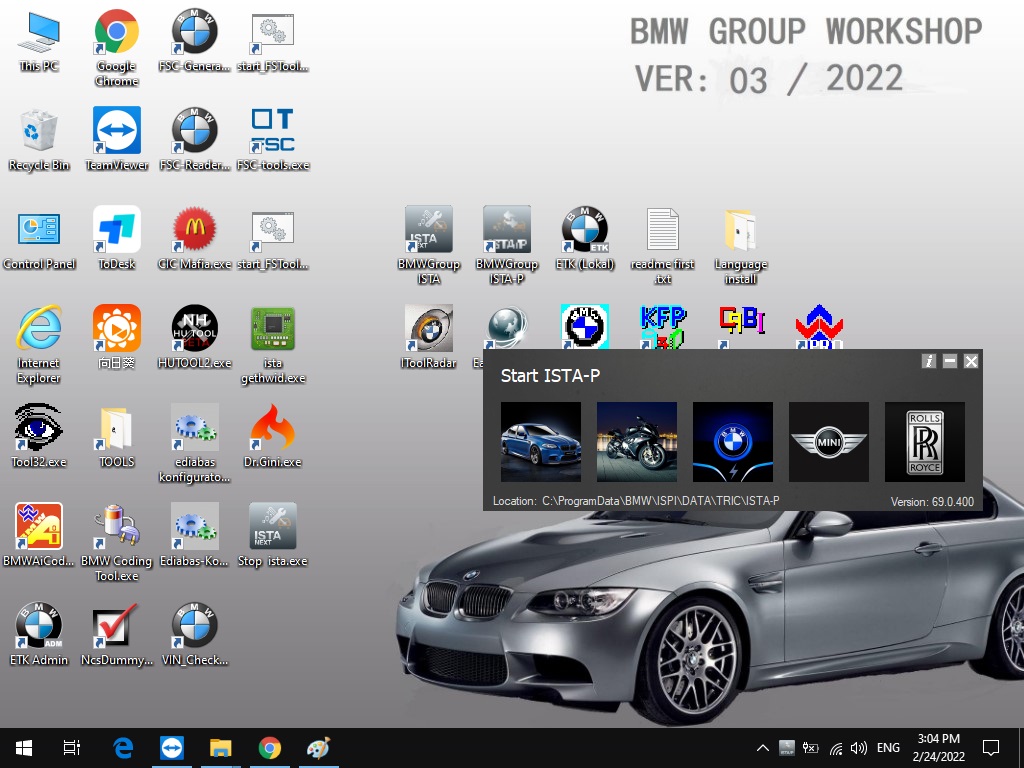
ISTA - P: 3.69.0.400 with Engineer Programming,supports the programming of BMW motorcycles and electric vehicles can program F/G/I/K chassis for car (through the ICOM, not other cable )
Vin: V2022.01.19
BMW ETK: 2019.12
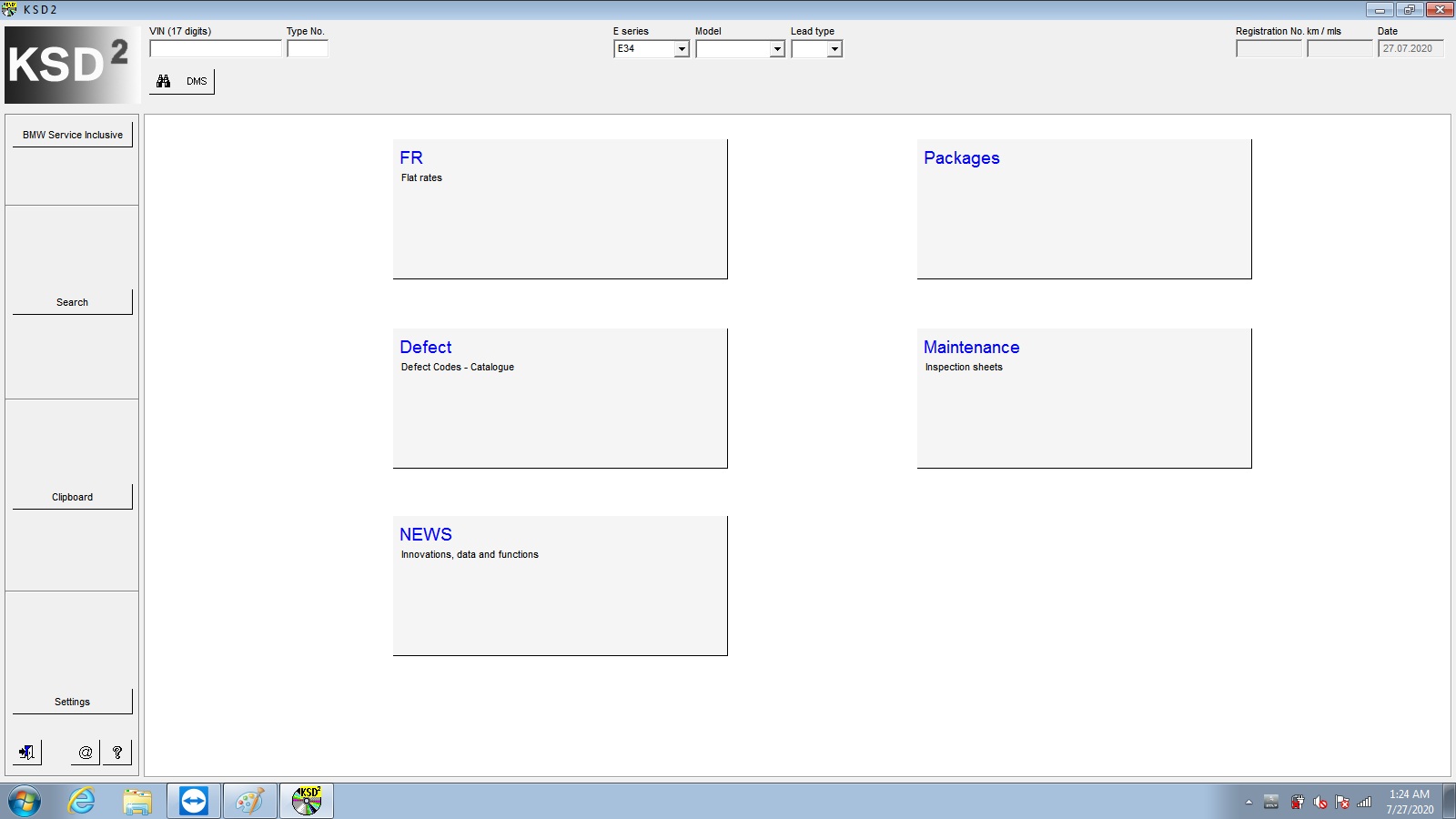
BMW KSD: 2019.12 Multilanguage
BMW FSC Navigation Code Generator
BMWAiCoder for BMW Coding

BMW ICOM V2022.03, With free Software:
1. Get engineer version, INPA INPA 5.06,winkfp 5.2.3,NCS 3.5.1, e-sys 3.31,data V69.0
2. get Chinese software DR.GINI B021
3. get count code navigation tool software FSC operator code
4. get one-clik hidden brush tool BMWAi V4.6
5. Add DIS Software for Old cars, DISV57 and DISV44,diagnosis and programming for BMW virtual machines
6. Support Vehicles: For BMW Cars,For BMW Motorcycle,For Rolls-Royce, For Mini Cooper

ISTA-D Language: Czech, Dutch, French, German, Greek, Italian, Japanese, Korean, Polish, Portuguese, Russian, Spanish, Sweden, Thai, Turkish
ISTA-P Language: English, Chinese, Czech, Dutch, French, German, Greek, Indonesian, Italian, Japanese, Korean, Polish,
Portuguese, Russian, Spanish, Swedish, Thai, Turkish

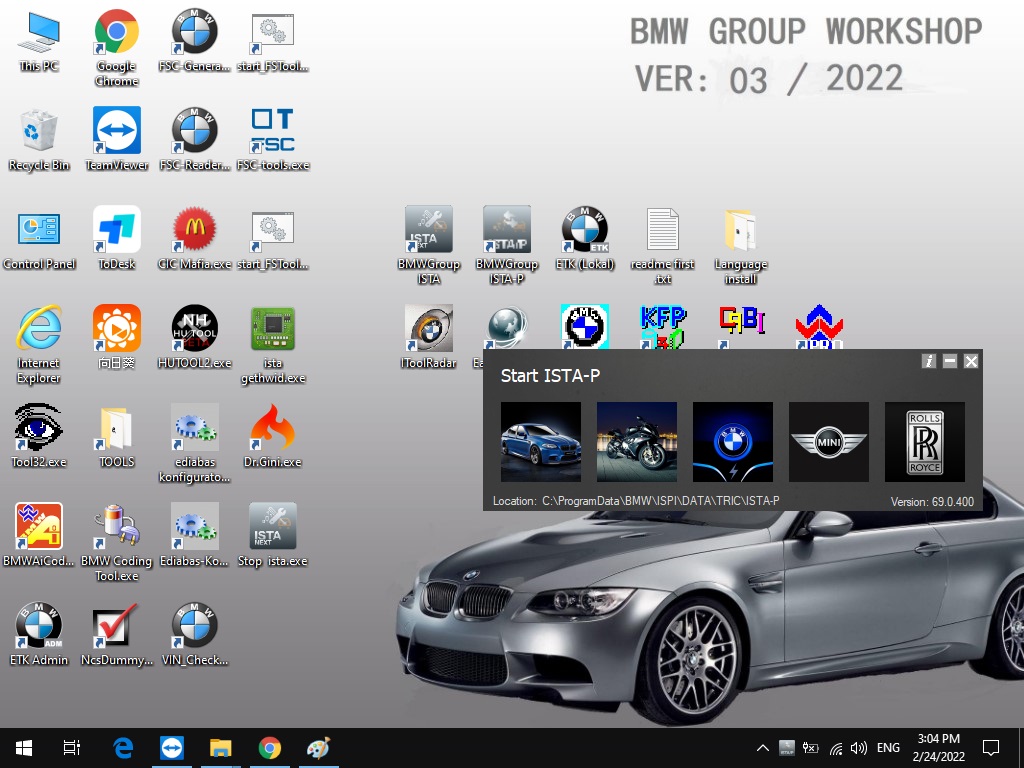
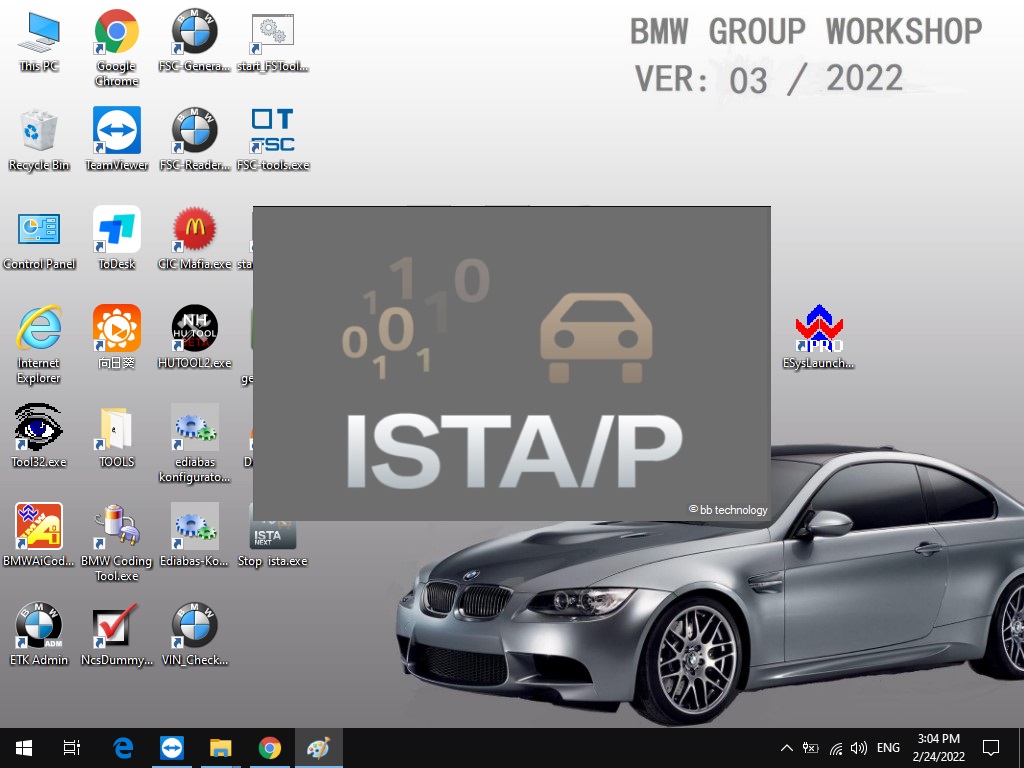
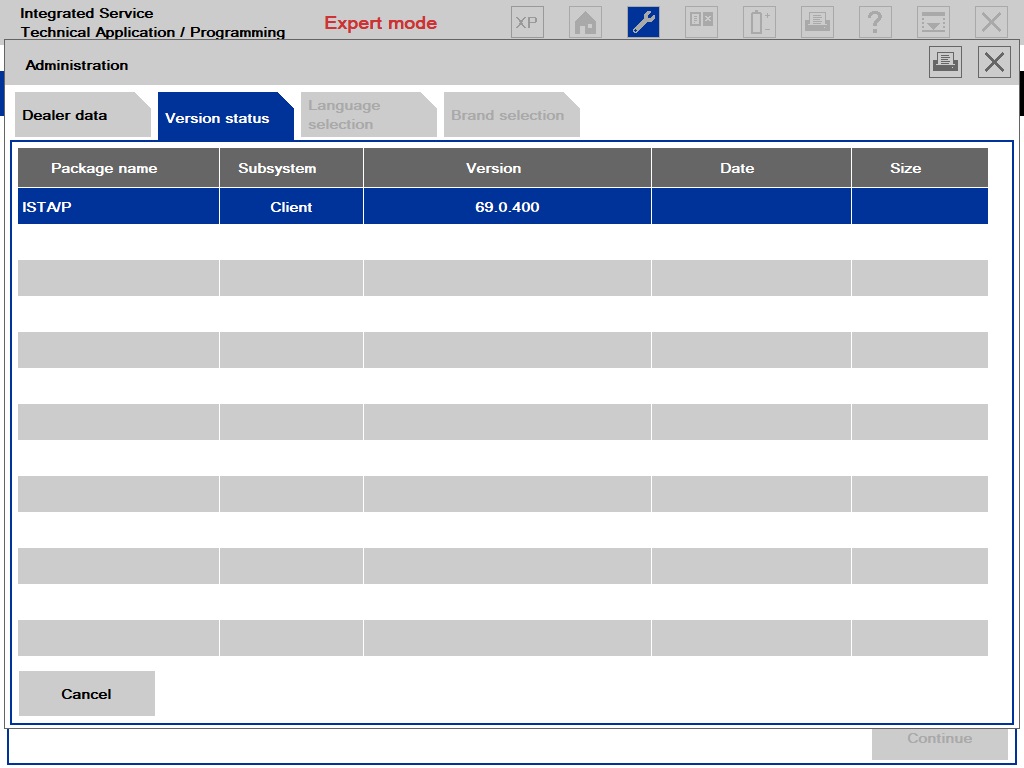
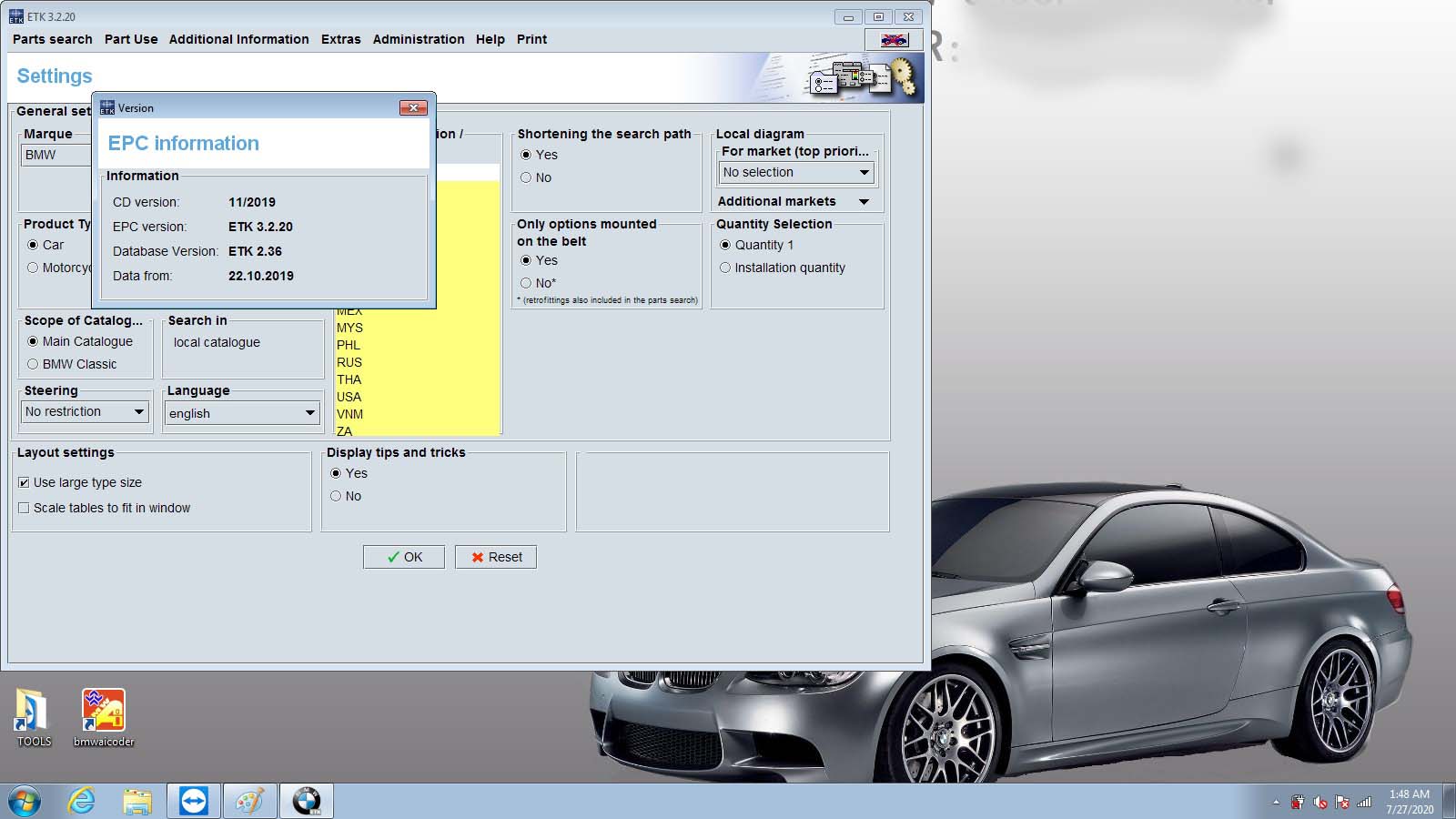
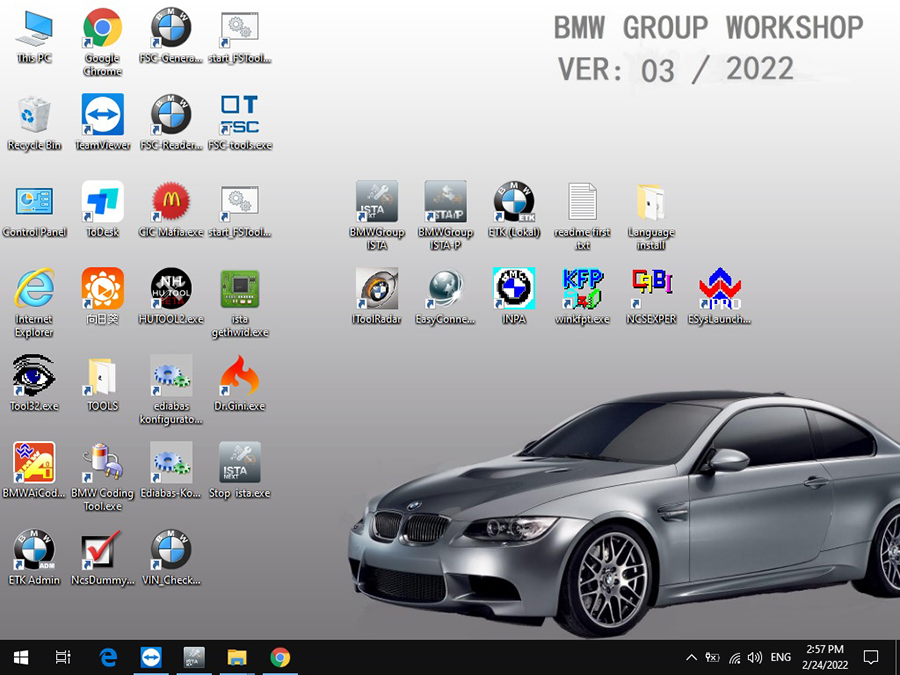
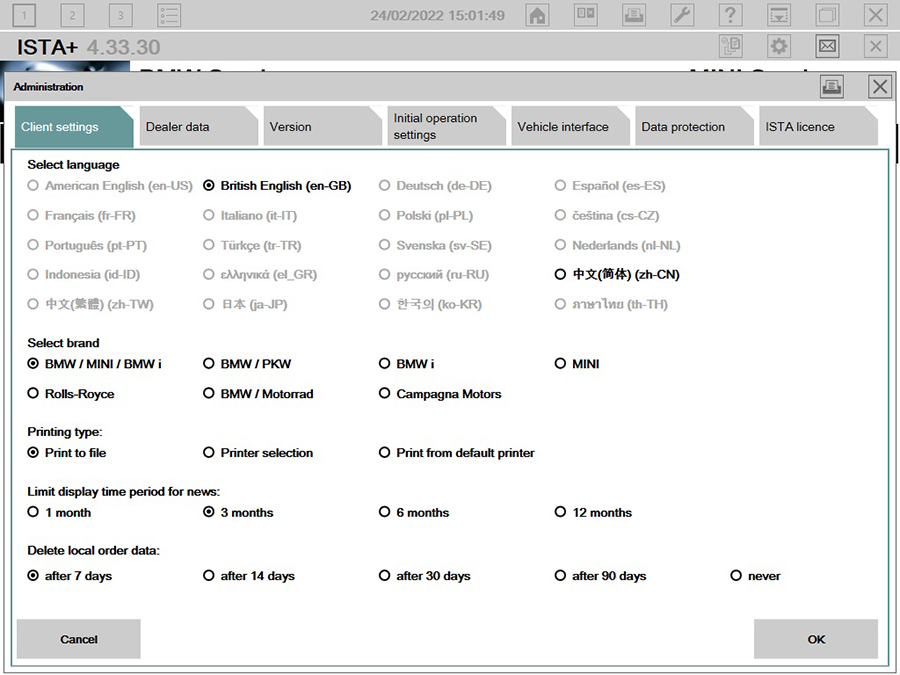
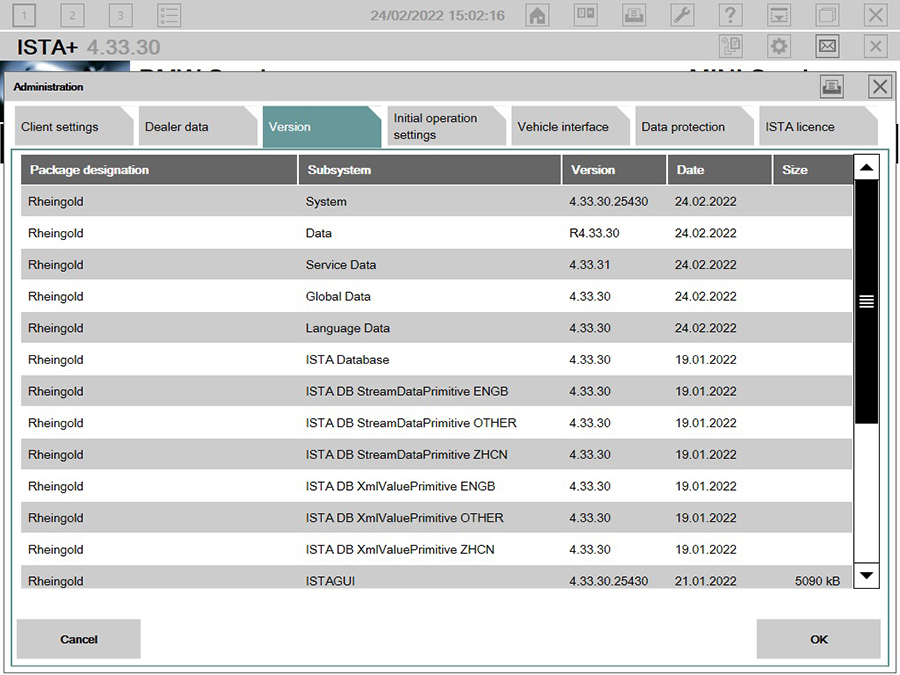
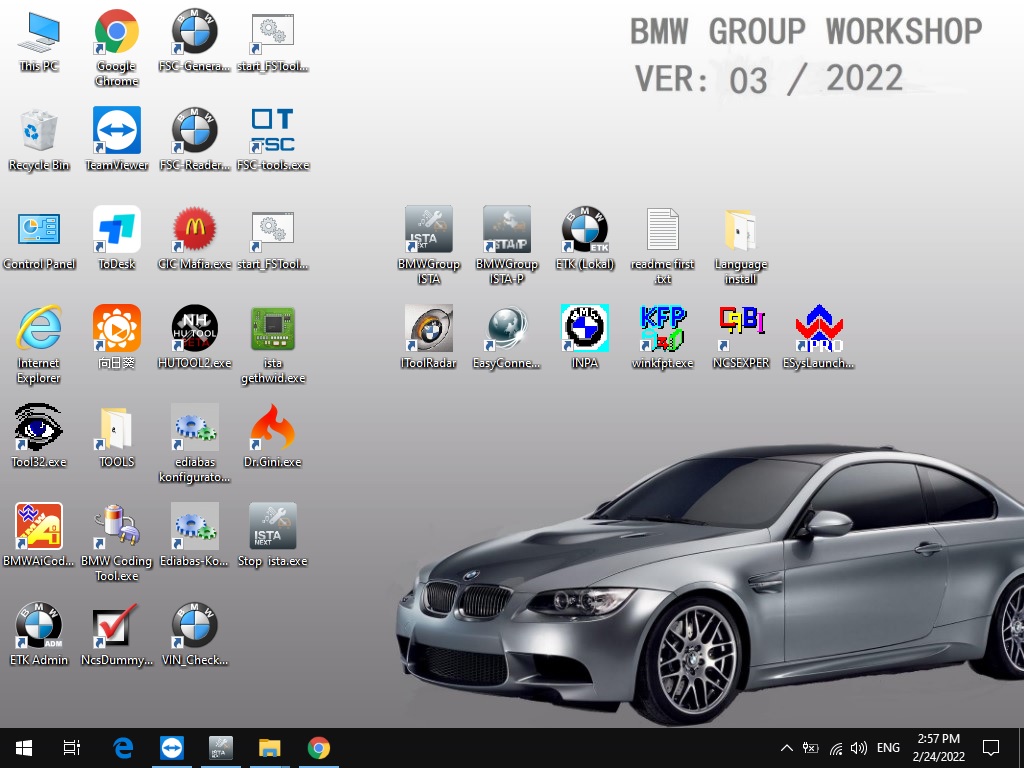
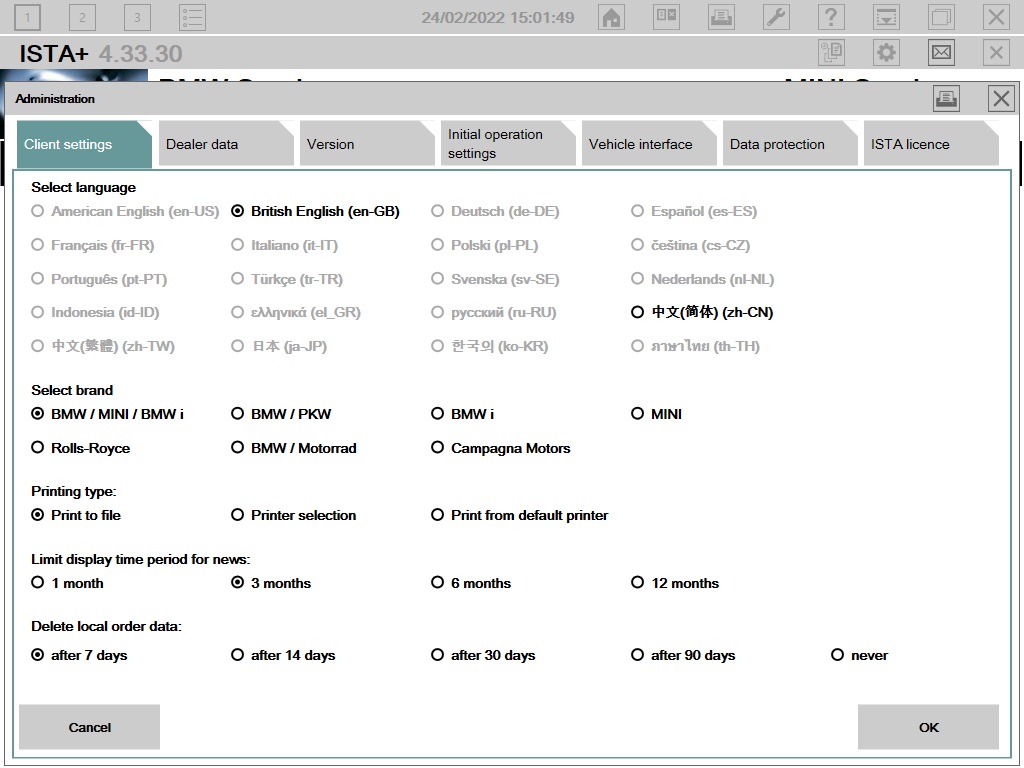
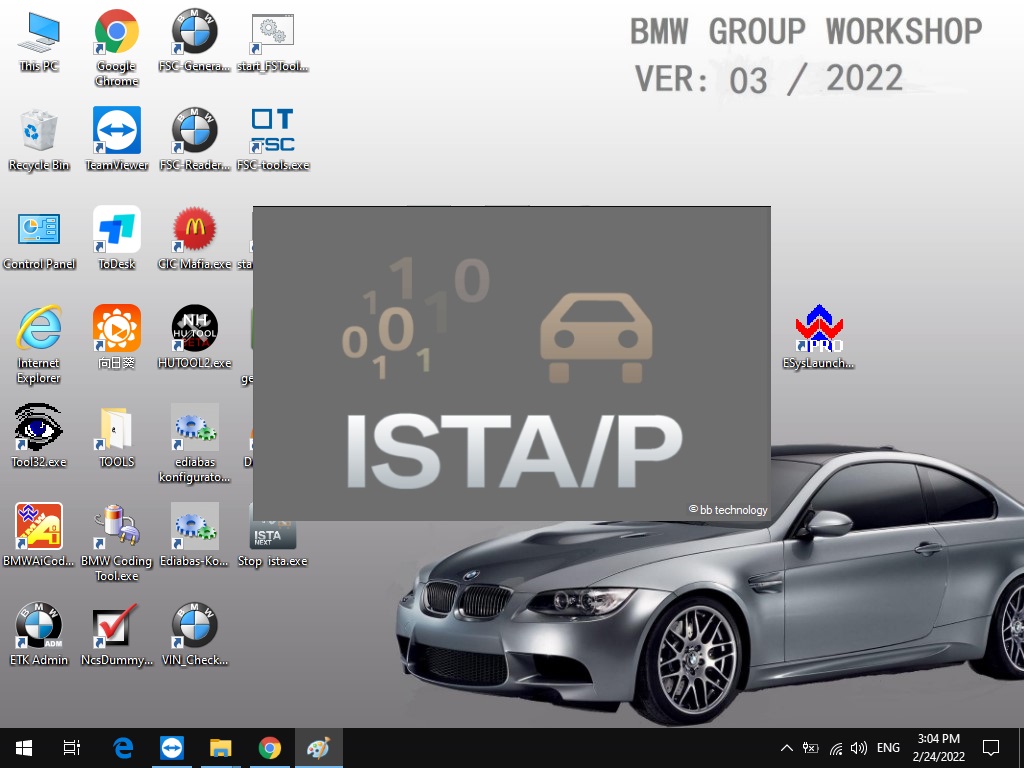
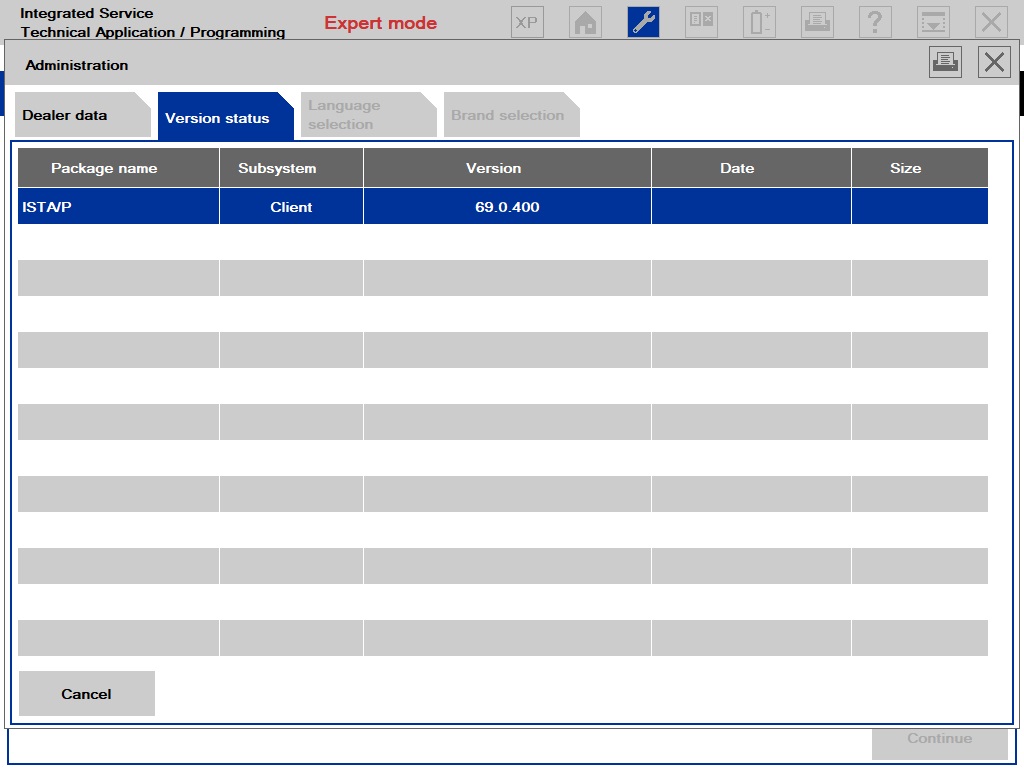
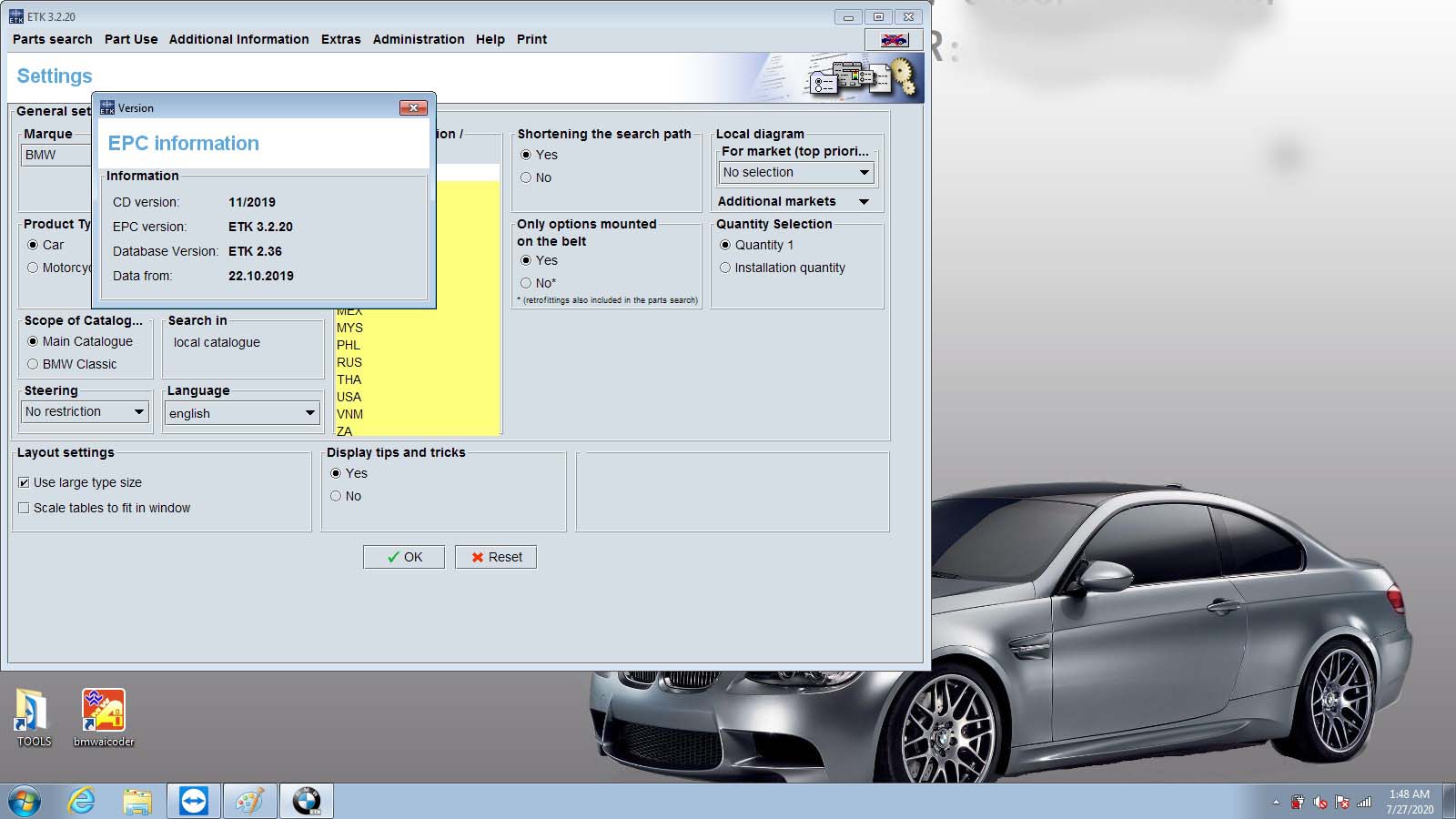
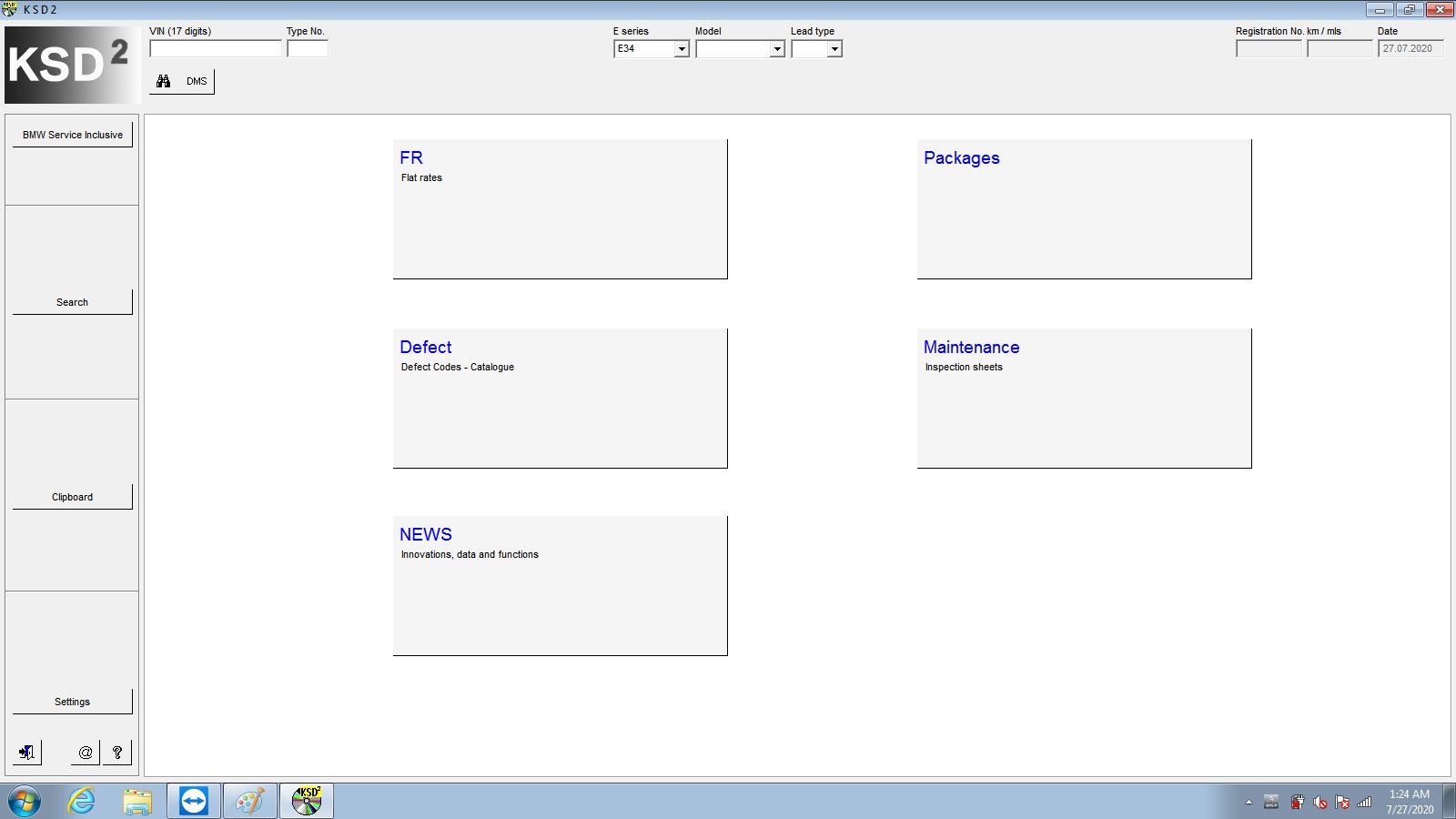
The bmw icom software display:

BMW ICOM next A2 A3 +B+C BMW Professional Diagnostic Tool

Sunday, March 27, 2022

BMW ICOM ISTA/P: when starting programming dialog in ISTA/P appear the error message 94201、63031、63104


BMW ICOM ISTA/P: when starting programming dialog in ISTA/P appear the error message 94201、63031、63104

1. End the conversation
2. Disconnect the ICOM from the vehicle
3. Disconnect the vehicle battery for 10 minutes
4. Reconnect the battery and start a new ISTA/P dialogue
5. Turn on the ignition switch
6. Reconnect the ICOM to the vehicle
7. Select ICOM in the ISTA/P Connection Manager
8. Start a programming conversation
9. If the problem is considered solved, please do the following
9-1. End the conversation
9-2. Ensure workshop pre-activated programming dialog
9-3. Restart the programming device (PC, ISID or ISSS)
9-4. Start a new programming session with another ICOM. Remember to turn on the ignition switch before connecting the ICOM to the vehicle

Any question you have please contact us.
https://www.obd2tool.com/search-BMW+ICOM.html

Sunday, March 13, 2022

BMW ICOM Updated the new software to 2022.03

Dear friends, goods news ,BMW ICOM updated the new software to 2022.03.

V2022.03 BMW ICOM Engineers Software HDD For BMW ICOM Next BMW ICOM A2 A3 Diagnosis and programming

V2022.03 Newest Vsrsion Software ISTA-D ISTA 4.33.30 ISTA-P 3.69.0.400 with Engineer Programming

Pls note : If you just need the hardware with the software .when you receive ,please contact us to activate one free time .thanks .

Software Version : V2022.03
ISTA – D:4.33.30 with SDP Programming Database 4.33.30
ISTA – P:3.69.0.400 with Engineer Programming,supports the programming of BMW motorcycles and electric vehicles can program F/G/I/K chassis for car (through the ICOM, not other cable )
Vin:V2022.01.19
BMW ETK: 2019.12
BMW KSD: 2019.12  Multilanguage
BMW FSC Navigation Code Generator
BMWAiCoder for BMW Coding

BMW ICOM V2021.09, With free Software:
1. Get engineer version, INPA 5.06,winkfp 5.2.3,NCS 3.5.1, e-sys 3.31,data V69.0
2. get Chinese software DR.GINI B021
3. get count code navigation tool software FSC operator code
4. get one-clik hidden brush tool BMWAi V4.6
5. Add DIS Software for Old cars, DISV57 and DISV44,diagnosis and programming for BMW virtual machines
6. Support Vehicles: For BMW Cars,For BMW Motorcycle,For Rolls-Royce, For Mini Cooper

ISTA-D Language: Czech, Dutch, French, German, Greek, Italian, Japanese, Korean, Polish, Portuguese, Russian, Spanish, Sweden, Thai, Turkish
ISTA-P Language:  English, Chinese, Czech, Dutch, French, German, Greek, Indonesian, Italian, Japanese, Korean, Polish,
Portuguese, Russian, Spanish, Swedish, Thai, Turkish

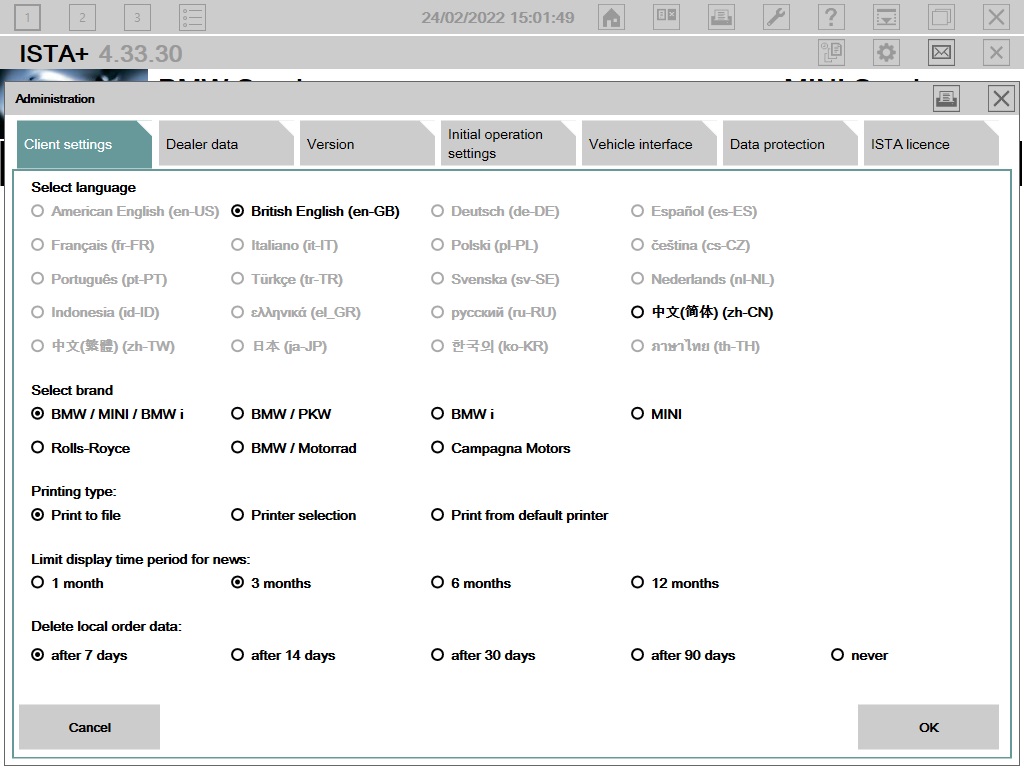
Notice : The software installed English language in default.

BMW-ICOM-Updated-the-new-software-to-2022.03-1
BMW-ICOM-Updated-the-new-software-to-2022.03-2
BMW-ICOM-Updated-the-new-software-to-2022.03-3

If you have any other question do you want to learn ,you can contact with us : sales@obd2tool.com .or search on our website directly: https://www.obd2tool.com.

Sunday, March 6, 2022

V2022.03 BMW ICOM Software ISTA-D ISTA 4.33.30 ISTA-P 3.69.0.400 with Engineer Programming

V2022.03 BMW Diagnostic Software ISTA-D ISTA 4.33.30 ISTA-P 3.69.0.400 with Engineer Programming

Software Version : V2022.03
ISTA – D: 4.33.30 with SDP Programming Database 4.33.30
ISTA – P: 3.69.0.400 with Engineer Programming,supports the programming of BMW motorcycles and electric vehicles can program F/G/I/K chassis for car (through the ICOM, not other cable )
Vin: V2022.01.19
BMW ETK: 2019.12
BMW KSD: 2019.12  Multilanguage
BMW FSC Navigation Code Generator
BMWAiCoder for BMW Coding
Win10 64 bit operating system

BMW ICOM V2021.09, With free Software:
1. Get engineer version, INPA 5.06,winkfp 5.2.3,NCS 3.5.1, e-sys 3.31,data V69.0
2. get Chinese software DR.GINI B021
3. get count code navigation tool software FSC operator code
4. get one-clik hidden brush tool BMWAi V4.6
5. Add DIS Software for Old cars, DISV57 and DISV44,diagnosis and programming for BMW virtual machines
6. Support Vehicles: For BMW Cars,For BMW Motorcycle,For Rolls-Royce, For Mini Cooper

Notice : The software installed English language in default.

1.Language:
ISTA-D Support Multi-language: English German Spanish French Italian Polish Portuguese Turkish Czech Swedish Dutch Greek Russian Japaness Korean Thai
ISTA-P Support Multi-language: English, German, Spanish, French, Italian, Polish, Portuguese, Turkish, Czech, Swedish, Dutch, Indian,Greek, Russian,Chinese, Japanese, Korean and Thai.
2.Support almost 95% laptop on the world with Intel chip( I3/I5/I7 series) and have 4GB memory
3. Software contain TIS and WDS software( for repair instruction and circuit).
4.Provide bonus engineer software for free, you can use it to do single module programming.
5.Support for Engineers programming. ( Expert Mode)

BMW ICOM Software Display:

BMW ICOM Diagnostic & Programming Tool-1
BMW ICOM Diagnostic & Programming Tool-2
BMW ICOM Diagnostic & Programming Tool-3
BMW ICOM Diagnostic & Programming Tool-4
BMW ICOM Diagnostic & Programming Tool-5
BMW ICOM Diagnostic & Programming Tool-6
BMW ICOM Diagnostic & Programming Tool-7
BMW ICOM Diagnostic & Programming Tool-8


Monday, January 3, 2022

HOW TO DECODE ERROR CODES ON BMW


BMW Fault Code Lists – Guides

Error Code:

ABS Fault Codes – BMW Fault Code Lists Download

ZKE Fault codes – BMW Fault Code Lists Download

Super Fault Codes Pcodes 1996-2003 – BMW Fault Code Lists Download

Carsoft & Peake BMW 0BD1 Fault Codes – BMW Fault Code Lists Download

Carsoft & Peake BMW 0BD2 Fault Codes – BMW Fault Code Lists Download

E36IHKCodes – BMW Fault Code Lists Download

Transmission (EGS) Fault Code Lists – BMW Fault Code Lists Download

IHK codes – BMW Fault Code Lists Download

KOMBI Codes – BMW Fault Code Lists Download

LCM Codes – BMW Fault Code Lists Download

Peake R5FCX Handbook – BMW Fault Code Lists Download

Peake SRS Codes – BMW Fault Code Lists Download

Airbag (SRS) Fault Code Lists – BMW Fault Code Lists Download

Content
1 Car diagnostics
2 Code Decryption
2.1 Air, pressure and temperature sensors
2.2 Electric circuit
2.3 Engine

Car diagnostics

BMW e39, e53, e46, as well as many others, have many sensors and other electrical devices, the breakdown of which can be found through diagnostics. Checking a car for errors can be done both at a specialized MOT station and on its own at home. Unfortunately, this procedure is not cheap at the service station, so for those car owners who decide to check their on-board computer on their own, this instruction will come in handy.

To test your vehicle yourself, you will need:
* A personal computer or laptop (it is better to choose the second, since it is more compact), in which a COM port should be present.
* Diagnostic equipment, in particular, an Inpa or Carsfot scanner. The first was recognized by domestic motorists: in Russian and Ukrainian service stations, rarely can other equipment be found, mainly Inpa is used.
* Com cable.
* Official diagnostic software (mainly DIS utility is used for BMW cars).
So, you need to connect the Inpa diagnostic equipment to the laptop on which the DIS program should be installed and to the on-board computer of your BMW. Having installed the software correctly, you can proceed to check the BC (on-board computer) for malfunctions. But checking the car is only the first step to eliminating the error. During diagnosis, certain codes will appear on the laptop screen, which indicate the presence of a particular breakdown. How to understand them?

Decoding Codes

In this case, you will need to decrypt the codes in order to know what exactly broke in your car. In the case of BMW diagnostics, codes with letters may appear on the laptop screen. What do these letters mean? Here you will need a translation from specialists, but our website has prepared specially for BMW owners the decryption of the on-board computer codes.
P – failure detection in the transmission system;
B – body defect;
C – defect in the operation of the chassis.

We will review the errors most often encountered when checking BMW on-board computers.

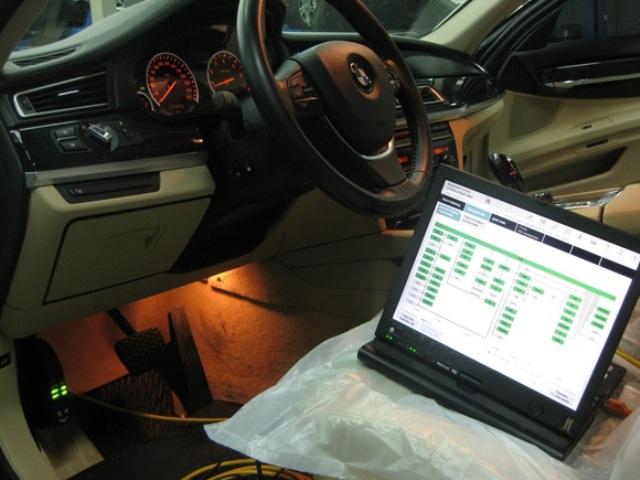
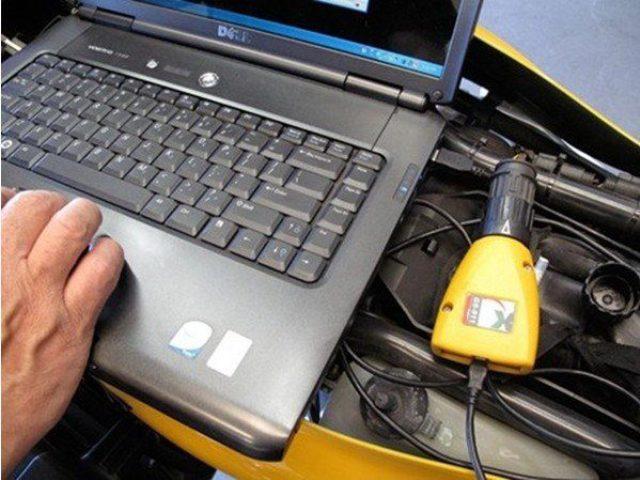
Diagnosis of a BMW car with a laptop and special diagnostic equipment

The code

Description

P0100 – P0103

The on-board computer of the car reports a defect in the operation of the air flow sensor, or in the operation of the electrical circuit of the
device.

P0105 – P0108

The BC detected a malfunction in the functioning of the air pressure measuring device – a sensor replacement is necessary.

P0110 – P0113

Defects were detected in the operation of the intake air temperature control device.

P0115 – P0118

The antifreeze temperature sensor in the cooling system is malfunctioning or malfunctioning – for correct operation, the device must be
replaced.

P0120 – P0123

Incorrect operation of one of the throttle position sensors was registered; to eliminate the error, it is necessary to replace the element.

P0130 – P0166

The vehicle system has fixed a malfunction or an incorrect signal from
one of the oxygen signal sensors – incorrect information about the state of the system may be received on the car dashboard. 
To
eliminate the malfunction, the oxygen sensor must be replaced. 
You should also diagnose the electrical
circuit.

P0167

The vehicle’s on-board computer reports an incorrect operation of the heating component of the oxygen sensor.

P0171, P0172

Incorrect air suction operation (too poor or too rich mixture is recorded in the system).

P0176 – P0179

BC informs the car owner about the malfunctioning or failure of the
emission sensor. 
There is also the possibility of an incorrect signal, which requires an electrical circuit
check.

P0180 – P0181

The on-board computer has detected a malfunction in the fuel control device or the signal from the sensor is incorrect. It is necessary to make replacement of the
component 
, and also check the chain .
 

P0182 – P0188

The BMW system reports that the fuel temperature sensor signal is too low or too high, or the signal from the device is out of range.

P0190

This code indicates a malfunction in the circuit of the diesel pressure control device in the ramp.

P0191 – P0194

Incorrect signals are detected in the circuit of the fuel rail pressure control device. Circuit diagnostics should be performed or
the 
sensor replaced .

P0195

Indicates defects in the operation of the circuit of the temperature control component of the engine fluid in the system.

P0196

The signal from the temperature sensor for the engine fluid is incorrect. more thorough diagnosis of the sensor should
be 
made .

P0197 – P0199

Defects in the operation of the temperature control element of the lubricant in the motor are fixed. It
is necessary to 
make replacement of the
component 
.

P0450 – P0455

A malfunction was detected in the system in the operation of the diesel vapor pressure control device.

P0460 – P0464

One of these combinations indicates a malfunction in the device for
monitoring the level of diesel fuel. 
In particular, it can be a question of either an overestimated or underestimated signal
from a component, or its breakdown. 
It test circuit and with the
need 
to produce a replacement sensor .

P0465 – P0469

The system informs the car owner about any defects in the operation of
the purge air flow control device. 
Here, we can also talk about incorrect signals from the sensor, as well as a malfunction in
the operation of the device. 
Therefore, a circuit diagnosis should be made and, if necessary, the sensor
replaced.

P0470 – P0474

The appearance of one of these combinations of numbers when checking a car can indicate a defect in the operation of the exhaust gas control device,
as well as an incorrect signal from this sensor.

P0475

The valve for the exhaust pressure sensor is out of order. It is necessary to replace the item .

Electrical circuit

The code

Description

P0201 – P0212

BC reports a malfunction in the electrical circuit control 1-12 nozzles. It is
necessary 
to check the circuit .

P0213, P0214

Defects or incorrect signals are detected in the control circuit of the first or second engine cold start injector.

P0216

BC recorded errors in the operation of the injection time control circuit.

P0261 – P0296

The on-board computer of the car detects an open in the circuit, defects in the driver or a short circuit of the cylinder nozzle to the
ground.

P0300 – P0312

The system reports the detection of single or regular misfire in the cylinders. Here,
defect can be observed in any of
the 
twelve cylinders .

P0320

This code indicates defects in the operation of the ignition distributor circuit.

P0321 – P0323

When this code occurs, the BC detects incorrect signals in the
ignition distributor circuit. 
The signal 
can
be 
either too low or too high. In addition, it may be absent or out of range. In this case circuit check is recommended .

P0350 – P0362

Fixed a malfunction in the circuit or a defect in the operation of the ignition coil. Verification of all twelve ignition coils is required .

P0560 – P0563

Incorrect voltage in the system power supply: can be either
too low or excessively high. 
Additional diagnostics of the system power circuit are required .

P0565 – P0566

If one of these two codes appears, a cruise control circuit diagnosis is required because the circuit signal is incorrect.

P1140

Invalid load circuit signal, more thorough check required.

P0325 – P0334

The appearance of these codes during vehicle diagnostics indicates the
presence of errors in the operation of the circuit of the first or second knock sensor. 
In particular, the signal may be out of
range, or too low or too high. 
It is necessary to test circuit sensor detonation .

P0337 – P0339

The appearance of this combination of numbers on the laptop screen when checking the car indicates a short circuit or an incorrect signal in the
crankshaft position sensor circuit. 
It should check circuit and replace the
device 
.

P0340 – P0344

Fixed malfunctions in the functioning of the camshaft sensor
circuit. 
As in the previous case, the circuit must be checked or the component replaced.

P0476 – P0479

The on-board computer reports a malfunction in the circuit of the
exhaust gas pressure monitor. 
In particular, the signal from the sensor may be out of range. It may also be too high or too low. It is necessary to more thoroughly check the components of the
electrical circuit.

P0480

Defects in the functioning of the control circuit of the relay by the
cooling fan are fixed. 
The circuit should be checked or the fan replaced for more correct operation.

P0500 – P0503

There is no signal from the vehicle speed
sensor. 
You can try to replace the device itself or check the entire circuit.

P1509

There were problems in the operation of the electrical control circuit of the idle control device.

P1513

If this combination appears during a BMW diagnosis , check the idle speed control circuit for malfunctions. Code R1513 indicates fault chain on the ground .

P1514

There is a problem with the idle sensor control circuit. In particular , the BC recorded an open circuit .

P1541

An interruption in the electrical control circuit of the relay for the
gasoline pump is reported. 
For correct operation, it is necessary to identify in which place a break occurred and eliminate
it.

P1570

This combination indicates an open circuit of the immobilizer circuit .

P1600

Lost communication with immobilizer device .

P1602

BC reports the loss of signal from the controller.

P0389

Incorrect operation of the electric circuit of the second crankshaft position sensor is noticed.

P0400 – P0403

One of these combinations of numbers indicates a malfunction in the circuit of the exhaust gas circulation system.

P0221

There are defects in the electrical circuit of the second throttle
sensor. 
In particular, the signal from this component is inaccurate because it is out of range.

P0230

There are errors in the gas pump control circuit If this malfunction is actually present in the auto system, then starting the engine is impossible. This combination
is 
most often found in vehicles BMW e46.

Engine

The code

Description

P0217

This code indicates that the BMW motor is
overheating 
, that is, boiling coolant in the system for
some reason. 
First of all, it is necessary to check the quality of antifreeze, the operation of the thermostat, as well as the
radiator cooling fan.

P0218

This combination indicates overheating of the transmission
system. 
First of all, check the gear oil level.

P1501, P1502

A failure of the fuel pump relay has been
reported. 
A short circuit may also occur. If this combination appears, the
fuel pump may not work, as a result of which the start of the car engine may not be possible. 
It is necessary
to 
replace the relay .

P0231 – P0233

The signal of the secondary circuit of the fuel pump is incorrect .

P0243 – P0246

Defects have arisen in the functioning of the exhaust gas shutter
solenoid of the first turbine. 
The solenoid is either always closed or open. An incorrect signal from a component may also be transmitted.

P0247 – P0250

Incorrect operation of the exhaust solenoid of the second
turbine. 
As in the previous case, the component is either always closed, or always open, or the wrong signal comes from
it.

P0380 – P0381

Failure of all or one of the glow plugs.

P0442

A leak has occurred in the fuel vapor fixation system.

P0443 – P0445

Defects have occurred in the functioning of the purge valve of the system or the fixation of fuel vapor.

P0446 – P0448

The air valve is out of order.

P0173

There was a fuel leak from the BC fuel system.

2a82

Code 2a82 is one of the most common. 2a82, as a rule, occurs when the vehicle begins to adjust , periodically twitching at a set of
revolutions. 
Code 2a82 indicates the need to replace or clean
the 
vanos solenoid valves If this failure is not corrected in time, then the operation of the vehicle may not be
possible.
 

The presented decryption of codes and their translation is only part of all errors that may arise during the diagnosis process. If you find a breakdown and have replaced one or another part, you must disconnect and reconnect the battery terminals. If you do not, then the error may reappear on the display screen. Disconnecting the battery terminals is a kind of reboot on-board computer system, so do not forget about it.

BMW ICOM Diagnostic tool can do diagnositc on bmw cars.

Friday, December 31, 2021

How to configure BMW ISTA 4.28.xx software with new Firmware

What is BMW Rheingold ISTA ?

ISTA is a workshop system that contains BMW AG Data and Information. ISTA stands for Integrated Service Technical Application. Way back when, during the initial development of this tool, BMW used DIS (Diagnostics Information System), and as the programs evolved and due to the nature of the file naming conventions utilized by BMW, the workshop system became known as Rheingold in the enthusiast world. Rheingold in actuality is the folder that contains the main application and data. Rheingold became ISTA-D (D stands for Diagnostics) and BMW’s programming application (not discussed in this document) used the same nomenclature, ISTA except with a P (for programming) or ISTA-P.

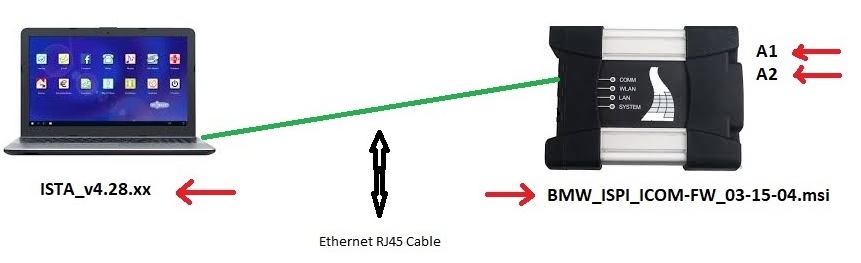
This instruction show you guide on how to configure BMW ISTA 4.28.xx software with new Firmware BMW_ISPI_ICOM-FW_03-15-04.msi for ICOM A1 & A2.

Requires:

BMW Rheingold ISTA+ 4.31.40 4.23.14 &ISTA-P Free download

Config Manual for ISTA 4.28.xx & BMW Standard tools

1.ICOM A1, A2, BMW ICOM update firmware to BMW_ISPI_ICOM-FW_03-15-04.msi

2.Log in to ICOM http://169.254.92.38:58000/

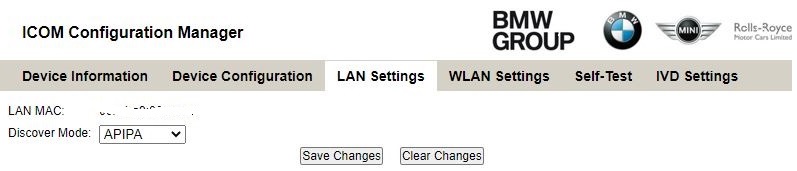
3.Go to LAN Setting and set Discover Mode to APIPA Save Changes and reboot ICOM.

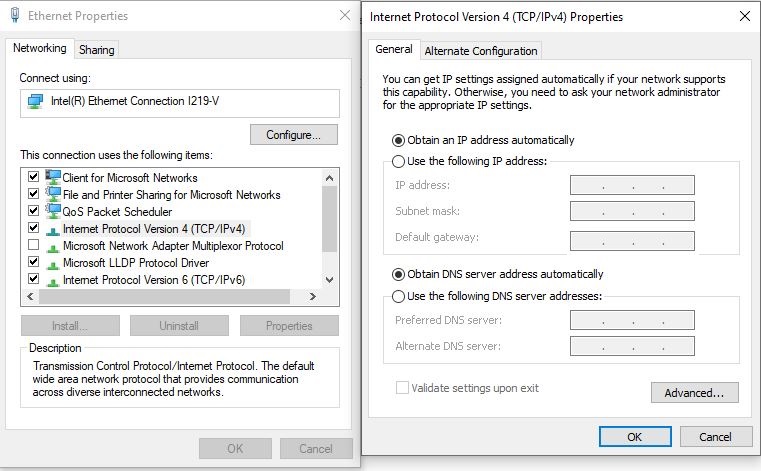
4.On your Laptop go to Ethernet Properties and set (TCP/IPv4) to DHCP.

Connect your laptop and ICOM with Ethernet cable.

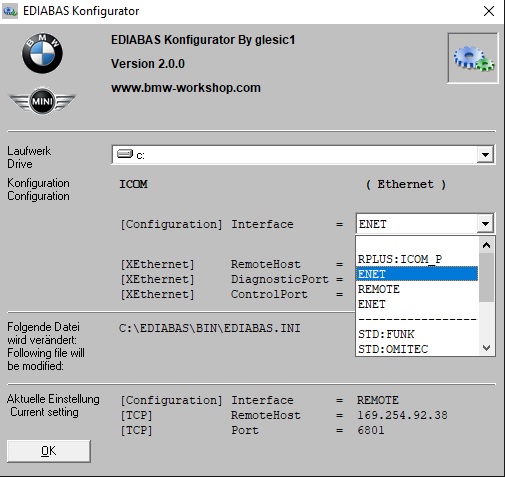
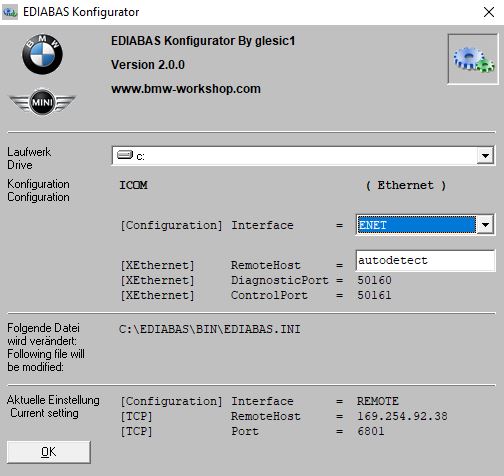
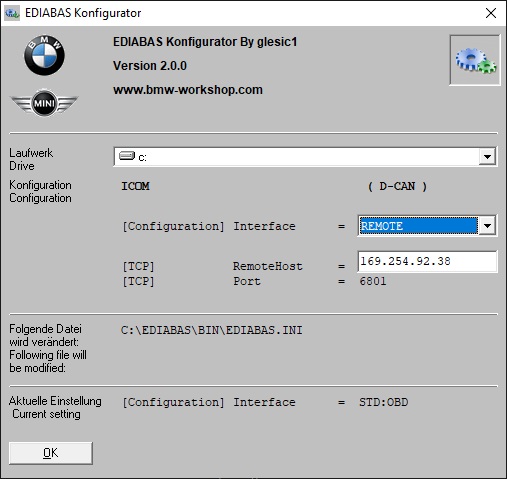
5.Open ediabas konfigurator2.0.0

Select ICOM (Ethernet) This will be used with ISTA 4.28.x.x For BMW Standard Tools check setting below. Under BMW Standard Tools Config

Click on OK

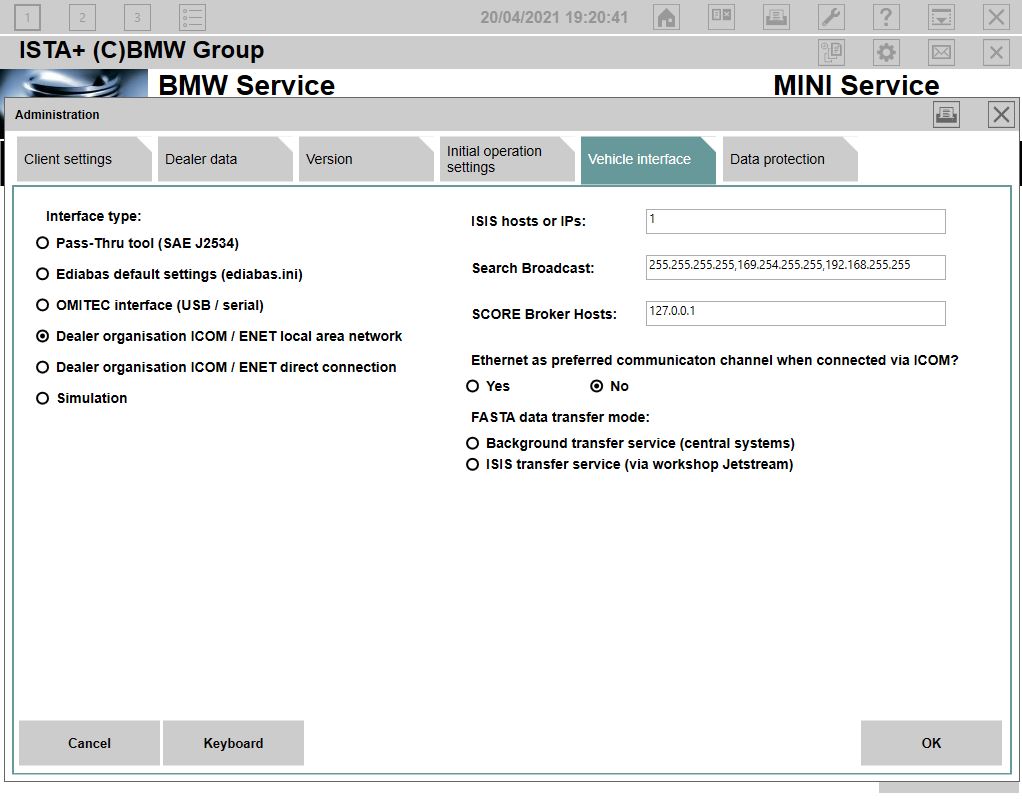
6.Open ISTA 4.28.xx and set Vehicle Interface to see below.


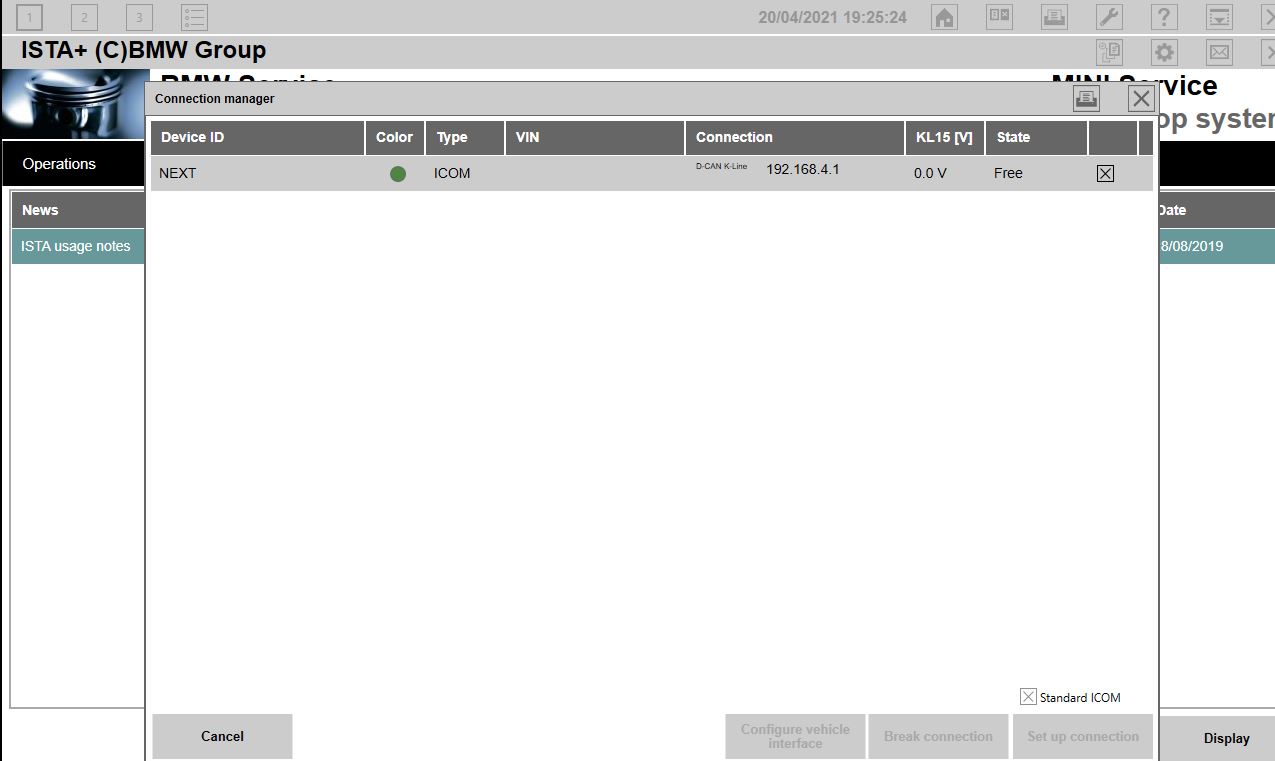
7.You Can now connect to your car E – F – G series. See that you ip has changed to 192.168.x.x This will not happening with INPA……

BMW Standard Tools Config

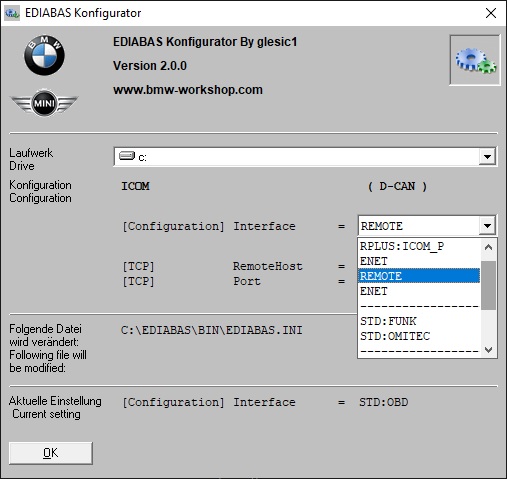
After you have configured everything for ISTA 4.28.xx and everything works as described above. You only need to set the (Configuration) Interface = to Remote as indicated below. EDIABAS will connect with IP 169.254.92.38


This will be used for BMW Standard Tools

You can now connect with ITool Radar or Easy connect, and use INPA, NCS-Expert Tool, Tool32, WinKFP.

Monday, December 27, 2021

How to activate BMW ICOM ISTA+ V4.11 Expert Mode

Does anyone have a solution for BMW ICOM Ista+ Programming Expert Mode?

No expert mode available yet for ISTA+ v4.11.12.

This will be an issue in feature, expert mode can get you out of unpleasant work.

For example if you update i update a whole g11 with ista p and if you update kafas you lose fsc codes, so if i deselected kafas, fsc stayed unharmed. But you can do that now with ista+

One more important remark is that esys wont let you update a module that is allready updated, but ista let you do it, so after 7/11 psdzdate you are stuck with this issue too…

Best to use a router for programming HUH etc through ista

Or you can just use tftpd32 (or tftpd64 if 64bit OS)

Update: ISTA+ 4.12.12 has the expert mode – Confirmed!

How-to-activate-BMW-ICOM-ISTA+-V4.11-Expert-Mode-1
How-to-activate-BMW-ICOM-ISTA+-V4.11-Expert-Mode-2
How-to-activate-BMW-ICOM-ISTA+-V4.11-Expert-Mode-3
How-to-activate-BMW-ICOM-ISTA+-V4.11-Expert-Mode-4
How-to-activate-BMW-ICOM-ISTA+-V4.11-Expert-Mode-5

How-to-activate-BMW-ICOM-ISTA+-V4.11-Expert-Mode-6 How-to-activate-BMW-ICOM-ISTA+-V4.11-Expert-Mode-7
How-to-activate-BMW-ICOM-ISTA+-V4.11-Expert-Mode-8
How-to-activate-BMW-ICOM-ISTA+-V4.11-Expert-Mode-9

Note that Ista+ expert mode is Ista P expert mode

How-to-activate-BMW-ICOM-ISTA+-V4.11-Expert-Mode-10

The difference between Expert mode and Ista plus?
The difference is his loader allows for hiding of modules
Ista plus does not he or someone may be working on an alternate loader to hide retrofitted modules but as it so far look into ESYS for that only option I can think of right now last istap that had a lot a F ,G or I cars was 3.64.2 as 3.65.0 only had like 2 model forget exactly which ones you have to double or make link dos command to point to istaplus PSdZ folder

Some new solutions to activate ISTA-P expert mode ?
so updating the folders in ISTA-P with the files from PSdz swe will not do the trick. You will be inserting back all the missing vehicles. I saw in the main series you will have to rename F, G, I series files to reflect.
after copy PSDz (data_swi) to pszdata ISTA P with correction data in mainseries, add data F001, F10,…etc = same result
ISTA P shows window that car is not programmable (only ISTA+)
trick is somewhere else
this is Ista p expert mode confirmed to work 100%

Why not just use a earlier version of ISTA-P (such as 4.08 or 4.10) to do single module coding?
Because what i am getting is there are problematic files out there that BMW knows about and in the latest version of ISTA+ it can stop from a certain update and keep the module on the one that works. So could you not reverse populate for example take the p-files from a later version to a previous but you would need all files and folders for example. anyone with more can chime in

Anyone has good success with Ista P expert mode?
Yep. Have tested Expert Mode on BMW e66
Here is the details…
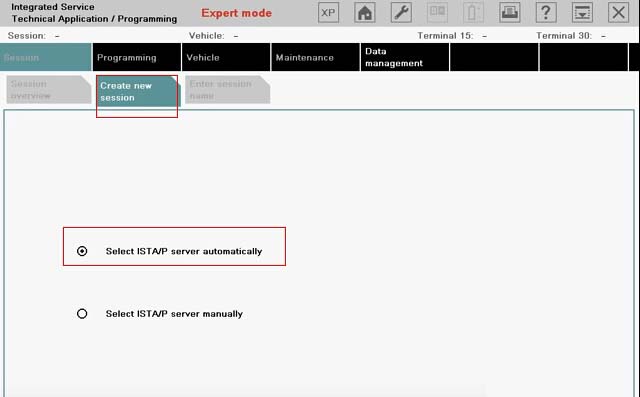
Select Create new session. Click on Select ISTA/P server automatically. Click on Continue.

How-to-activate-BMW-ICOM-ISTA+-V4.11-Expert-Mode-11

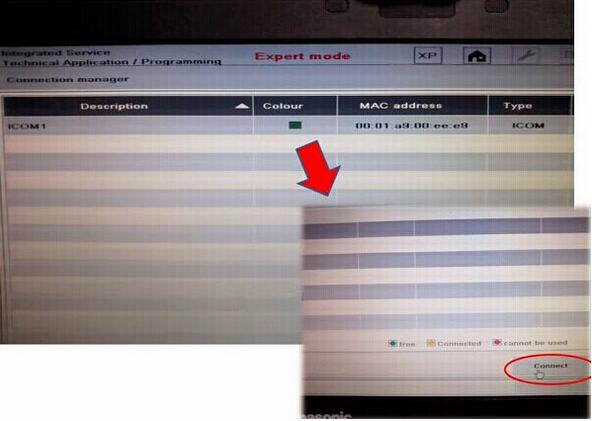
Click on ICOM Next/ICOM A2 emulator & Connect to continue.

How-to-activate-BMW-ICOM-ISTA+-V4.11-Expert-Mode-12

Connecting…
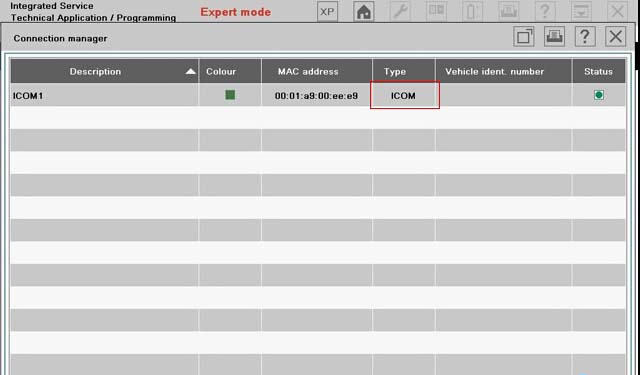
Click on on the 4th button at the top, to get the information of Connection manager, then close that interface.
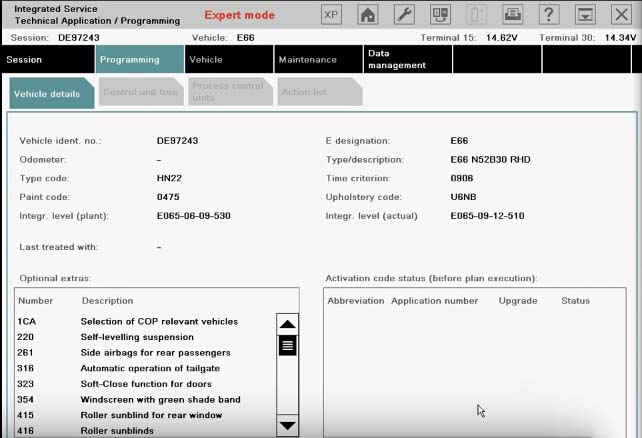
Determining model series…(E66)
Data being checked…
Checking vehicle identification number…(DE97243)

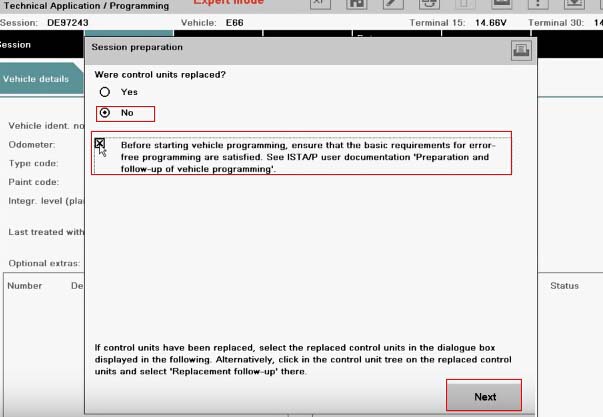
Control unit replaced?
Click on No, and also click on “Before starting vehicle programming…” click on Next.

How-to-activate-BMW-ICOM-ISTA+-V4.11-Expert-Mode-13

Control unit change over.

How-to-activate-BMW-ICOM-ISTA+-V4.11-Expert-Mode-14
Determining…
Identifying fitted control units…
Determining target context…
Calculating measure plan…

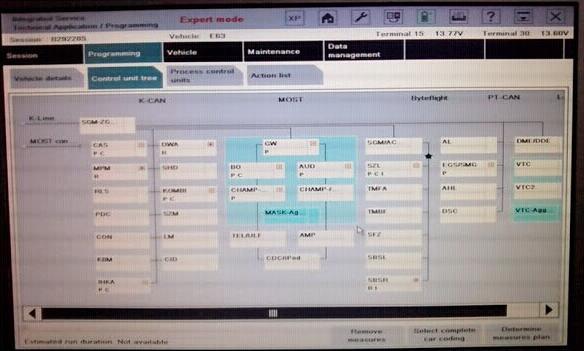
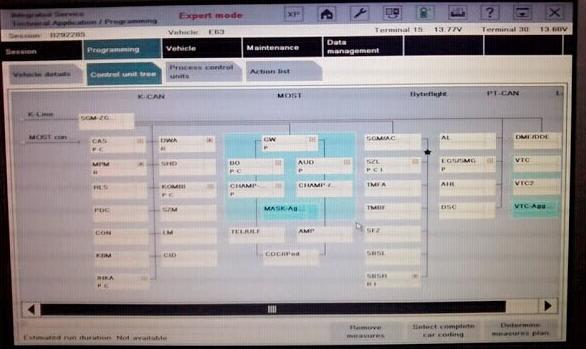
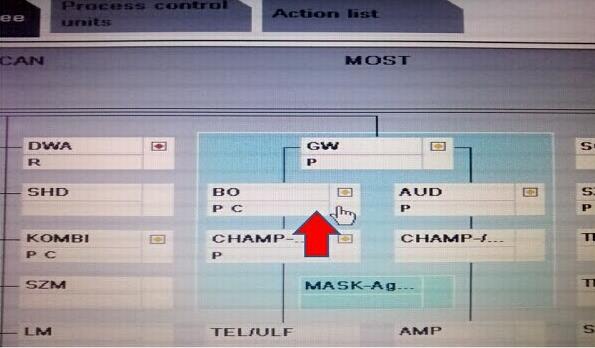
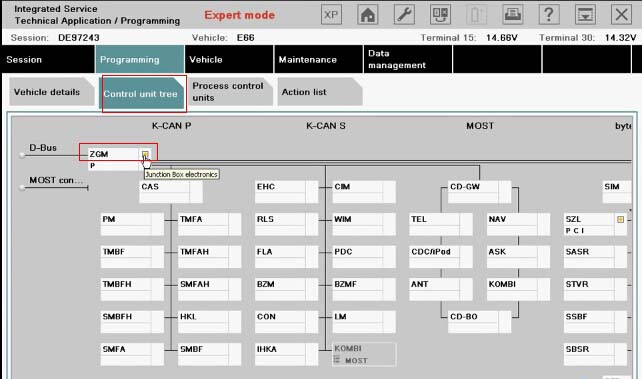
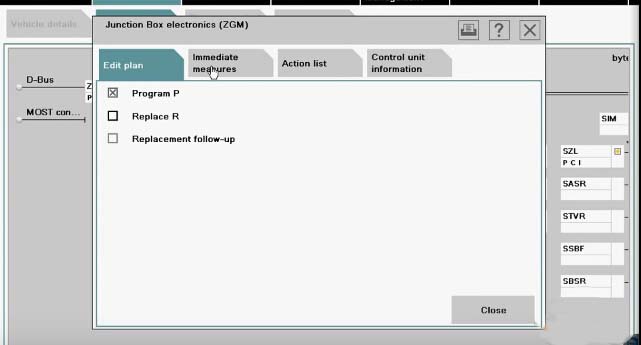
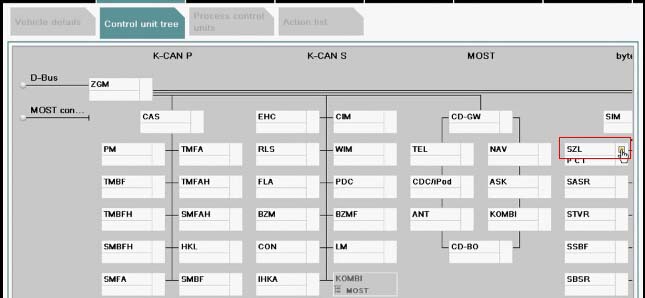
Go to Control unit tree, and select ZGM.

How-to-activate-BMW-ICOM-ISTA+-V4.11-Expert-Mode-15

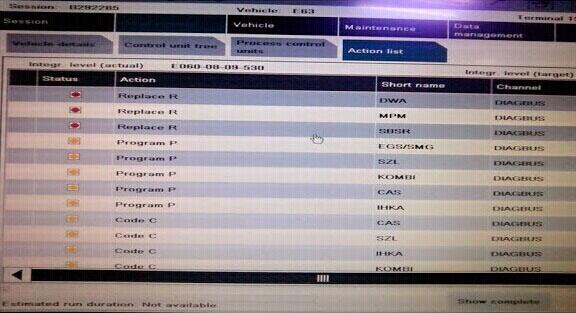
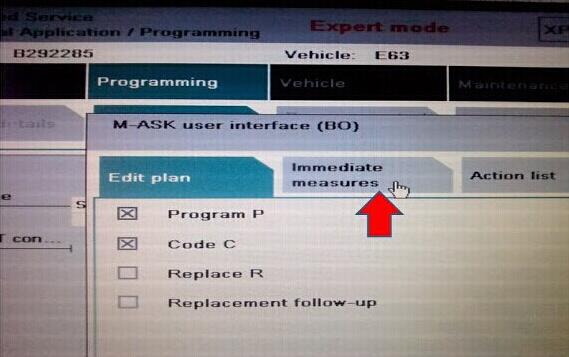
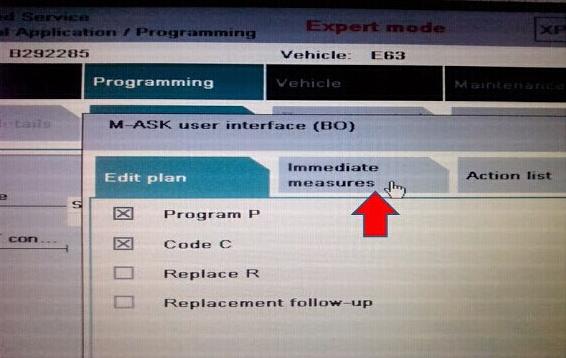
Edit plan show as follows:

How-to-activate-BMW-ICOM-ISTA+-V4.11-Expert-Mode-16

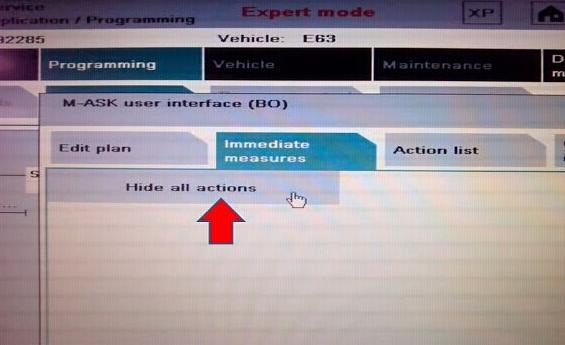
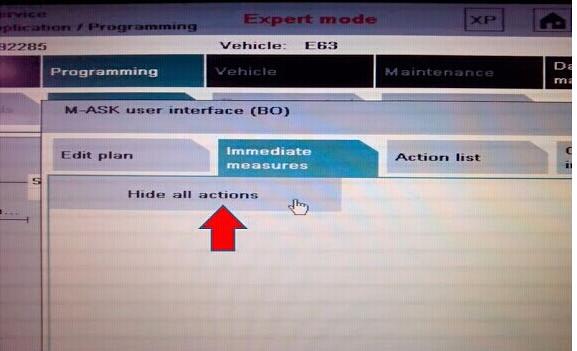
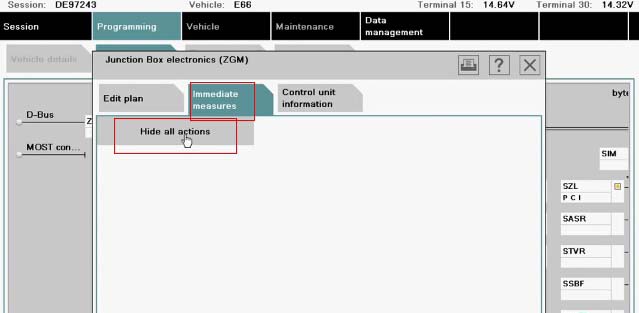
Go to Immediate measures.
Click on Hide all actions.

How-to-activate-BMW-ICOM-ISTA+-V4.11-Expert-Mode-17

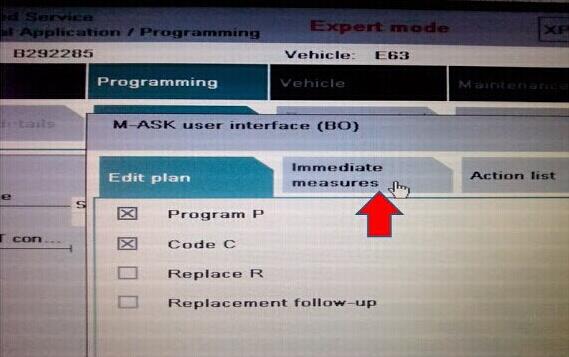
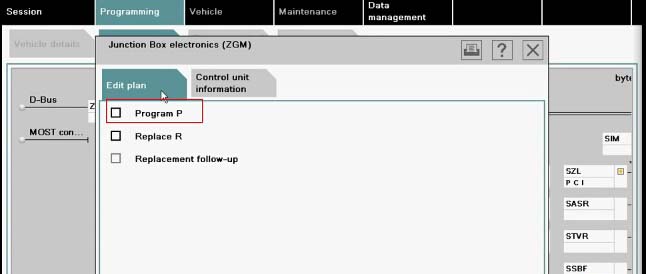
Go to Edit plan. No cross on Program P. Then close it.

How-to-activate-BMW-ICOM-ISTA+-V4.11-Expert-Mode-18

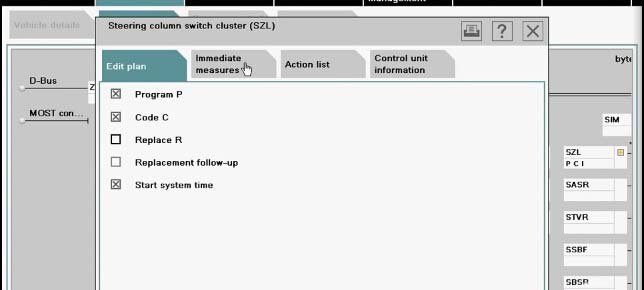
Select SZL.

How-to-activate-BMW-ICOM-ISTA+-V4.11-Expert-Mode-19

Edit plan show as follows:

How-to-activate-BMW-ICOM-ISTA+-V4.11-Expert-Mode-20

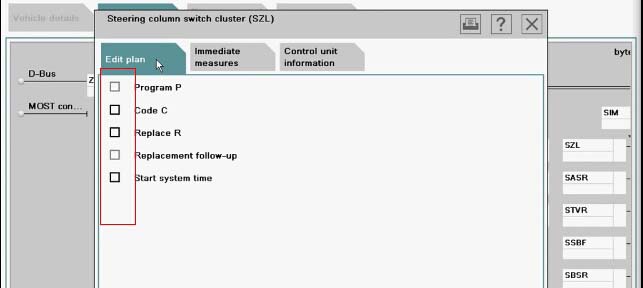
Go to Immediate measures.
Click on Hide all actions.
Back to Edit plan. No cross there. Then close it.

How-to-activate-BMW-ICOM-ISTA+-V4.11-Expert-Mode-21

Done!