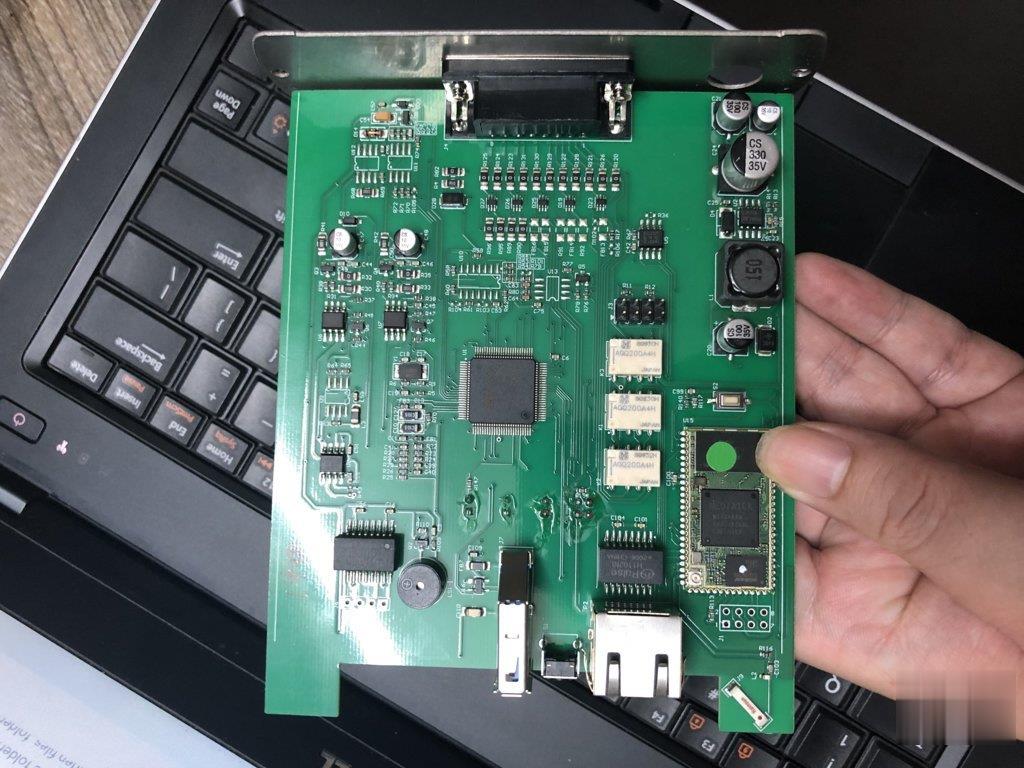
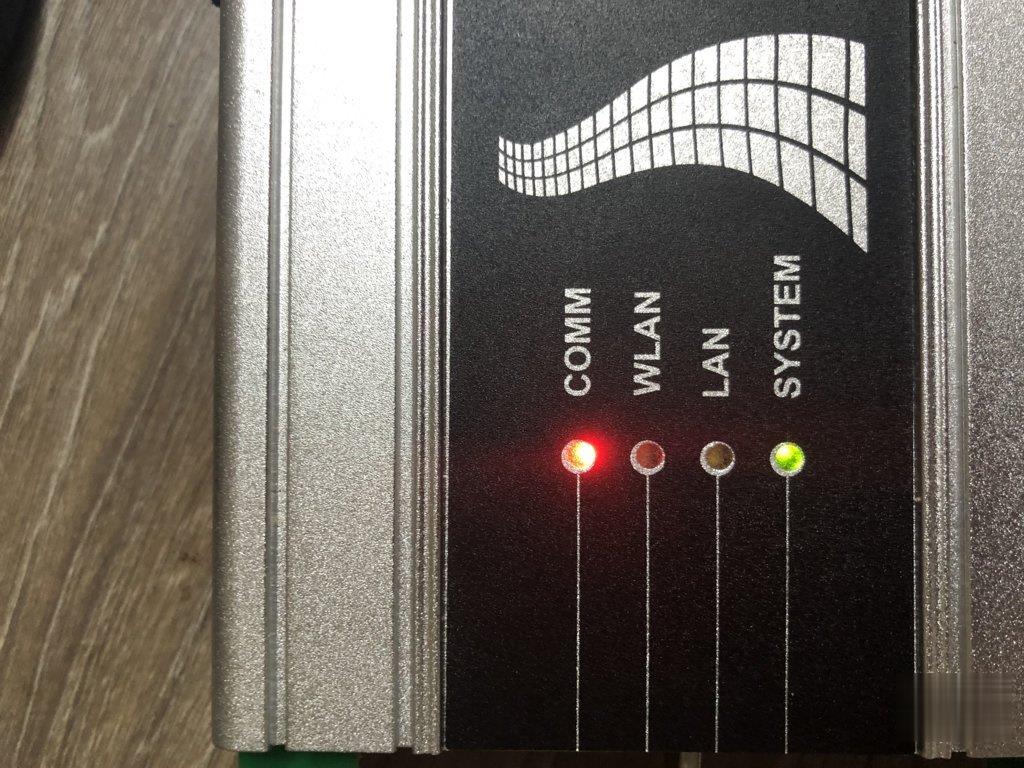
Showing posts with label BMW ICOM A3. Show all posts

Sunday, March 20, 2022

How to Update BMW ICOM NEXT Firmware to V1.44

The BMW ICOM Next Professional Diagnostic Tool is the same as BMW ICOM A1/A2/A3 and supports all BMW software and fiber optic programming. This article will show you how to update the BMW ICOM NEXT firmware. Without a firmware update, you may get that the configuration system could not be initialized and the BMW ICOM software is not working.
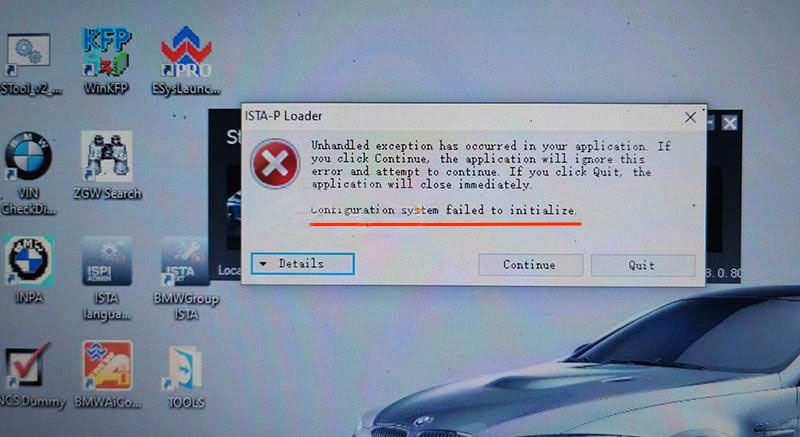
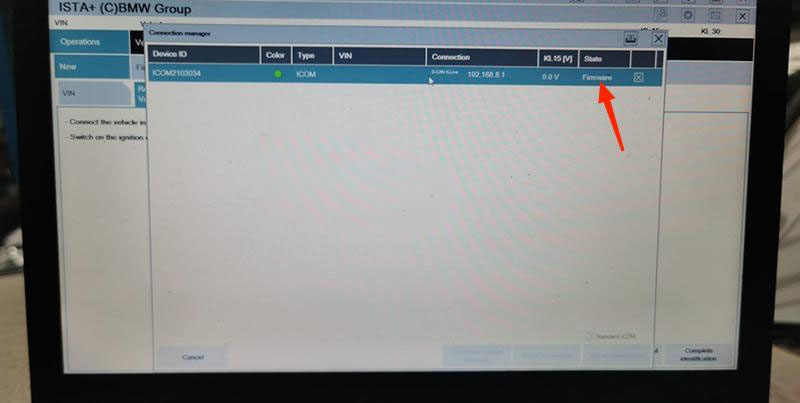
How-to-Update-BMW-ICOM-NEXT-Firmware-to-V1.44-1
How-to-Update-BMW-ICOM-NEXT-Firmware-to-V1.44-2

How to Update BMW ICOM NEXT Firmware to V1.44?

Step 1. Login in ICOM Manager

Run “ITool Radar” to get the IP address “169.254.92.38”.
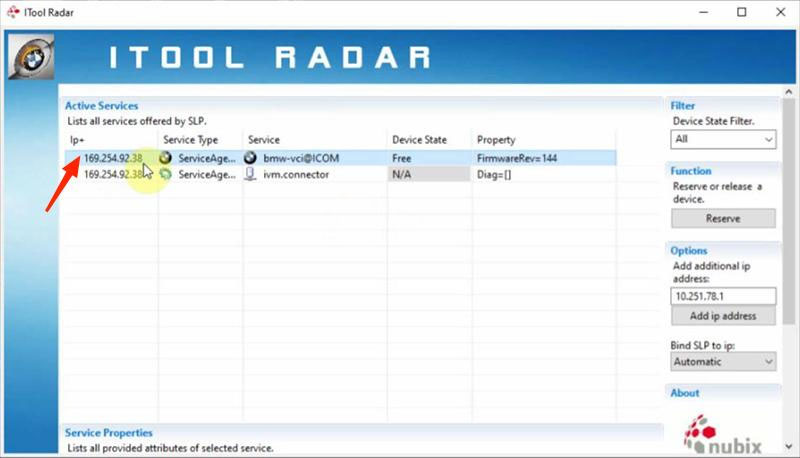
How-to-Update-BMW-ICOM-NEXT-Firmware-to-V1.44-3

Go to “169.254.92.38:60080/”.

Enter user name and password to login in ICOM Manager.
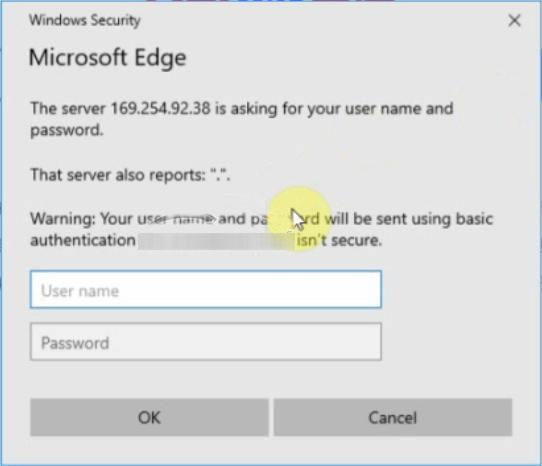
How-to-Update-BMW-ICOM-NEXT-Firmware-to-V1.44-4

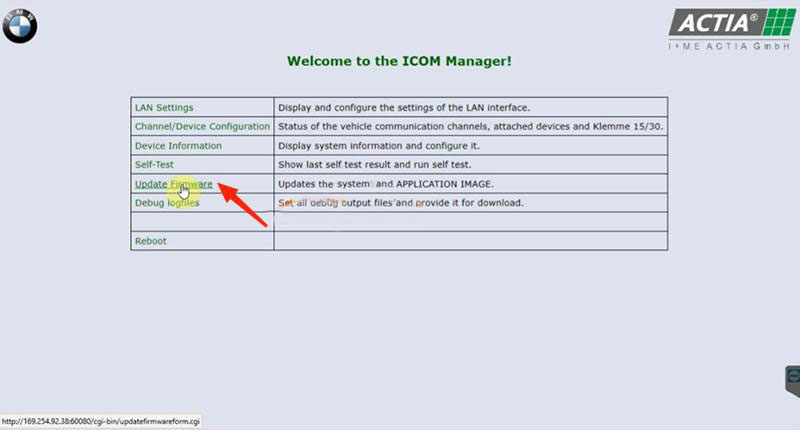
Click “Update Firmware”.
How-to-Update-BMW-ICOM-NEXT-Firmware-to-V1.44-5
How-to-Update-BMW-ICOM-NEXT-Firmware-to-V1.44-6

Step 2. Flash System Image File

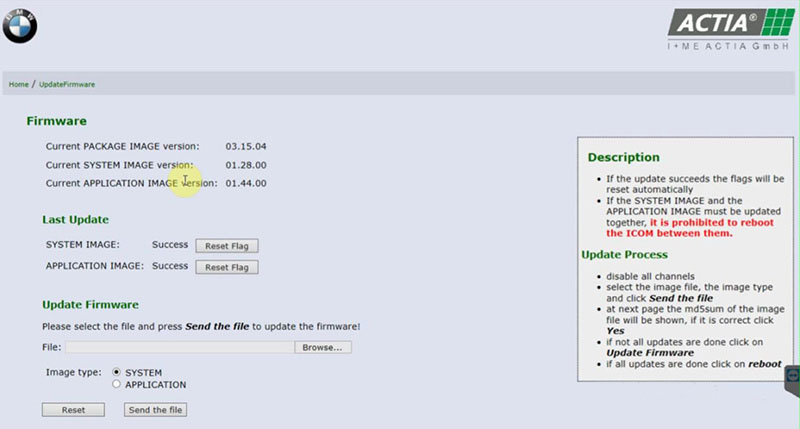
Click “Browse” and load “ICOM-BootImage-01-28-00” bin file.

Select “SYSTEM”on Image type.

Click “Send the file”.
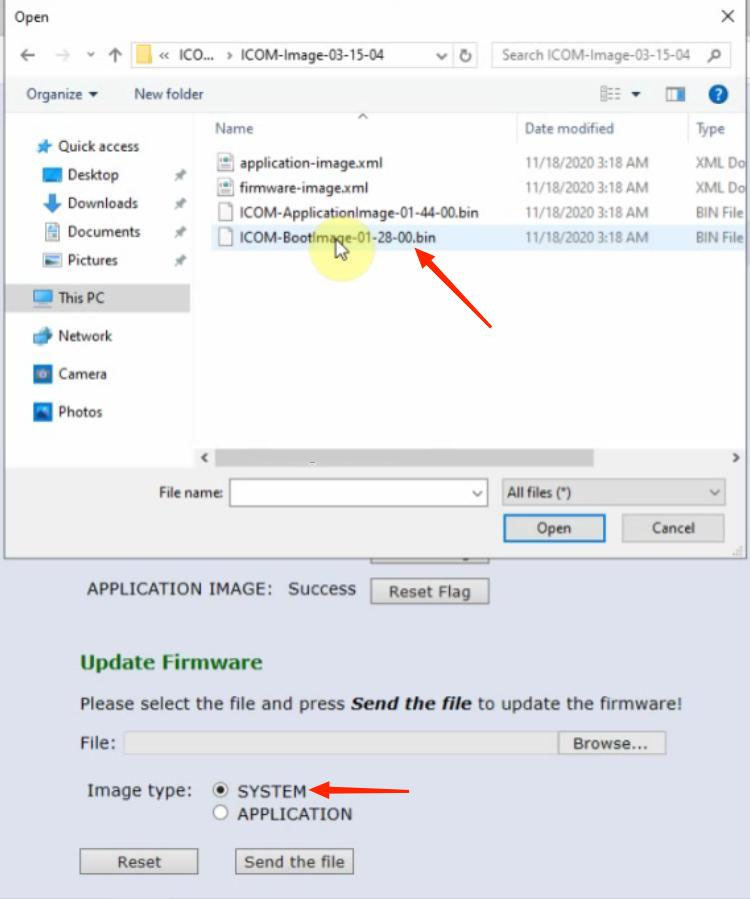
How-to-Update-BMW-ICOM-NEXT-Firmware-to-V1.44-7

Confirm to write the image file to the flash.
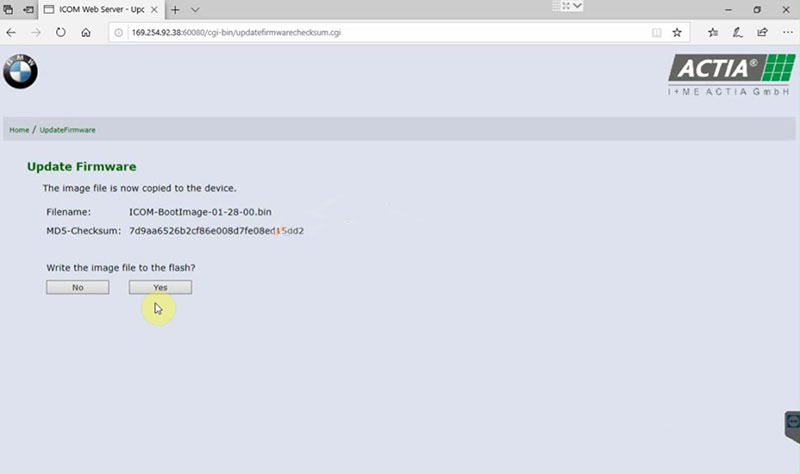
How-to-Update-BMW-ICOM-NEXT-Firmware-to-V1.44-8

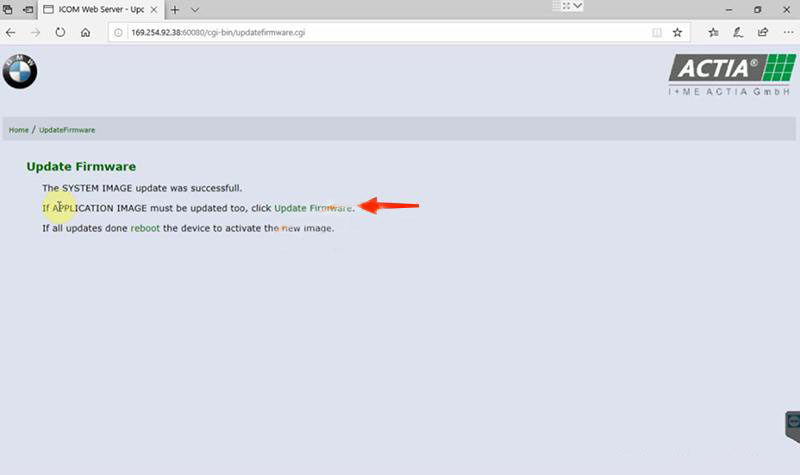
SYSTEM image update successfully.

How-to-Update-BMW-ICOM-NEXT-Firmware-to-V1.44-9

Step 3. Flash Application Image File

Click “Update Firmware” to go back to firmware update page.

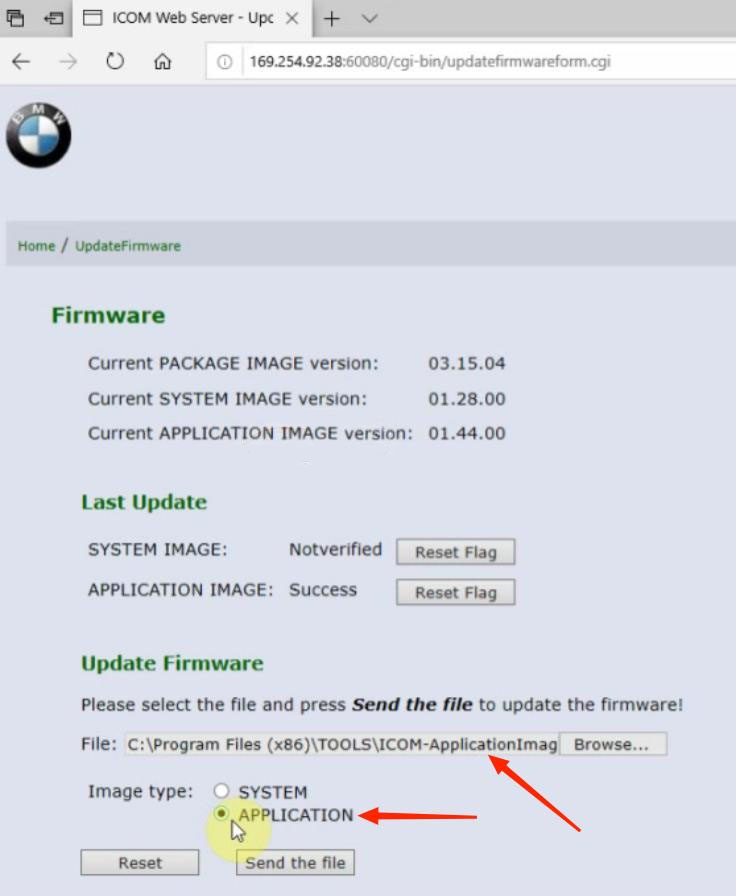
Click “Browse” and load “ICOM-ApplicationImage-01-44-00” bin file.

Select “APPLICATION”on Image type.

Click “Send the file”.

How-to-Update-BMW-ICOM-NEXT-Firmware-to-V1.44-10
Also confirm to write the image file to the flash.
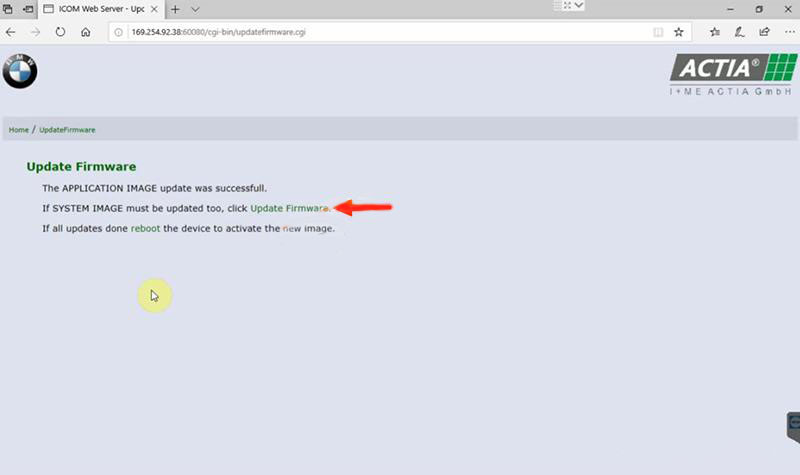
APPLICATION image update successfully.
How-to-Update-BMW-ICOM-NEXT-Firmware-to-V1.44-11

Step 4. Reboot

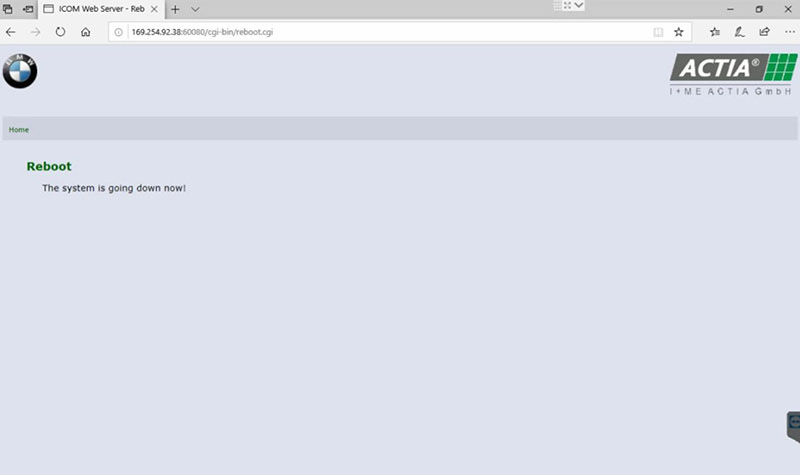
Click “reboot”.

How-to-Update-BMW-ICOM-NEXT-Firmware-to-V1.44-12

Go to “169.254.92.38:60080/” again.

Login in ICOM Manager.

Now the APPLICATION Image version is updated to V1.44.

Notice:
*   The SYSTEM IMAGE and the APPLICATION IMAGE must be updated together, and Do Not reboot the ICOM before updating both of them.
*   Firstly send SYSTEM Image file and select “SYSTEM” to flash.
*   Then send APPLICATION Image file and select “SYSTEM” to flash.

Sunday, February 13, 2022

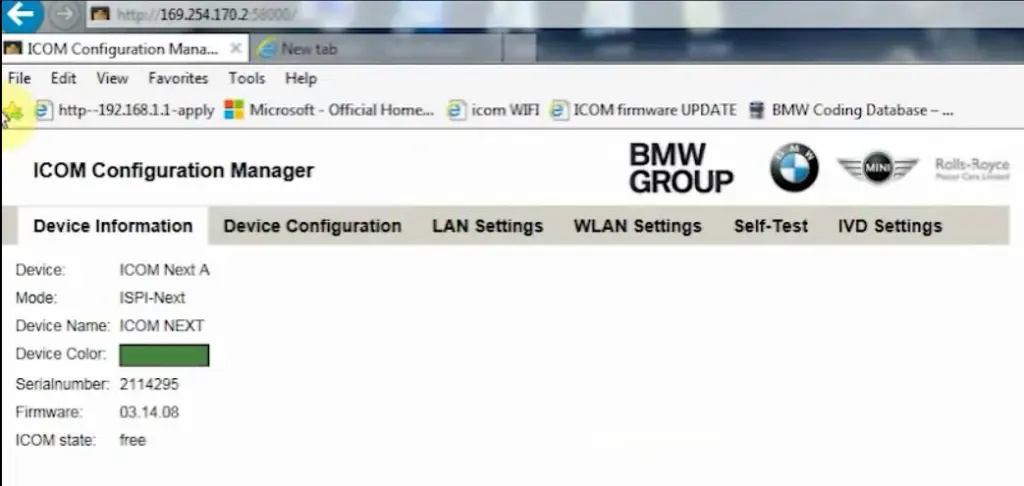
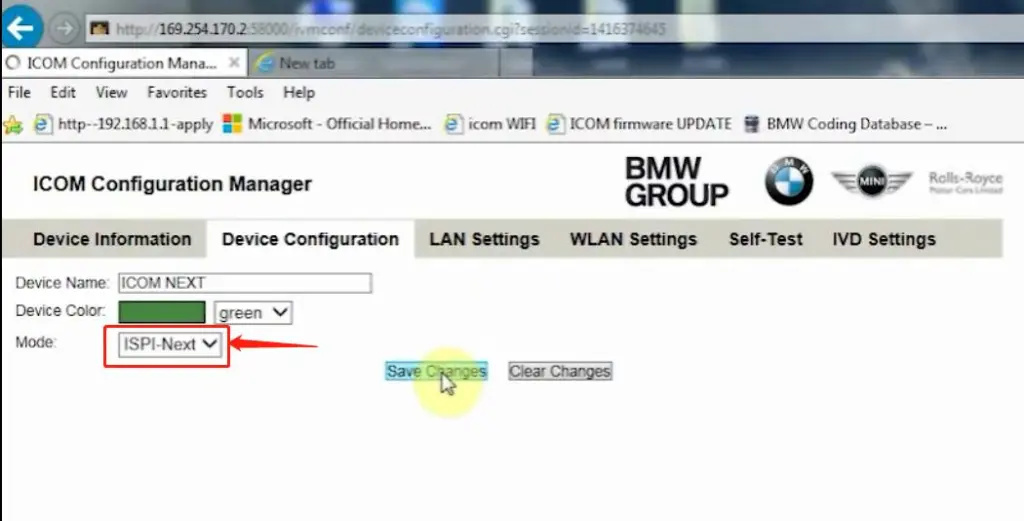
How to setup ICOM Next A WLAN connection

ICOM Next Wireless diagnostic

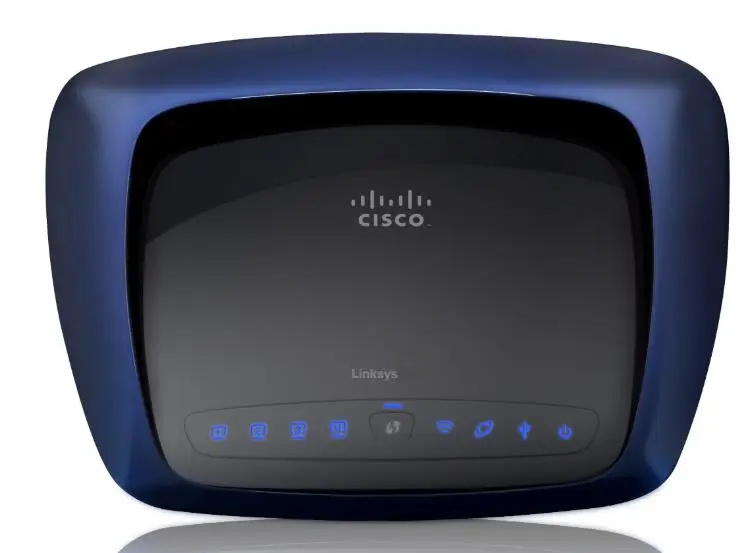
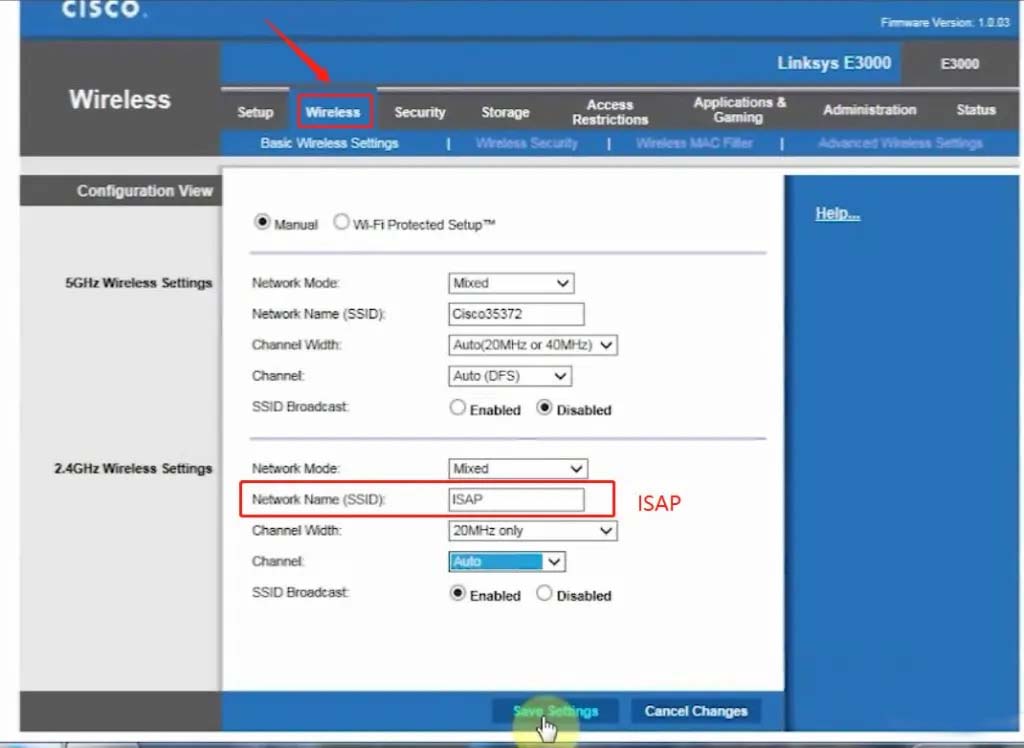
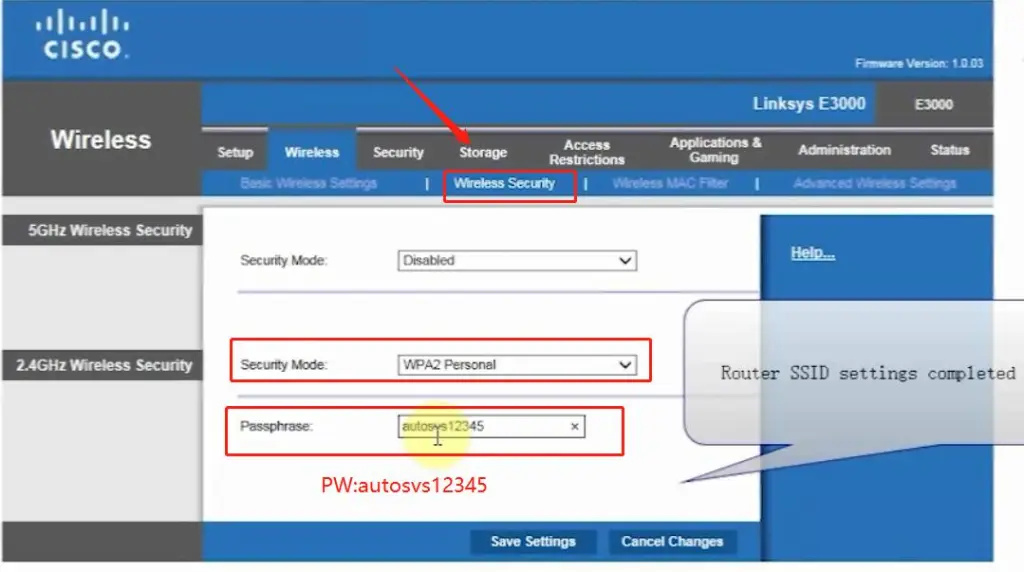
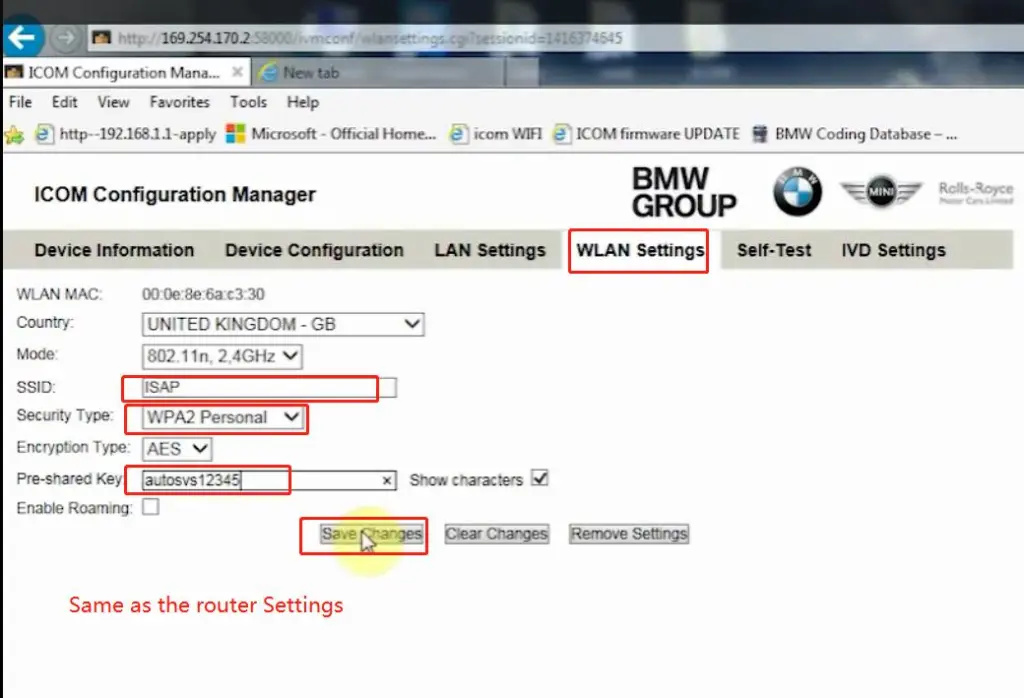
1.Set router wireless, wireless SSID name:ISAP,password:autosvs12345
2.Set ICOM NEXT A wireless, connected to the router,
wireless SSID name:ISAP,password:autosvs12345,
(Same as router setting, After setting the ICOM NEXT need to reconnect to vehicle)
3.BMW diagnostic PC connect to wireless router ISAP, you can start wireless diagnosis.
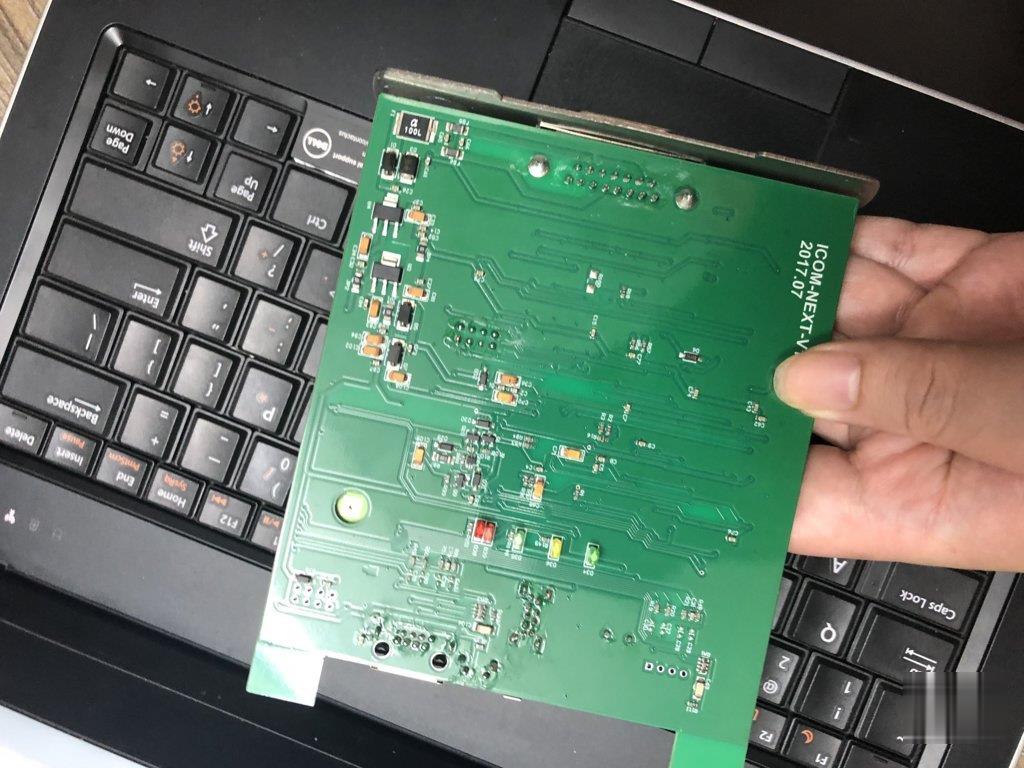
How-to-setup-ICOM-Next-A-WLAN-connection-1

1.Configuration router

How-to-setup-ICOM-Next-A-WLAN-connection-2
How-to-setup-ICOM-Next-A-WLAN-connection-3

2.Configuration ICOM NEXT A

How-to-setup-ICOM-Next-A-WLAN-connection-4
How-to-setup-ICOM-Next-A-WLAN-connection-5
How-to-setup-ICOM-Next-A-WLAN-connection-6

3.Same as the router configuration;

How-to-setup-ICOM-Next-A-WLAN-connection-7

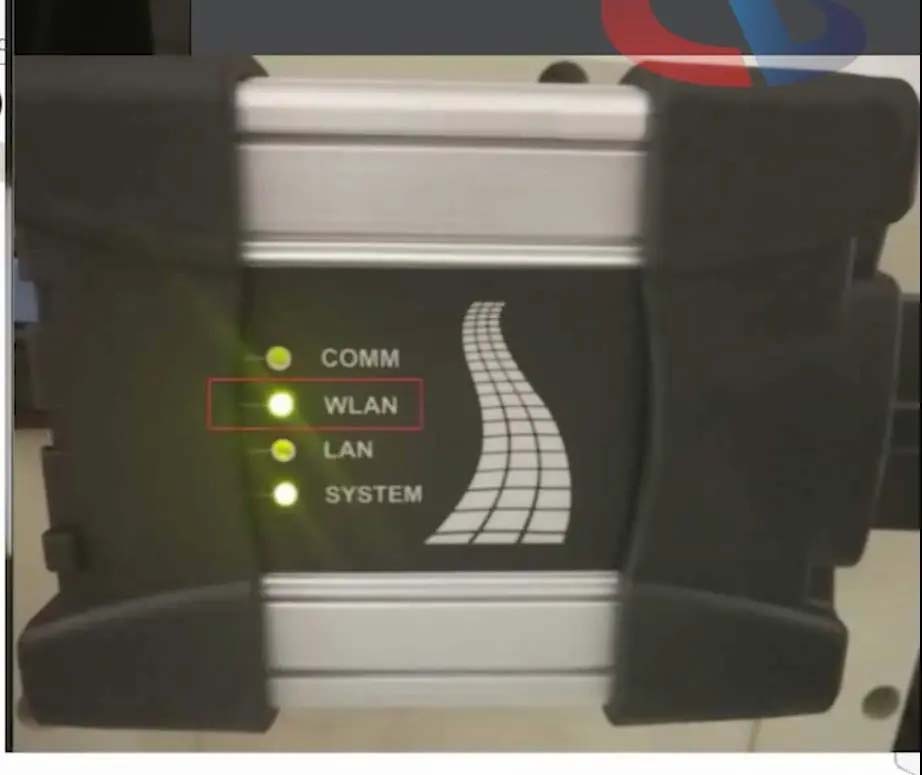
4.After ICOM NEXT configuration is completed, you need to reconnect, ICOM NEXT will automatically open the WLAN connection function;

How-to-setup-ICOM-Next-A-WLAN-connection-8

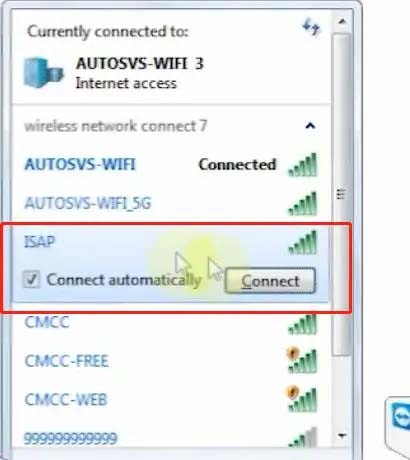
5.Connect ISAP WIFI;

How-to-setup-ICOM-Next-A-WLAN-connection-9

How-to-setup-ICOM-Next-A-WLAN-connection-10

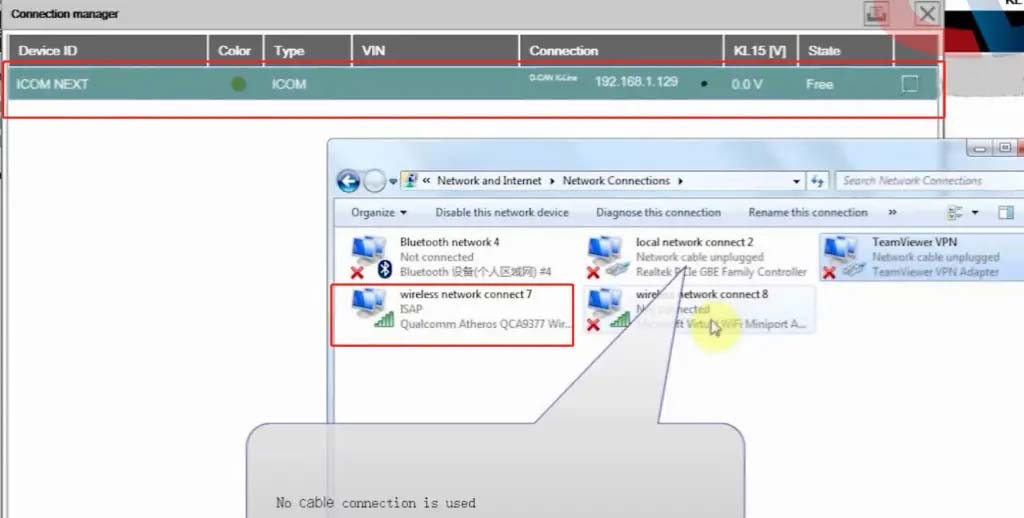
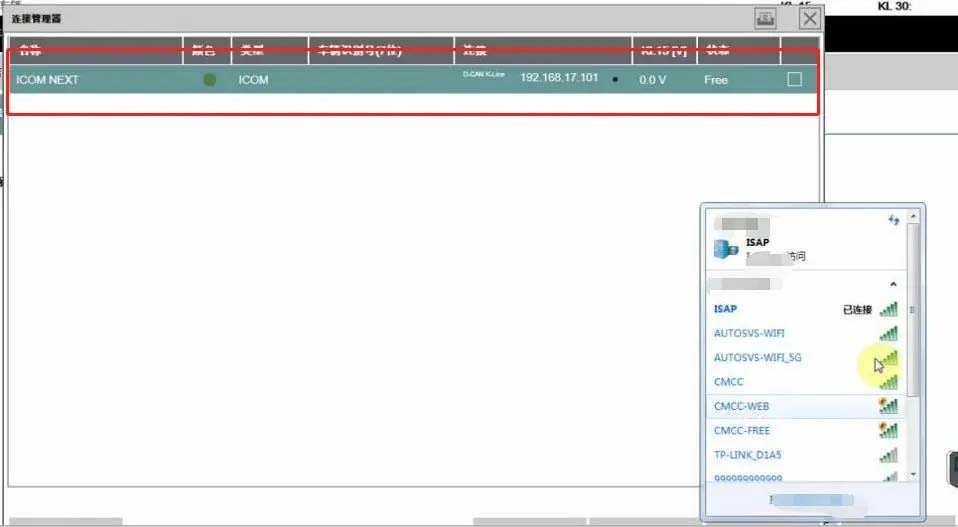
6.After the ISAP WIFI connection is successful, you can use the ISTA diagnostic test

How-to-setup-ICOM-Next-A-WLAN-connection-11


Friday, February 11, 2022

How to Use BMW ICOM Next ISTA Software Diagnose BMW Cars

BMW ICOM NEXT Latest Generation Diagnostic Head For BMW, MINI, Rolls-Royce BMW-Model. Can Replace BMW ICOM A2, including all function of ICOM A2. BMW ICOM NEXT not support WIFI. ICOM NEXT can works together with ICOM Software we provided.

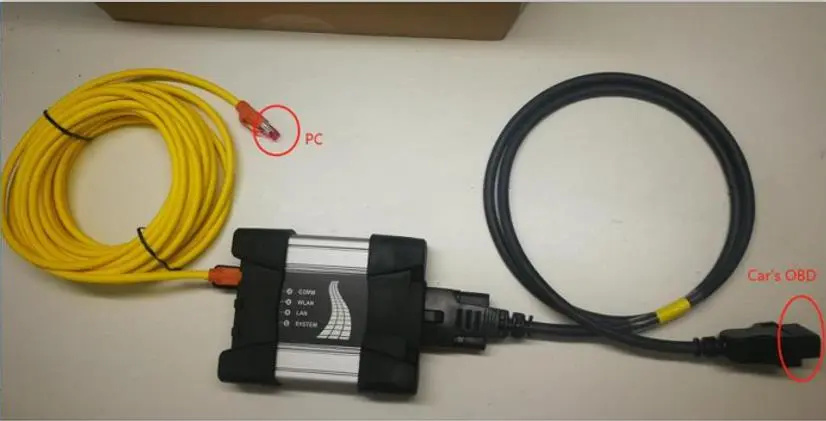
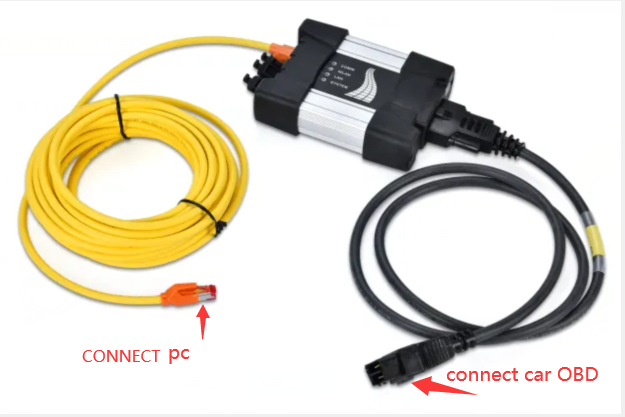
1.BMW ISTA software requires BMW ISTA ICOM NEXT or ENET cable to connect to BMW cars

How-to-Use-BMW-ICOM-Next-ISTA-Software-Diagnose-BMW-Cars-1
How-to-Use-BMW-ICOM-Next-ISTA-Software-Diagnose-BMW-Cars-2

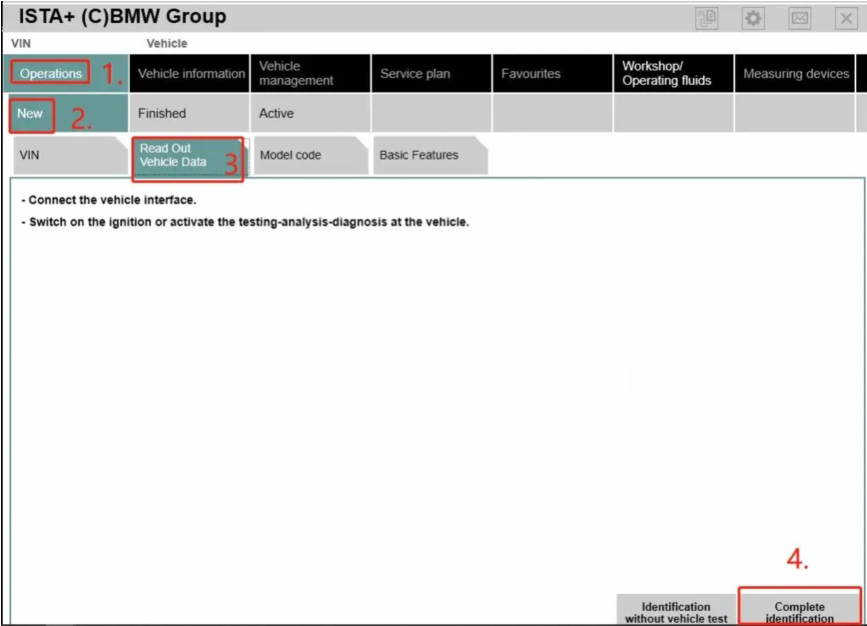
2. Operations-New-Read out vehicle data-complete identification

How-to-Use-BMW-ICOM-Next-ISTA-Software-Diagnose-BMW-Cars-3
How-to-Use-BMW-ICOM-Next-ISTA-Software-Diagnose-BMW-Cars-4

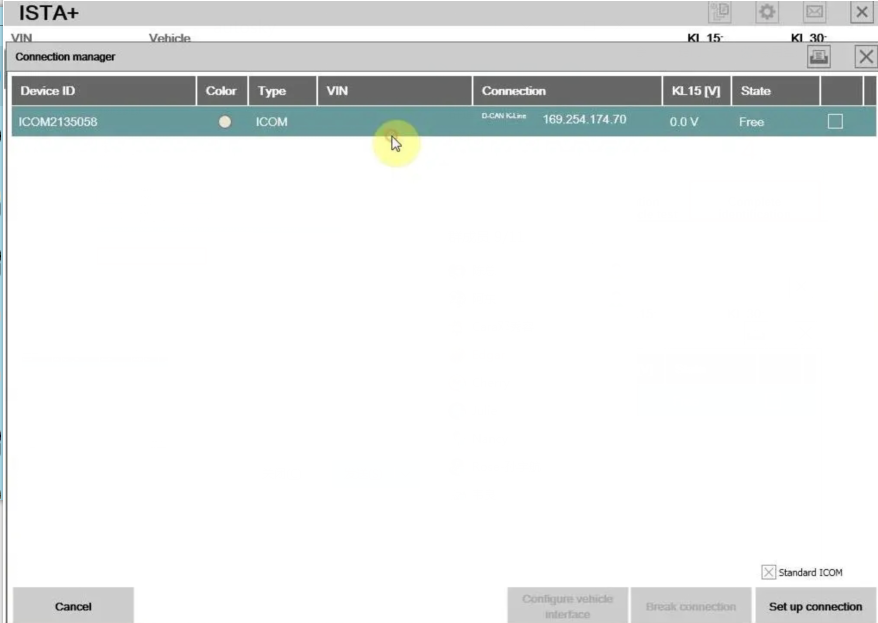
3.Connect

How-to-Use-BMW-ICOM-Next-ISTA-Software-Diagnose-BMW-Cars-5

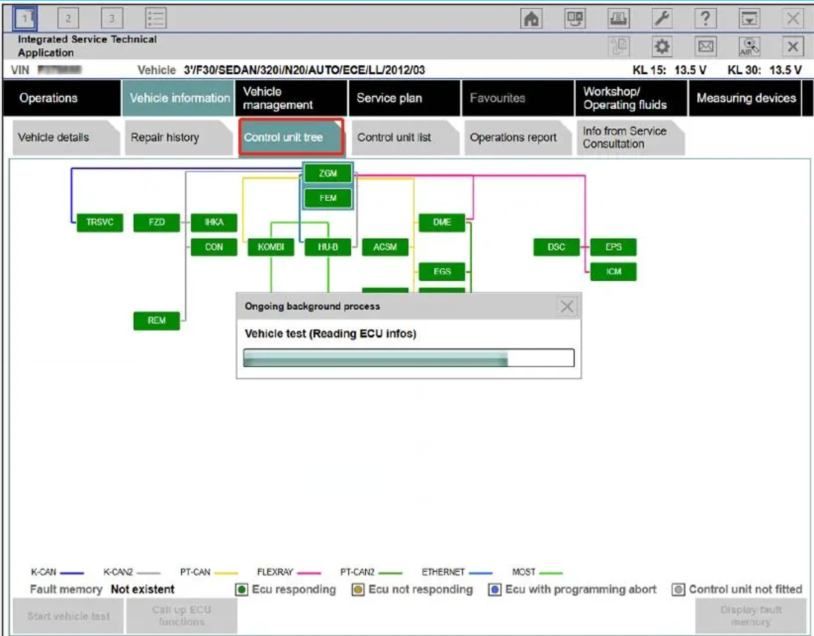
4. Read control unit tree(Read ecu)

How-to-Use-BMW-ICOM-Next-ISTA-Software-Diagnose-BMW-Cars-6

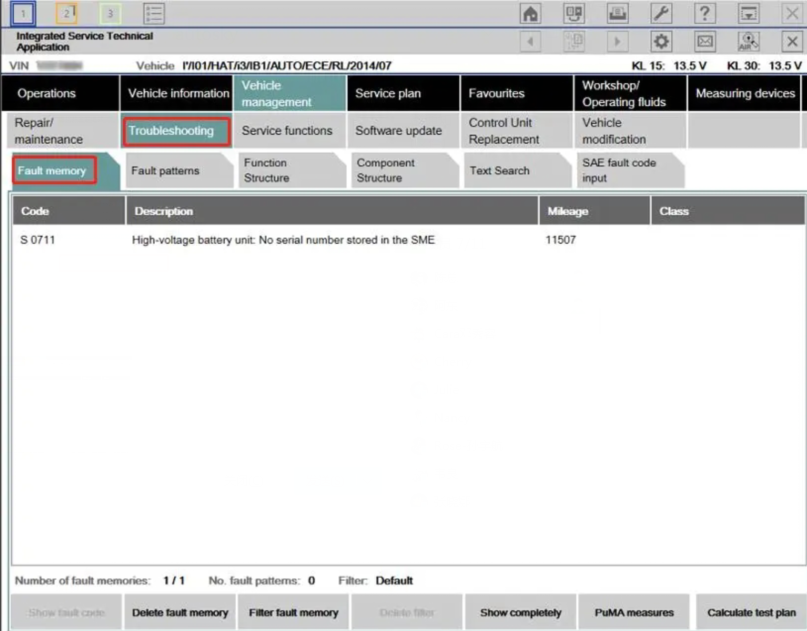
5.Read Fault memory

How-to-Use-BMW-ICOM-Next-ISTA-Software-Diagnose-BMW-Cars-7

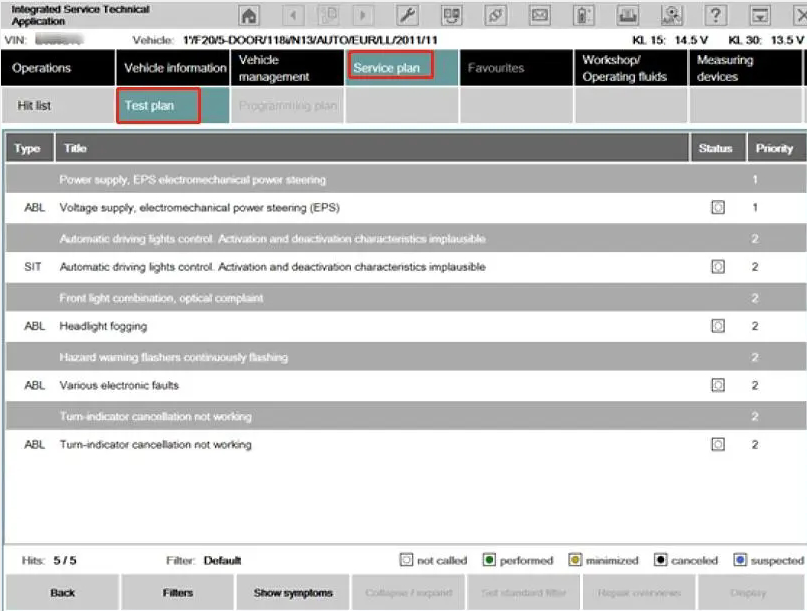
6.Test plan

How-to-Use-BMW-ICOM-Next-ISTA-Software-Diagnose-BMW-Cars-8

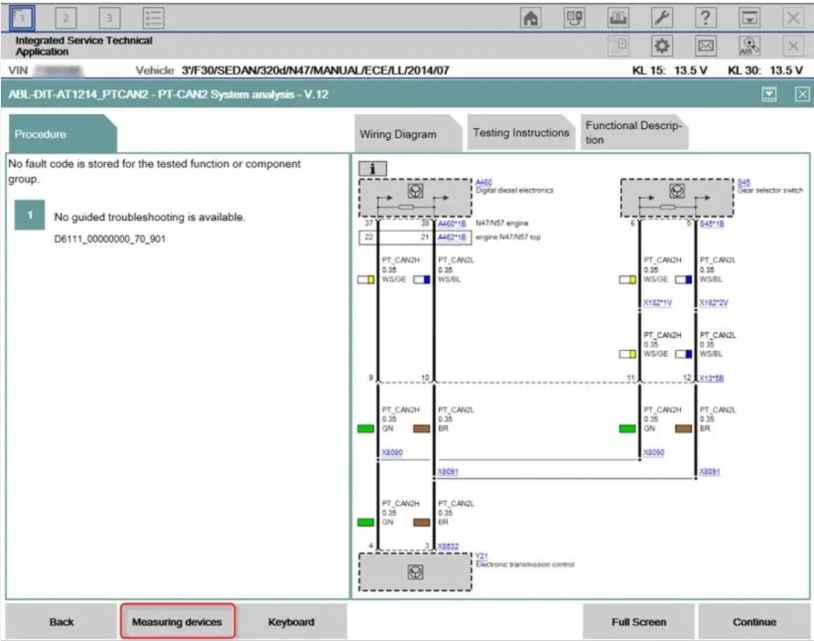
7.Wiring Diagram

How-to-Use-BMW-ICOM-Next-ISTA-Software-Diagnose-BMW-Cars-9

8.Demonstration of car disassembly and installation

How-to-Use-BMW-ICOM-Next-ISTA-Software-Diagnose-BMW-Cars-10

More interesting for BMW ICOM diagnostic tools , welcome to check our website www.obd2tool.com

Sunday, November 7, 2021

How to Get BMW ICOM Next Activation Key

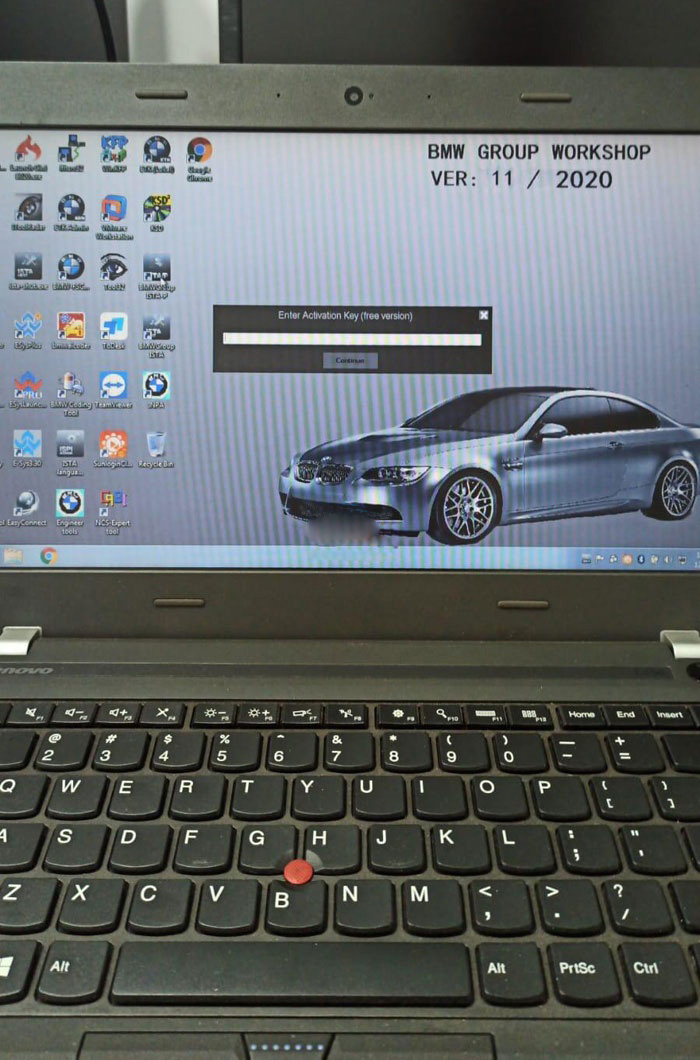
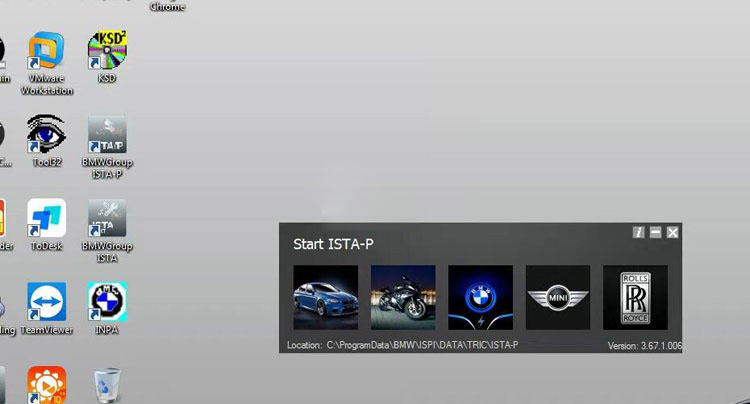
I recently bought a BMW ICOM Next emulator with latest HDD.  It asks me to enter activation key when run ISTA-P 3.67.1. Where can i get this activation key?

How-to-Get-BMW-ICOM-Next-Activation-Key-1

Obd2tool.com solution:

How-to-Get-BMW-ICOM-Next-Activation-Key-2

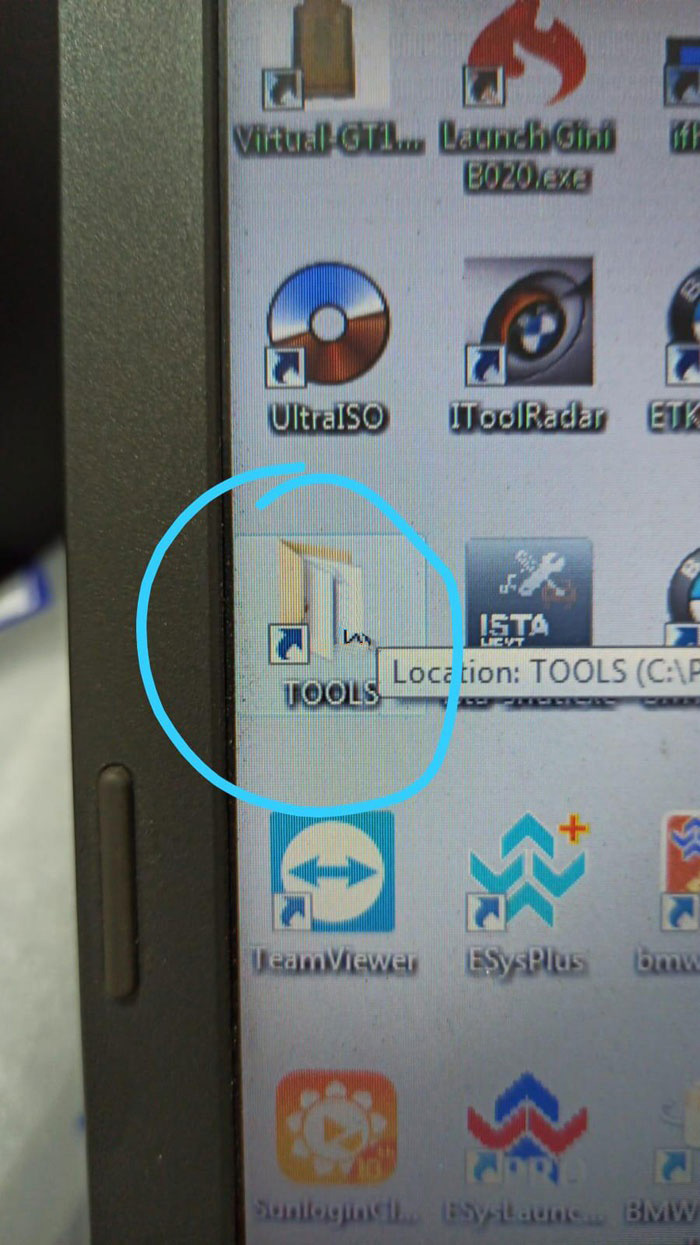
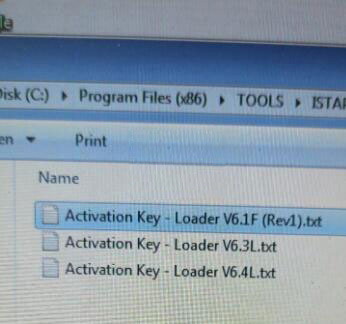
Open TOOLS folder on desktop

How-to-Get-BMW-ICOM-Next-Activation-Key-3

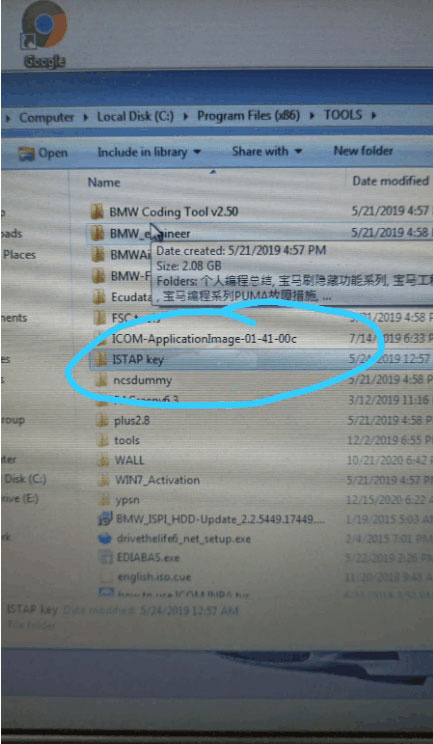
Open ISTAP key folder

How-to-Get-BMW-ICOM-Next-Activation-Key-4

Open Activation Key- Loader V6.4L text file

Copy and paste activate key to corresponding area

How-to-Get-BMW-ICOM-Next-Activation-Key-5

ISTA-P is activated successfully.

If you want to know more about bmw diagnositc tools, please click bmw trouble repair.

Friday, November 5, 2021

How to configure Expert Mode of BMW ICOM ISTA-D ISTA-P

One of the WIFI BWM ICOM A2+ B+C diagnostic system with ICOM Rheingold ISTA-D ISTA-P customers reported that after he replace the ICOM firmware to V1.38, however he fail to make use of the WIFI wi-fi connection and Expert Mode.
Here is the correct answer supplied:

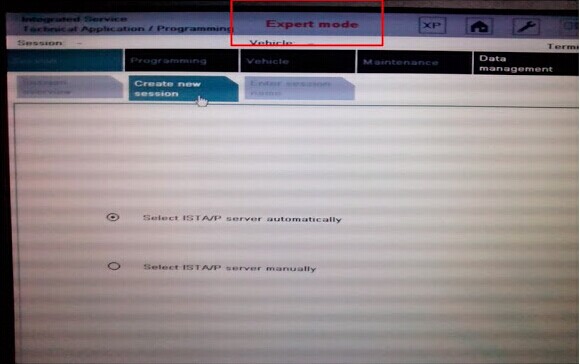
Expert Mode:
BMW ICOM with Expert Mode/ Developer Mode permits BMW customers and technician rather more coding and programming prospects, like self-leveling suspension, facet airbags for rear passengers, computerized operation of tailgate, distant closing home windows and so forth capabilities. The ICOM Rheingold software program is suitable BMW ICOM A1ICOM A2 and BMW ICOM A3.

Setup and use Expert Mode directions:

1.  Install BMW ICOM ISTA-D ISTA/P diagnostic& programming software

How-to-configure-Expert-Mode-of-BMW-ICOM-ISTA-D-ISTA-P-1

2.  Select ISTA/P server automatically

How-to-configure-Expert-Mode-of-BMW-ICOM-ISTA-D-ISTA-P-2

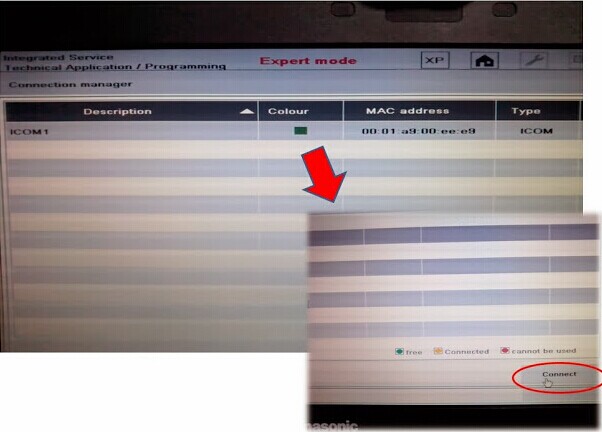
3.  Press “Connect” button on the bottom of the program

How-to-configure-Expert-Mode-of-BMW-ICOM-ISTA-D-ISTA-P-3
How-to-configure-Expert-Mode-of-BMW-ICOM-ISTA-D-ISTA-P-4

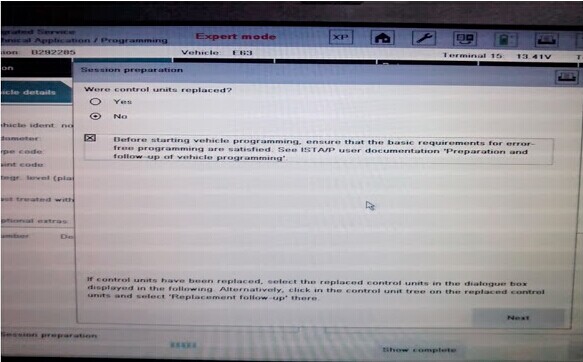
4.  Expert Mode is ready to use. Select Process control units

How-to-configure-Expert-Mode-of-BMW-ICOM-ISTA-D-ISTA-P-5
How-to-configure-Expert-Mode-of-BMW-ICOM-ISTA-D-ISTA-P-6

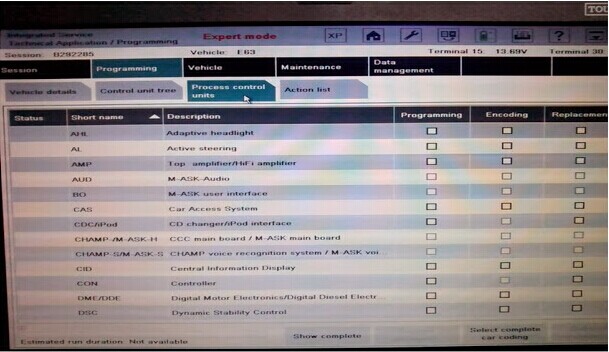
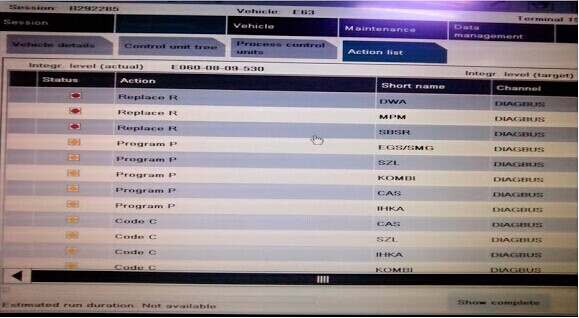
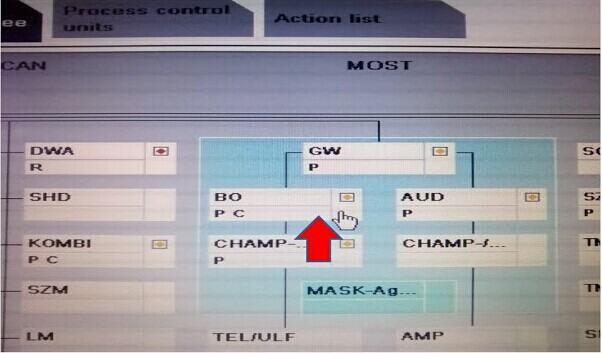
5.  Following is the control module available list. ISTA/P server will detect what control modules should be re-programmed or re-coded automatically.

How-to-configure-Expert-Mode-of-BMW-ICOM-ISTA-D-ISTA-P-7
How-to-configure-Expert-Mode-of-BMW-ICOM-ISTA-D-ISTA-P-8
How-to-configure-Expert-Mode-of-BMW-ICOM-ISTA-D-ISTA-P-9

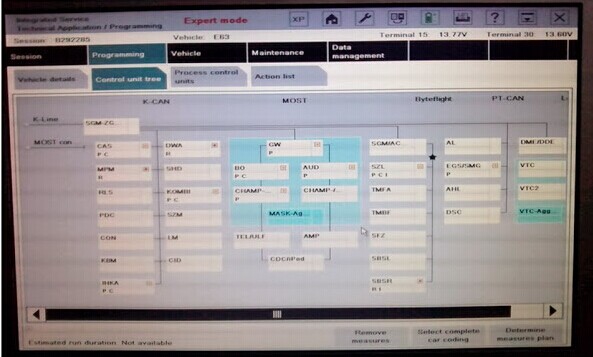
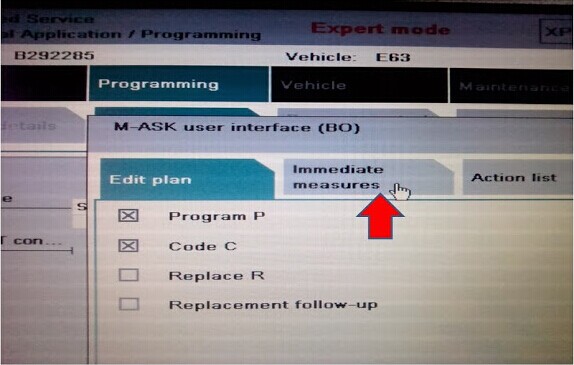
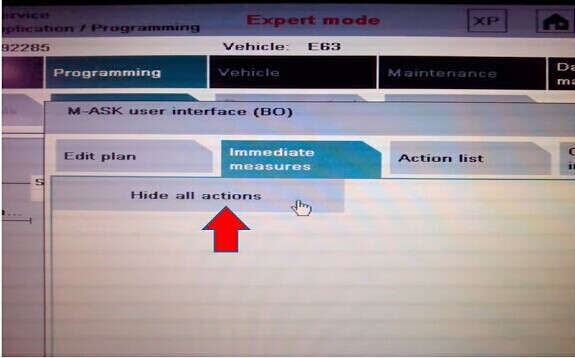
6.  Click immediate measures to hide or enable all actions

How-to-configure-Expert-Mode-of-BMW-ICOM-ISTA-D-ISTA-P-10


Wednesday, September 8, 2021

How to Solve ICOM Next cannot be found by Itool Radar Software


Problem: I have a BMW ICOM Next. I upgraded firmware for it. Now it cannot be find by itool radar software. I tried restore using USB flash method. However when I reset Icom by press and hold the pin hole near USB port, but does not happen on my Icom Next.

How-to-Solve-ICOM-Next-cannot-be-found-by-Itool-Radar-Software-1 (2)
How-to-Solve-ICOM-Next-cannot-be-found-by-Itool-Radar-Software-2 (2)
How-to-Solve-ICOM-Next-cannot-be-found-by-Itool-Radar-Software-3 (2)

How to restore this Icom Next?

SOLVED by re-injecting via USB key files : “USER.settings” and “user.settings.log”  (can find in “Restore ICOM.7z” in ISTA installation package)
ICOM IP address was lost and now all OK !!!!