Sunday, March 20, 2022

How to Update BMW ICOM NEXT Firmware to V1.44

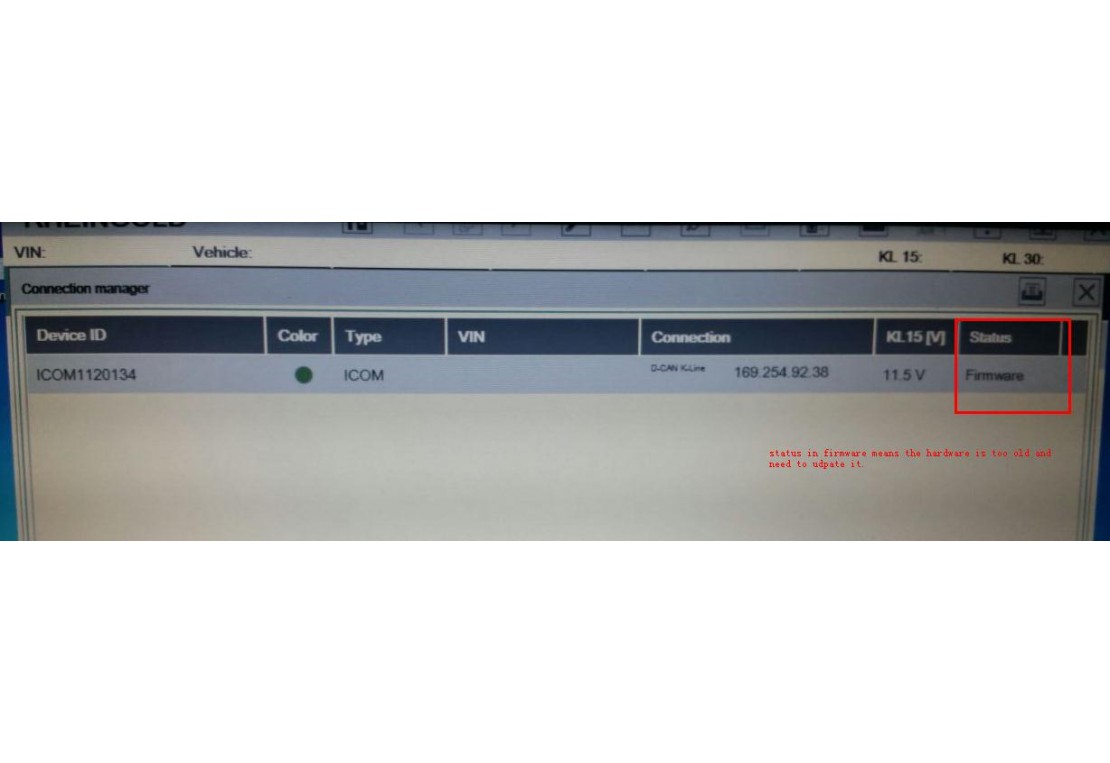
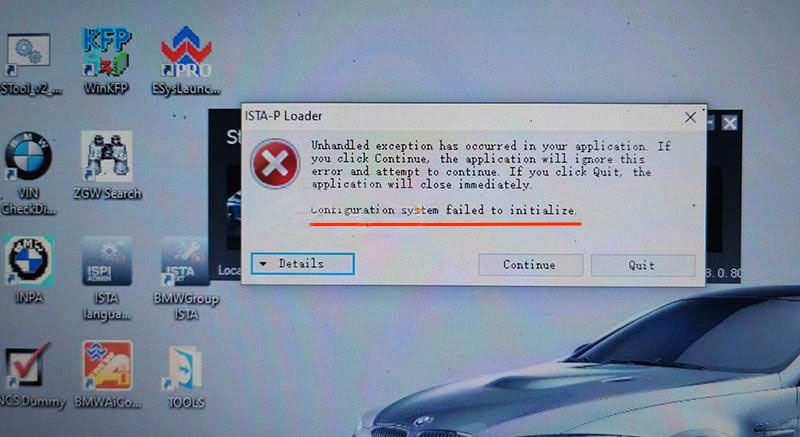
The BMW ICOM Next Professional Diagnostic Tool is the same as BMW ICOM A1/A2/A3 and supports all BMW software and fiber optic programming. This article will show you how to update the BMW ICOM NEXT firmware. Without a firmware update, you may get that the configuration system could not be initialized and the BMW ICOM software is not working.
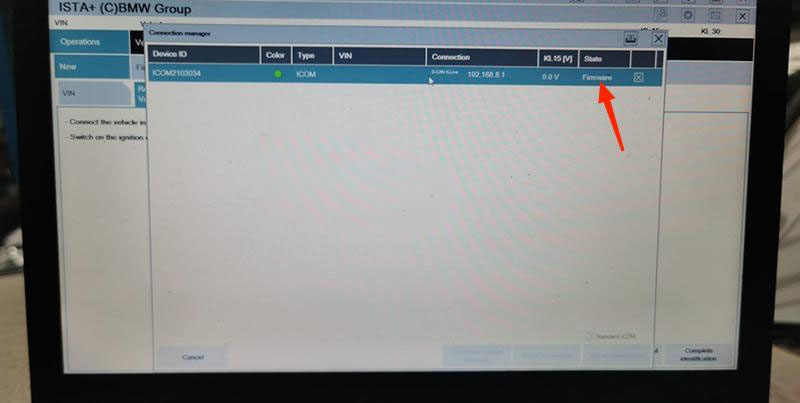
How-to-Update-BMW-ICOM-NEXT-Firmware-to-V1.44-1
How-to-Update-BMW-ICOM-NEXT-Firmware-to-V1.44-2

How to Update BMW ICOM NEXT Firmware to V1.44?

Step 1. Login in ICOM Manager

Run “ITool Radar” to get the IP address “169.254.92.38”.
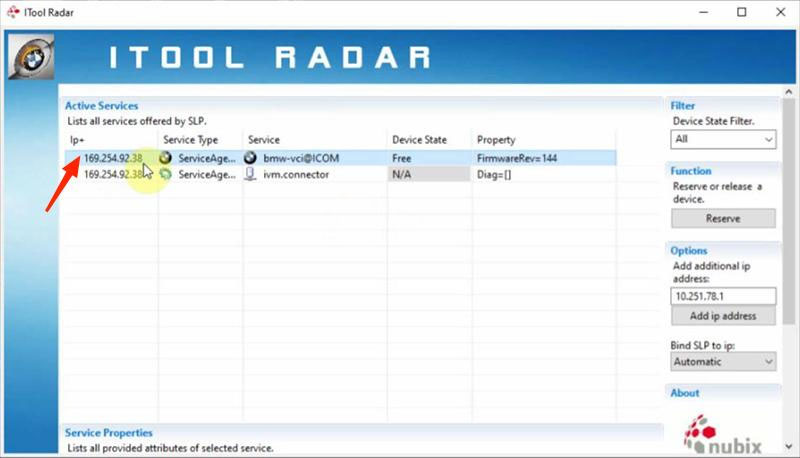
How-to-Update-BMW-ICOM-NEXT-Firmware-to-V1.44-3

Go to “169.254.92.38:60080/”.

Enter user name and password to login in ICOM Manager.
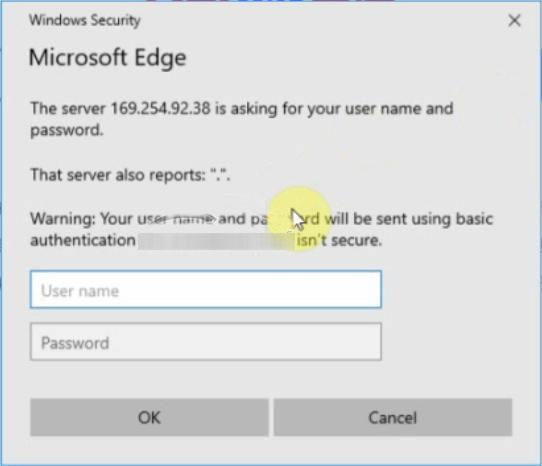
How-to-Update-BMW-ICOM-NEXT-Firmware-to-V1.44-4

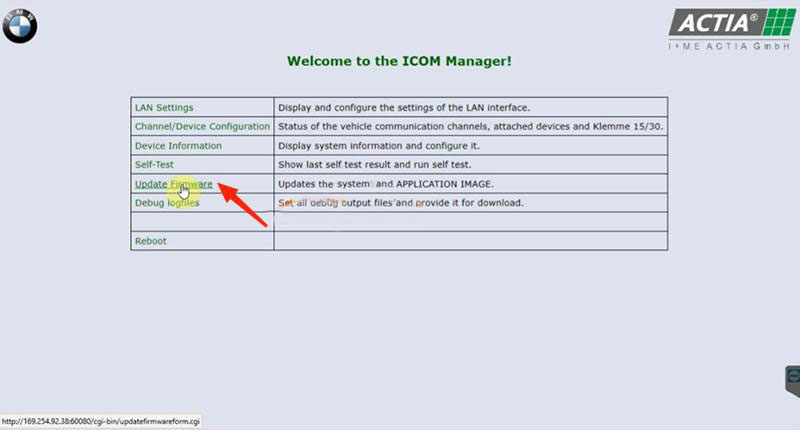
Click “Update Firmware”.
How-to-Update-BMW-ICOM-NEXT-Firmware-to-V1.44-5
How-to-Update-BMW-ICOM-NEXT-Firmware-to-V1.44-6

Step 2. Flash System Image File

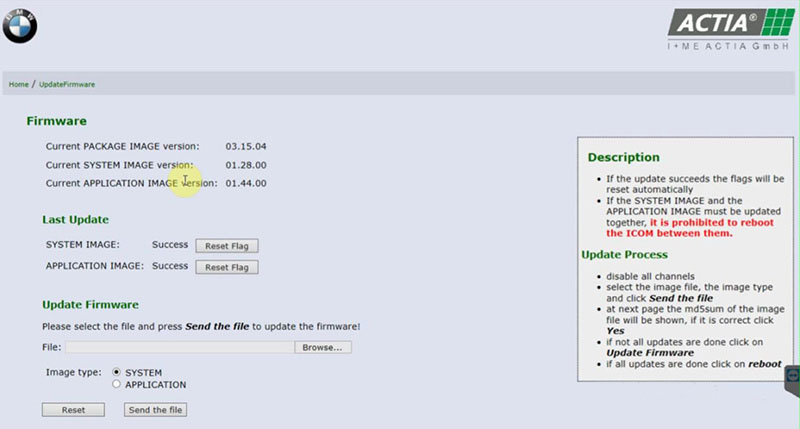
Click “Browse” and load “ICOM-BootImage-01-28-00” bin file.

Select “SYSTEM”on Image type.

Click “Send the file”.
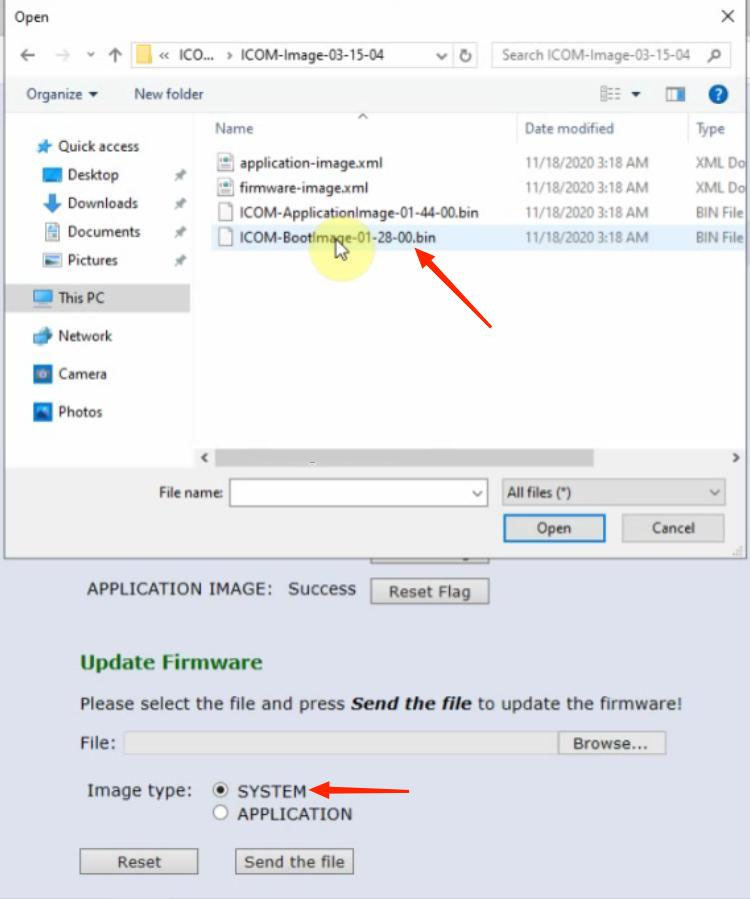
How-to-Update-BMW-ICOM-NEXT-Firmware-to-V1.44-7

Confirm to write the image file to the flash.
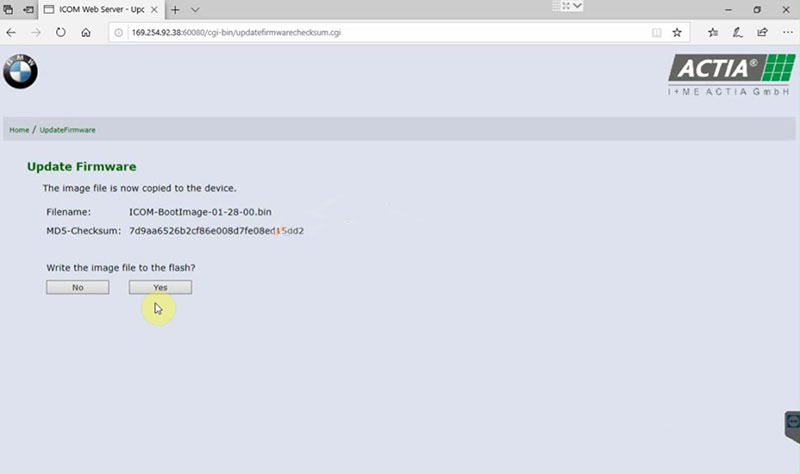
How-to-Update-BMW-ICOM-NEXT-Firmware-to-V1.44-8

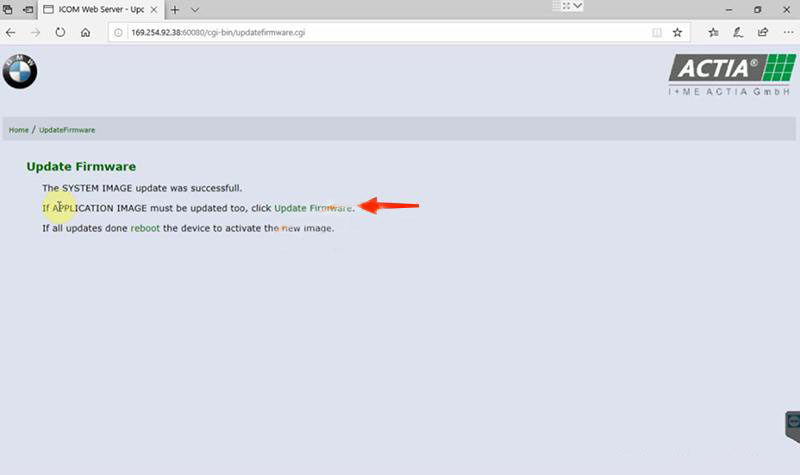
SYSTEM image update successfully.

How-to-Update-BMW-ICOM-NEXT-Firmware-to-V1.44-9

Step 3. Flash Application Image File

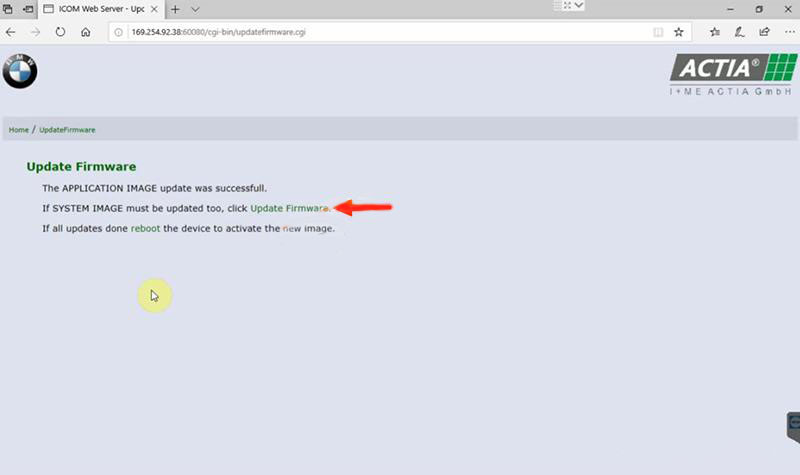
Click “Update Firmware” to go back to firmware update page.

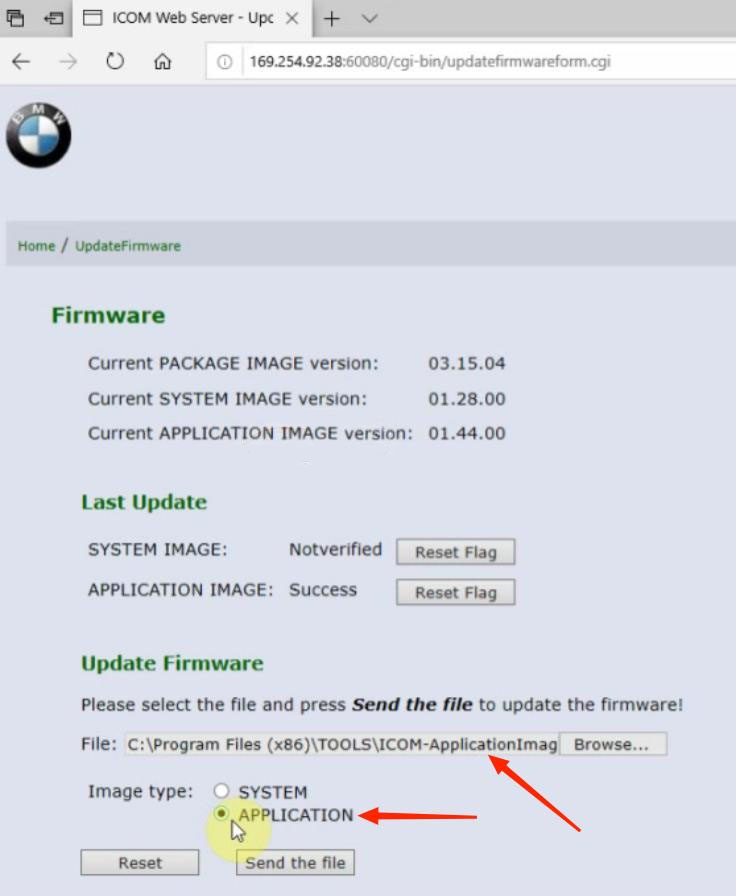
Click “Browse” and load “ICOM-ApplicationImage-01-44-00” bin file.

Select “APPLICATION”on Image type.

Click “Send the file”.

How-to-Update-BMW-ICOM-NEXT-Firmware-to-V1.44-10
Also confirm to write the image file to the flash.
APPLICATION image update successfully.
How-to-Update-BMW-ICOM-NEXT-Firmware-to-V1.44-11

Step 4. Reboot

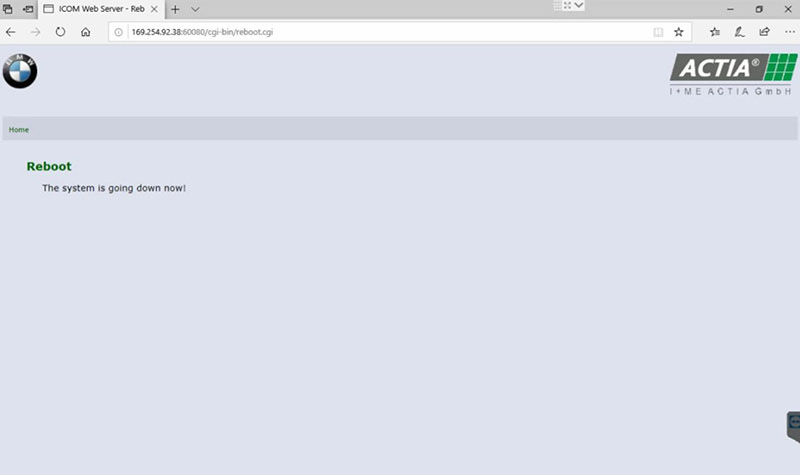
Click “reboot”.

How-to-Update-BMW-ICOM-NEXT-Firmware-to-V1.44-12

Go to “169.254.92.38:60080/” again.

Login in ICOM Manager.

Now the APPLICATION Image version is updated to V1.44.

Notice:
*   The SYSTEM IMAGE and the APPLICATION IMAGE must be updated together, and Do Not reboot the ICOM before updating both of them.
*   Firstly send SYSTEM Image file and select “SYSTEM” to flash.
*   Then send APPLICATION Image file and select “SYSTEM” to flash.

Sunday, March 13, 2022

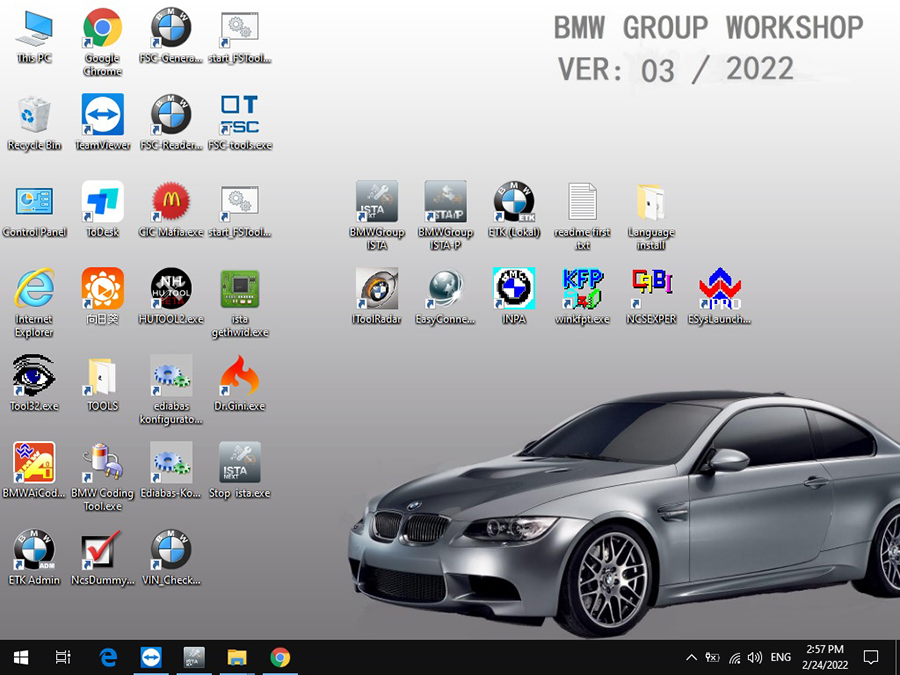
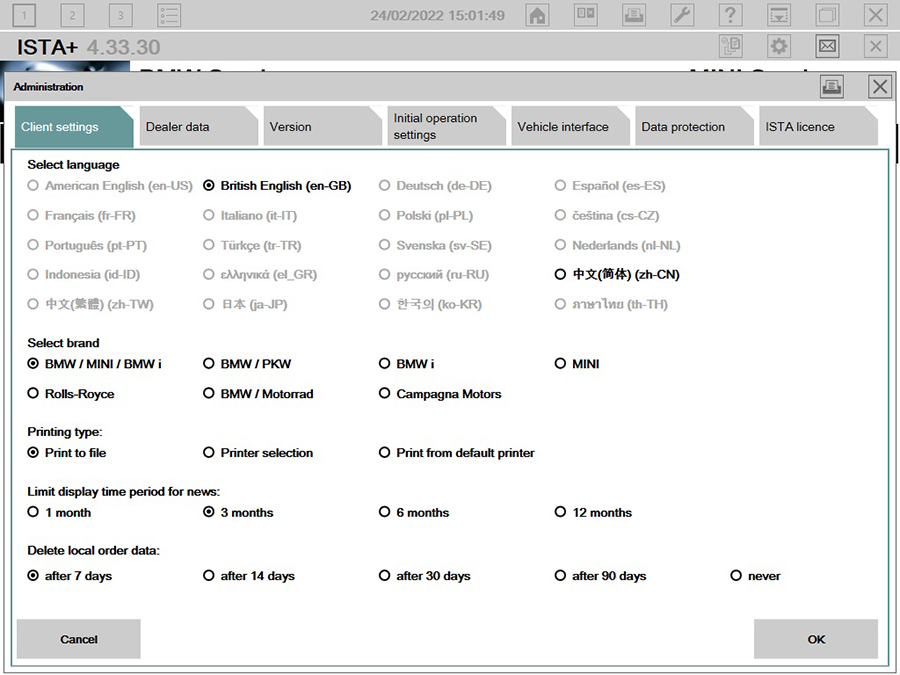
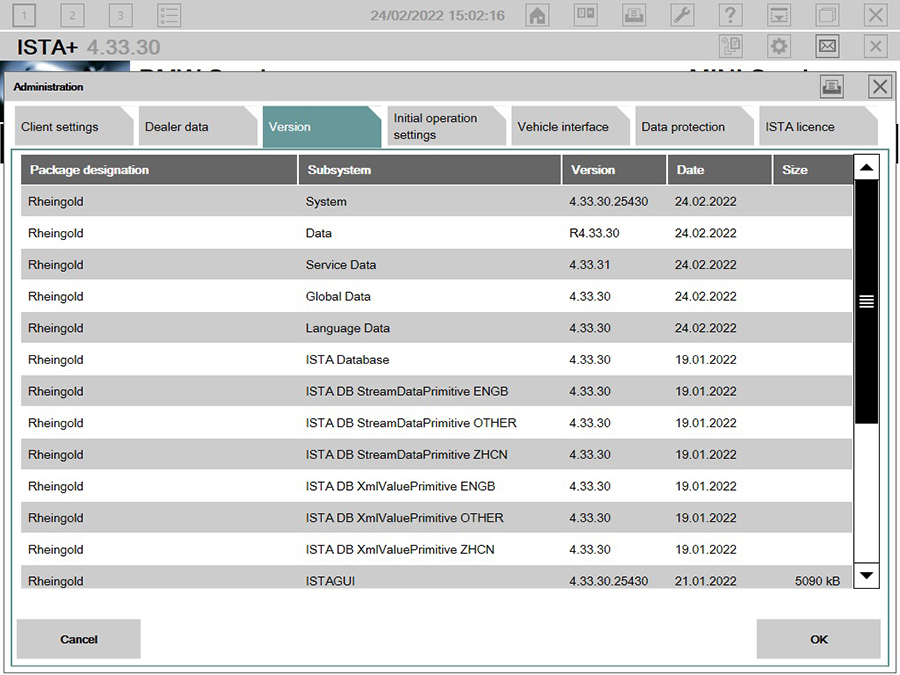
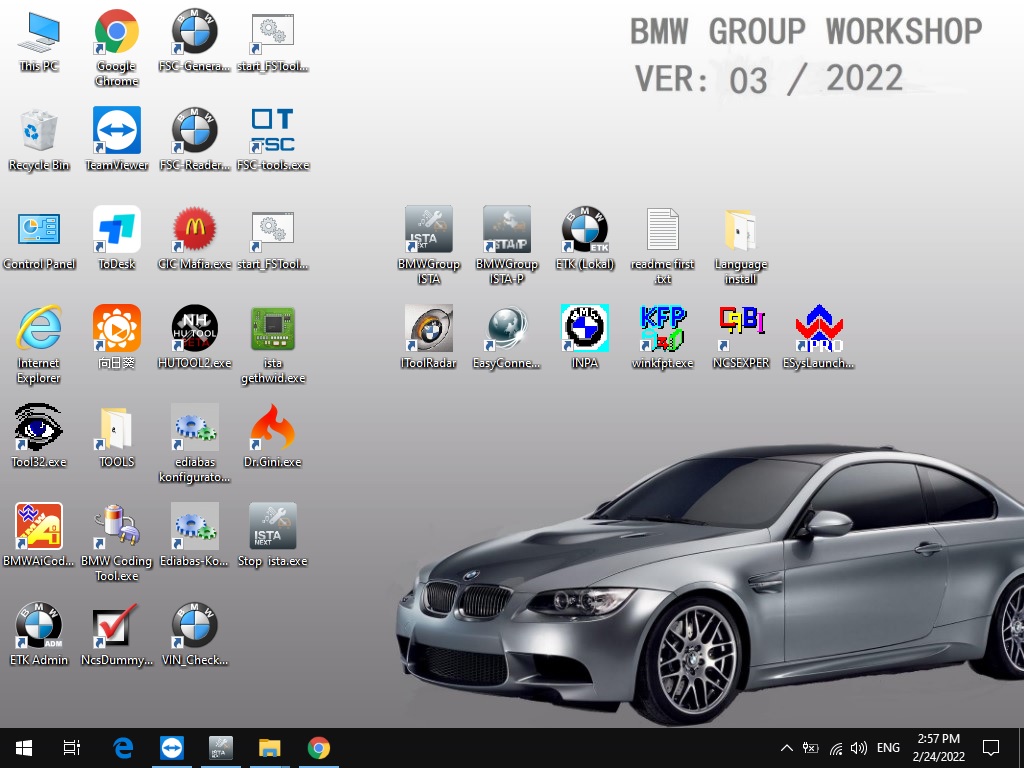
BMW ICOM Updated the new software to 2022.03

Dear friends, goods news ,BMW ICOM updated the new software to 2022.03.

V2022.03 BMW ICOM Engineers Software HDD For BMW ICOM Next BMW ICOM A2 A3 Diagnosis and programming

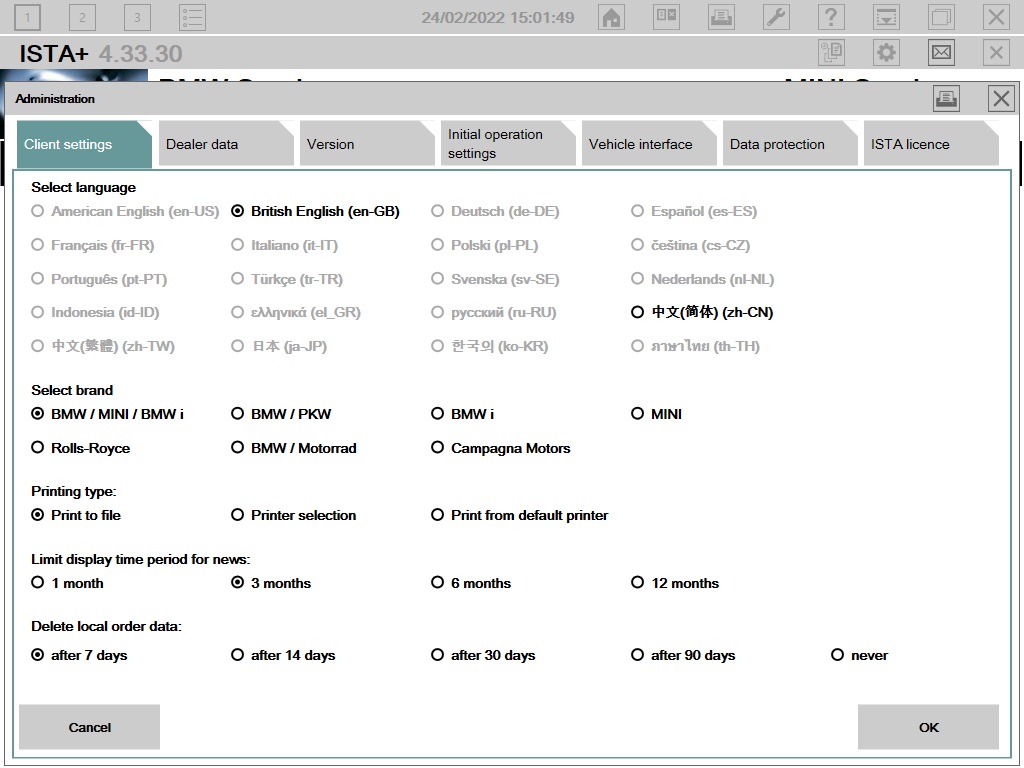
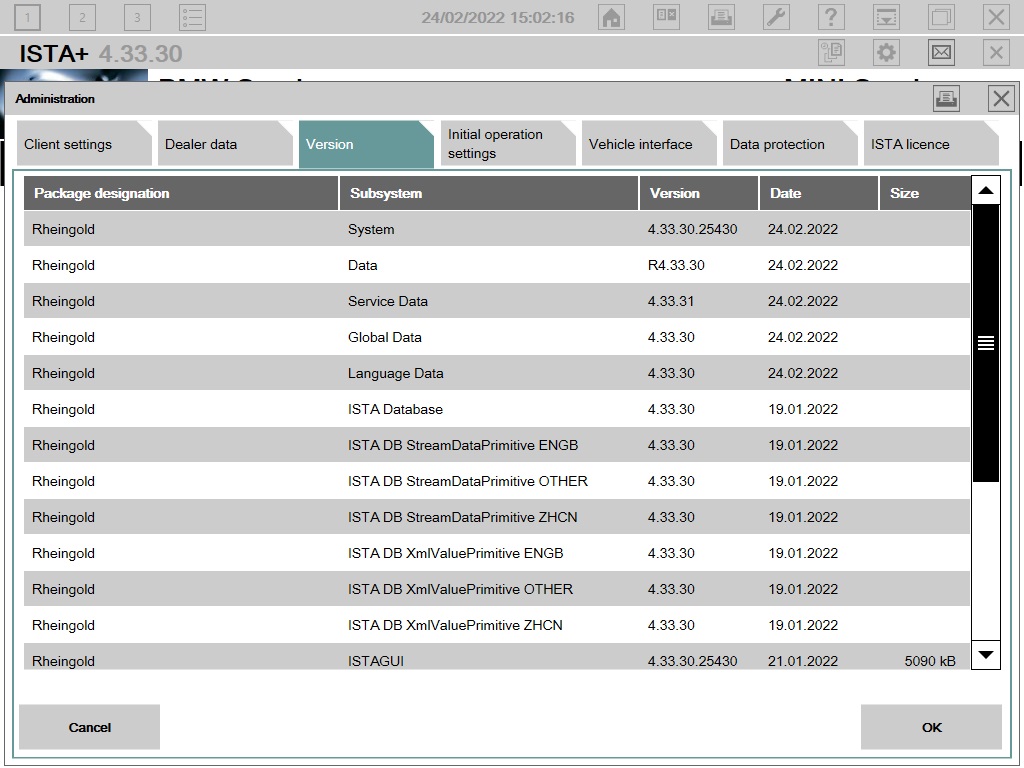
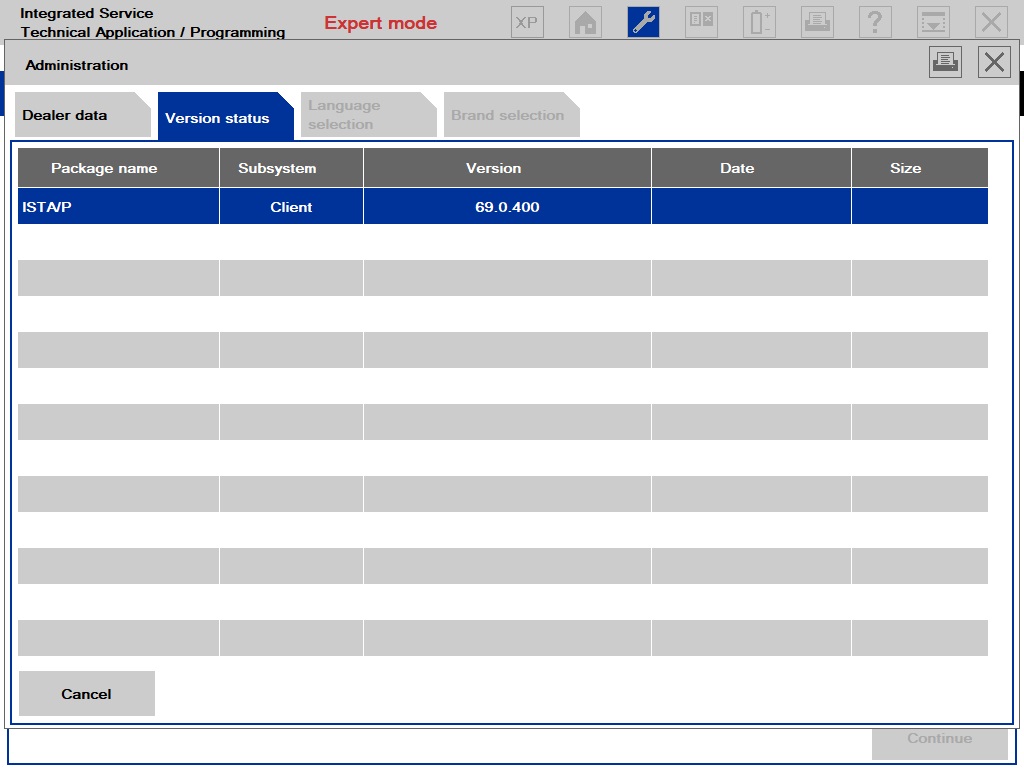
V2022.03 Newest Vsrsion Software ISTA-D ISTA 4.33.30 ISTA-P 3.69.0.400 with Engineer Programming

Pls note : If you just need the hardware with the software .when you receive ,please contact us to activate one free time .thanks .

Software Version : V2022.03
ISTA – D:4.33.30 with SDP Programming Database 4.33.30
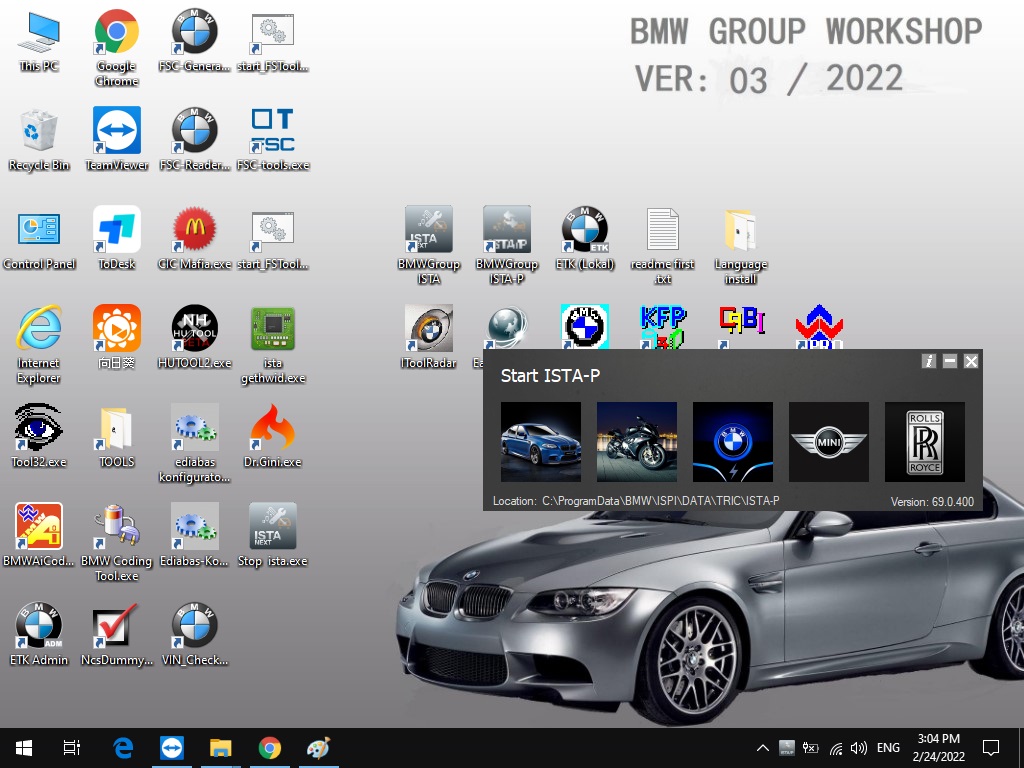
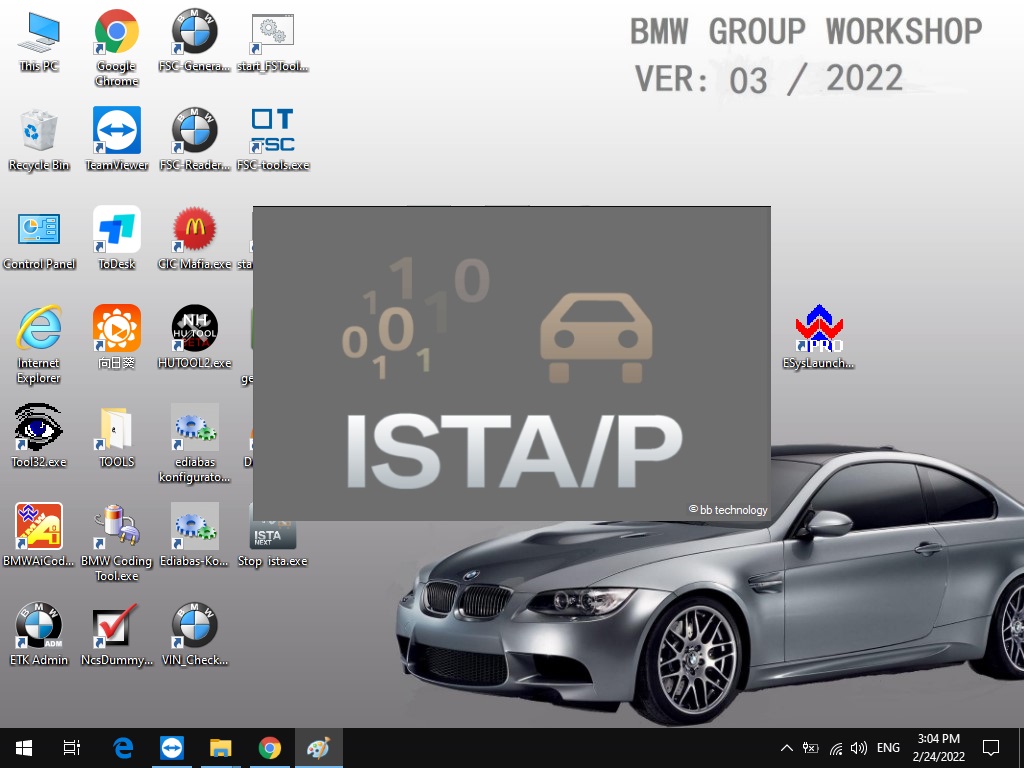
ISTA – P:3.69.0.400 with Engineer Programming,supports the programming of BMW motorcycles and electric vehicles can program F/G/I/K chassis for car (through the ICOM, not other cable )
Vin:V2022.01.19
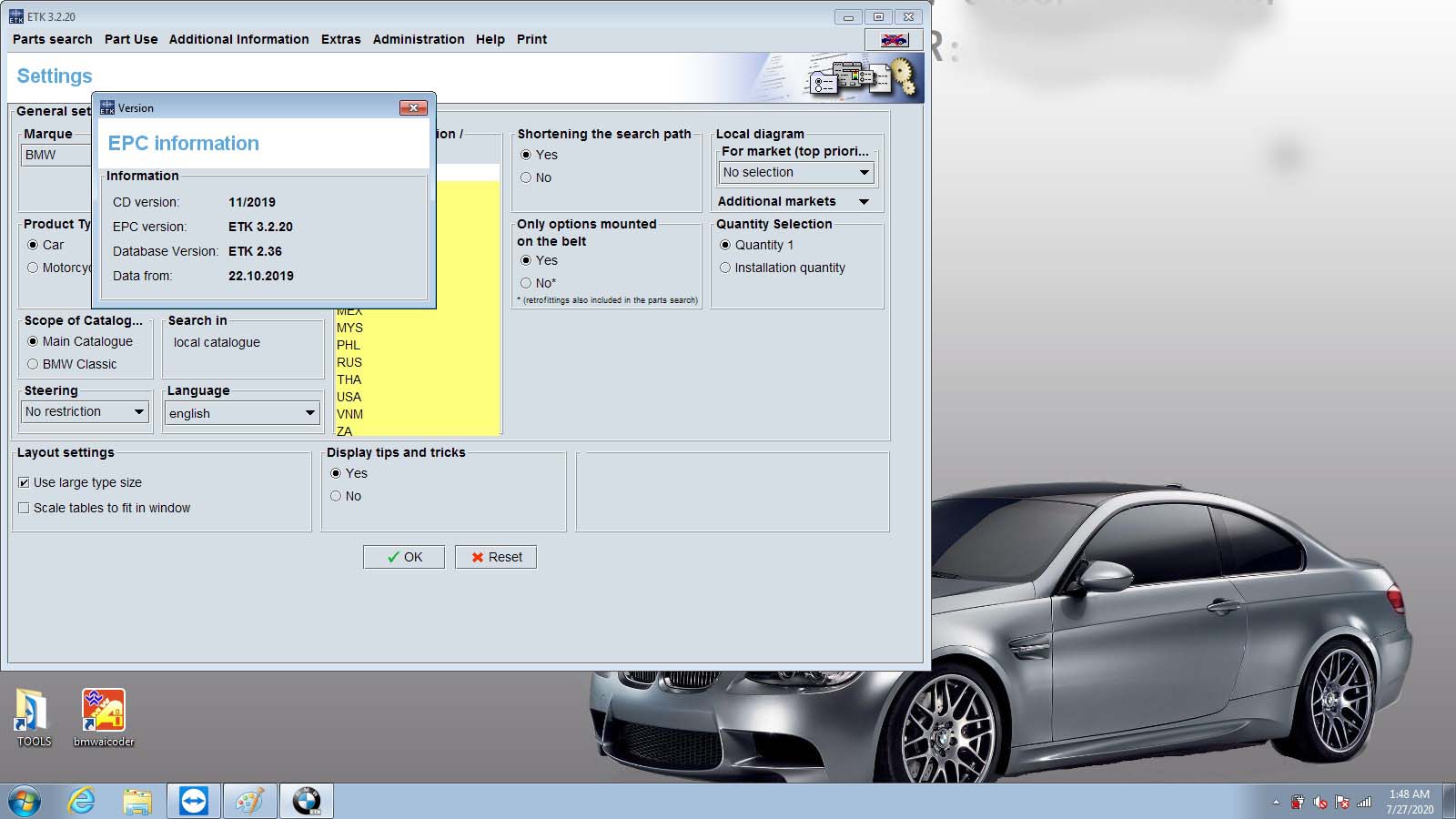
BMW ETK: 2019.12
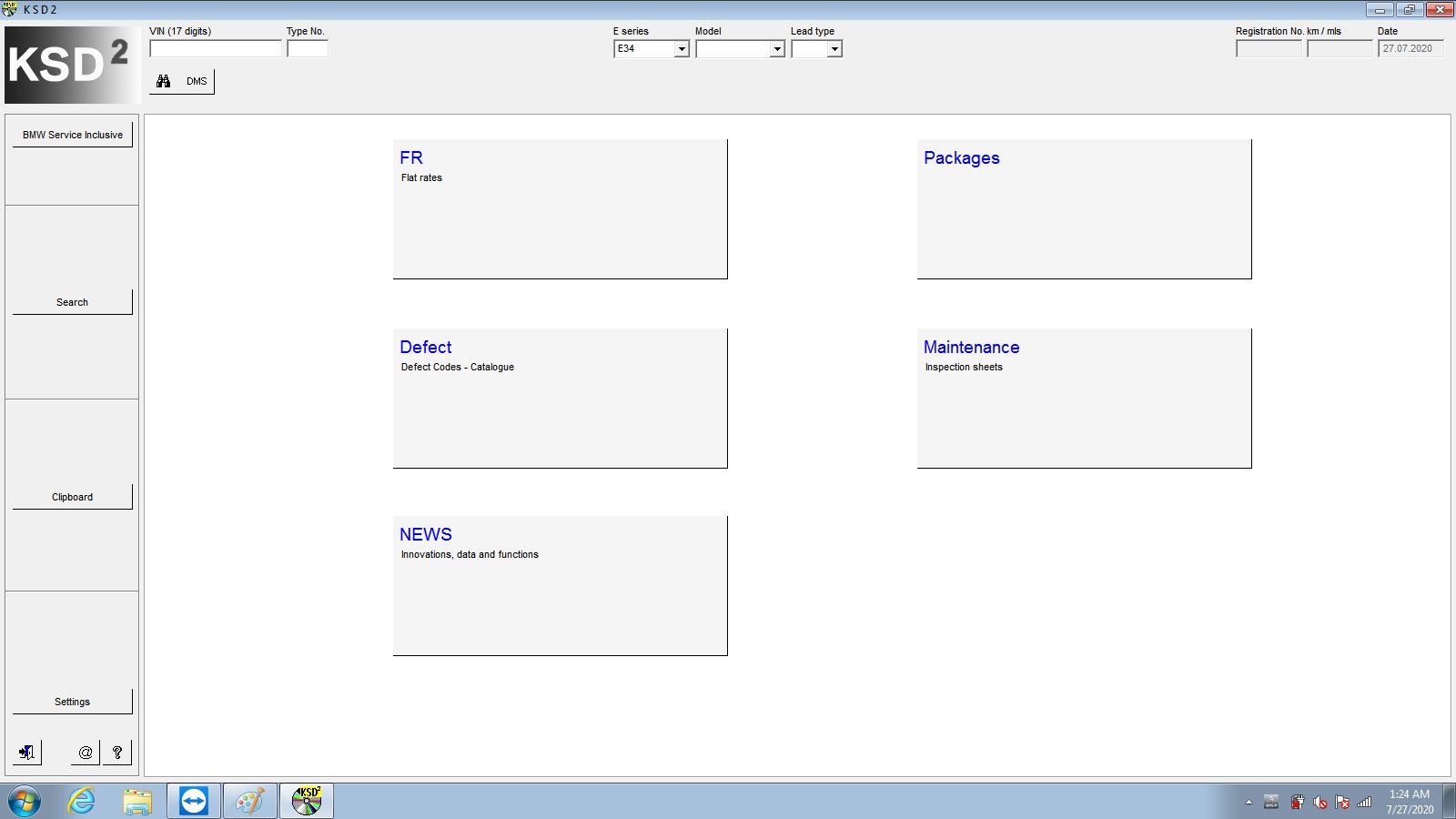
BMW KSD: 2019.12  Multilanguage
BMW FSC Navigation Code Generator
BMWAiCoder for BMW Coding

BMW ICOM V2021.09, With free Software:
1. Get engineer version, INPA 5.06,winkfp 5.2.3,NCS 3.5.1, e-sys 3.31,data V69.0
2. get Chinese software DR.GINI B021
3. get count code navigation tool software FSC operator code
4. get one-clik hidden brush tool BMWAi V4.6
5. Add DIS Software for Old cars, DISV57 and DISV44,diagnosis and programming for BMW virtual machines
6. Support Vehicles: For BMW Cars,For BMW Motorcycle,For Rolls-Royce, For Mini Cooper

ISTA-D Language: Czech, Dutch, French, German, Greek, Italian, Japanese, Korean, Polish, Portuguese, Russian, Spanish, Sweden, Thai, Turkish
ISTA-P Language:  English, Chinese, Czech, Dutch, French, German, Greek, Indonesian, Italian, Japanese, Korean, Polish,
Portuguese, Russian, Spanish, Swedish, Thai, Turkish

Notice : The software installed English language in default.

BMW-ICOM-Updated-the-new-software-to-2022.03-1
BMW-ICOM-Updated-the-new-software-to-2022.03-2
BMW-ICOM-Updated-the-new-software-to-2022.03-3

If you have any other question do you want to learn ,you can contact with us : sales@obd2tool.com .or search on our website directly: https://www.obd2tool.com.

Sunday, March 6, 2022

V2022.03 BMW ICOM Software ISTA-D ISTA 4.33.30 ISTA-P 3.69.0.400 with Engineer Programming

V2022.03 BMW Diagnostic Software ISTA-D ISTA 4.33.30 ISTA-P 3.69.0.400 with Engineer Programming

Software Version : V2022.03
ISTA – D: 4.33.30 with SDP Programming Database 4.33.30
ISTA – P: 3.69.0.400 with Engineer Programming,supports the programming of BMW motorcycles and electric vehicles can program F/G/I/K chassis for car (through the ICOM, not other cable )
Vin: V2022.01.19
BMW ETK: 2019.12
BMW KSD: 2019.12  Multilanguage
BMW FSC Navigation Code Generator
BMWAiCoder for BMW Coding
Win10 64 bit operating system

BMW ICOM V2021.09, With free Software:
1. Get engineer version, INPA 5.06,winkfp 5.2.3,NCS 3.5.1, e-sys 3.31,data V69.0
2. get Chinese software DR.GINI B021
3. get count code navigation tool software FSC operator code
4. get one-clik hidden brush tool BMWAi V4.6
5. Add DIS Software for Old cars, DISV57 and DISV44,diagnosis and programming for BMW virtual machines
6. Support Vehicles: For BMW Cars,For BMW Motorcycle,For Rolls-Royce, For Mini Cooper

Notice : The software installed English language in default.

1.Language:
ISTA-D Support Multi-language: English German Spanish French Italian Polish Portuguese Turkish Czech Swedish Dutch Greek Russian Japaness Korean Thai
ISTA-P Support Multi-language: English, German, Spanish, French, Italian, Polish, Portuguese, Turkish, Czech, Swedish, Dutch, Indian,Greek, Russian,Chinese, Japanese, Korean and Thai.
2.Support almost 95% laptop on the world with Intel chip( I3/I5/I7 series) and have 4GB memory
3. Software contain TIS and WDS software( for repair instruction and circuit).
4.Provide bonus engineer software for free, you can use it to do single module programming.
5.Support for Engineers programming. ( Expert Mode)

BMW ICOM Software Display:

BMW ICOM Diagnostic & Programming Tool-1
BMW ICOM Diagnostic & Programming Tool-2
BMW ICOM Diagnostic & Programming Tool-3
BMW ICOM Diagnostic & Programming Tool-4
BMW ICOM Diagnostic & Programming Tool-5
BMW ICOM Diagnostic & Programming Tool-6
BMW ICOM Diagnostic & Programming Tool-7
BMW ICOM Diagnostic & Programming Tool-8


Sunday, February 27, 2022

How to do ICOM firmware update

ICOM Firmware Update Steps

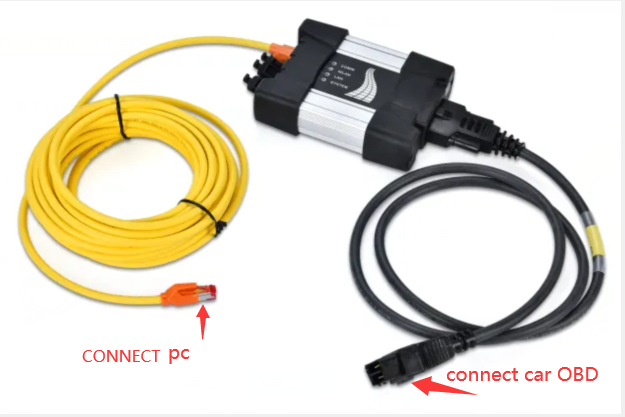
1. Connect the ICOM to computer by the LAN cable, power 12V to ICOM by the power adapter or car.

2. Open http://169.254.92.38:60080/ by IE browser (only after ICOM is connected with laptop and power it can be opened), user name: root password: NZY11502

3. Click “Update Firmware”,you will see the ICOM firmware version information.

4. choose “ICOM-BootImage-01-26-00c.bin”, setting “image type” to “SYSTEM”,and then click “Send the file”. (You can find the update files on the desktop folder name “TOOLs”

5. When it prompt out “Write the image file to the flash?”,click “Yes”,the ICOM led will be red color.

6. when it prompt out “The SYSTEM IMAGE update was successful”,click “Update Firmware”.

7. choose “ICOM-ApplicationImage-01-41-02c.bin”, setting” image type” to “APPLICATION”,and then click “Send the file”, it will take some minutes. (You can find the update files on the desktop folder name “TOOLs”

8. When it prompt out “Write the image file to the flash?”,click “Yes”,the ICOM led will flash red again.

9. wait for all finish,and then “reboot” it.

10. ICOM firmware updates finish.

Sunday, February 20, 2022

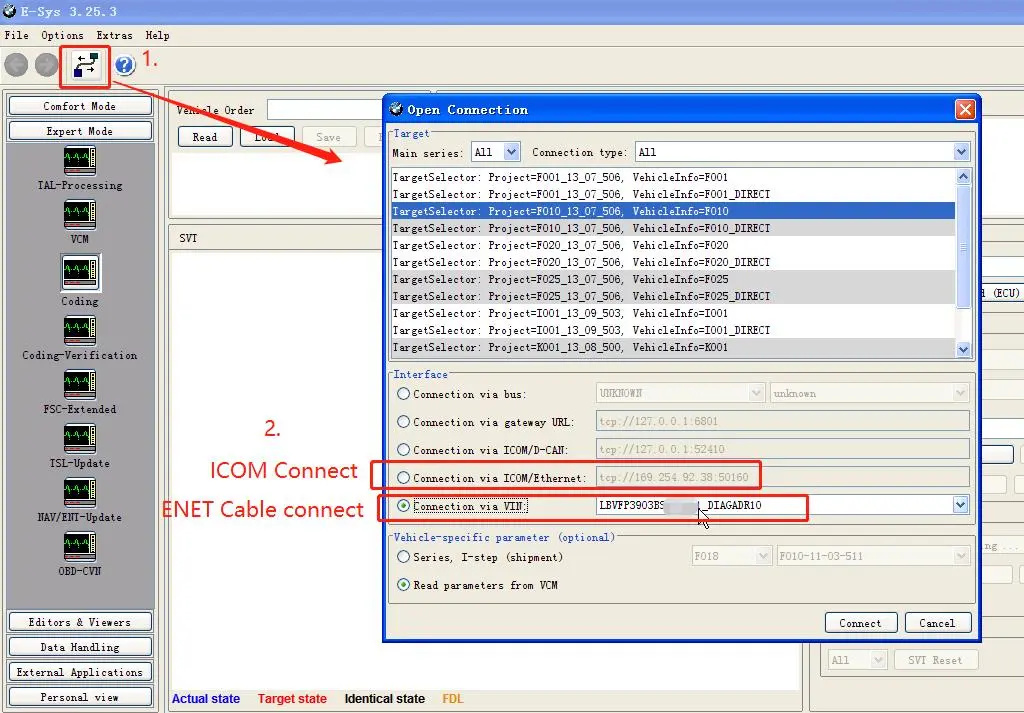
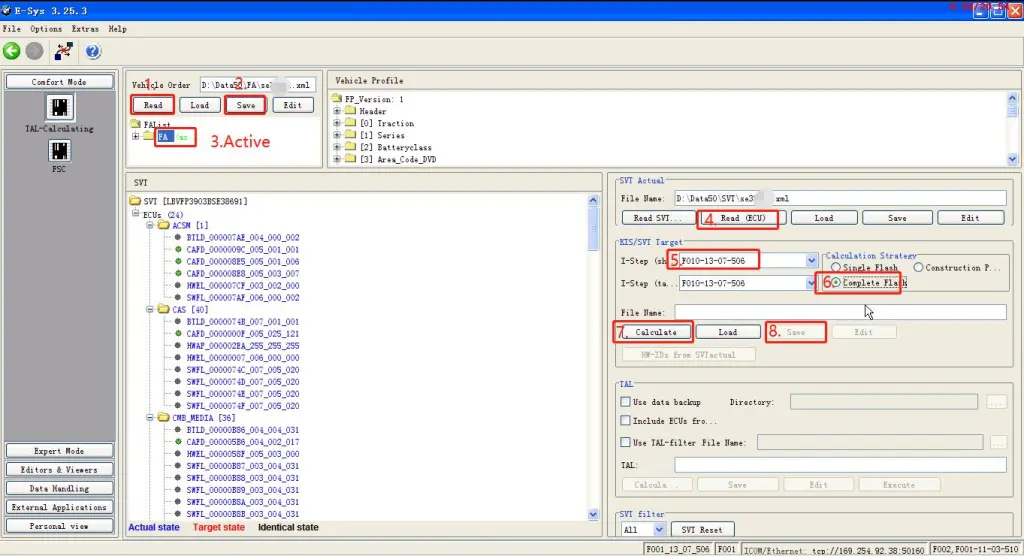
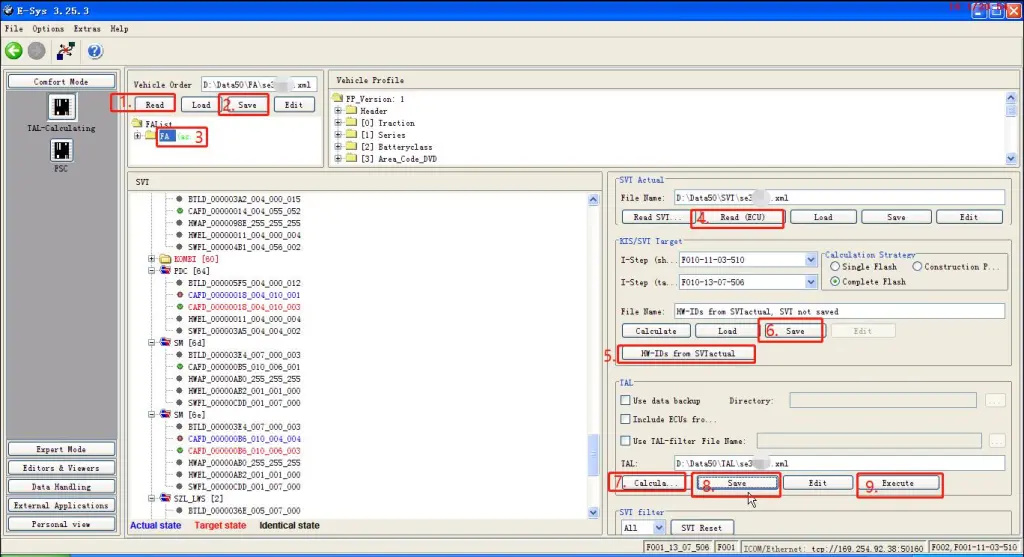
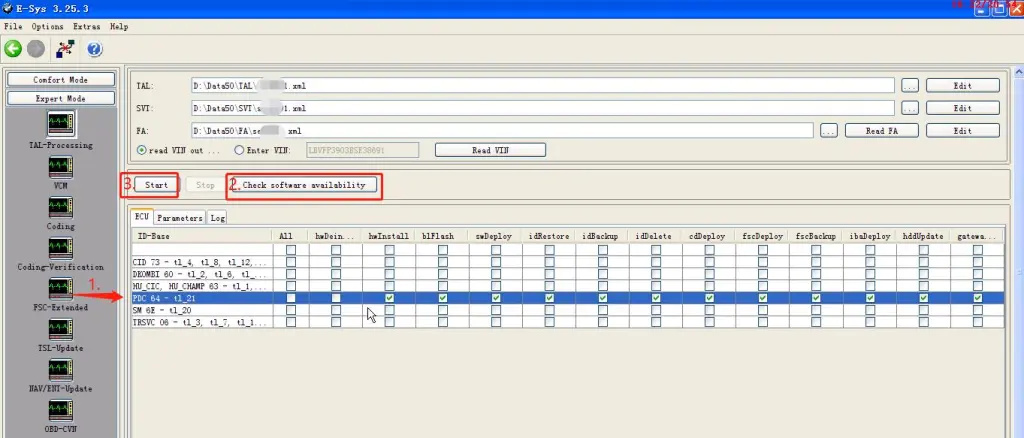
How to program with BMW Esys

How to program BMW E-sys
1.Connect to BMW car;

How-to-program-with-BMW-Esys-1

2.Read FA,read ecu and Calculate ecu version.(Calculate will take 10 minutes)

How-to-program-with-BMW-Esys-2

3.Select SVT (calculated)

How-to-program-with-BMW-Esys-3

4.Select the ecu to be programmed, check the program file, and click Start to program;(will take 10 minutes or more)

How-to-program-with-BMW-Esys-4

5.Program finished;

How-to-program-with-BMW-Esys-5

6.After programming ecu, you still need to ecu code;

How-to-program-with-BMW-Esys-6
How-to-program-with-BMW-Esys-7

7.Code finished,ecu programming complete.(Tips :If the ecu still does not work, you need to use the BMW ISTA diagnostic software to check the fault and check whether the ecu needs to be matched or learned.)

How-to-program-with-BMW-Esys-8

If you want to know BMW ICOM, please click https://www.obd2tool.com

Sunday, February 13, 2022

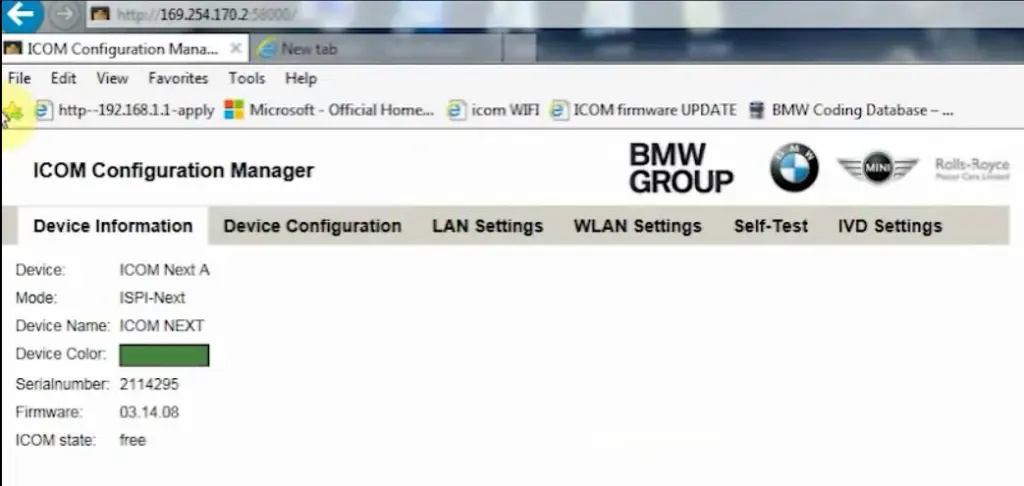
How to setup ICOM Next A WLAN connection

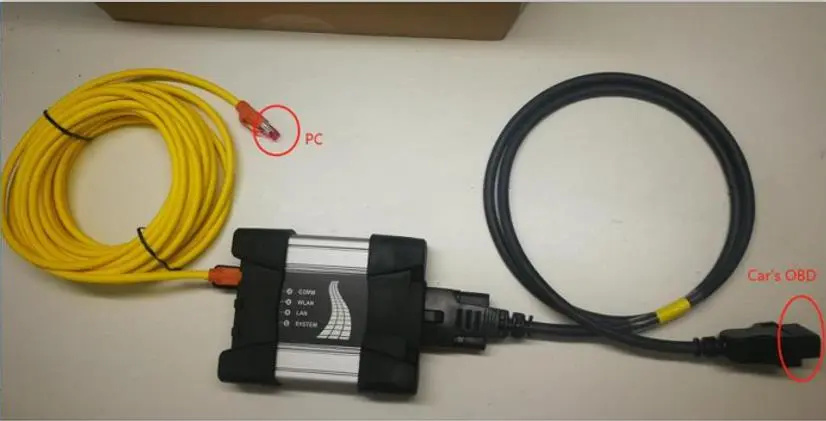
ICOM Next Wireless diagnostic

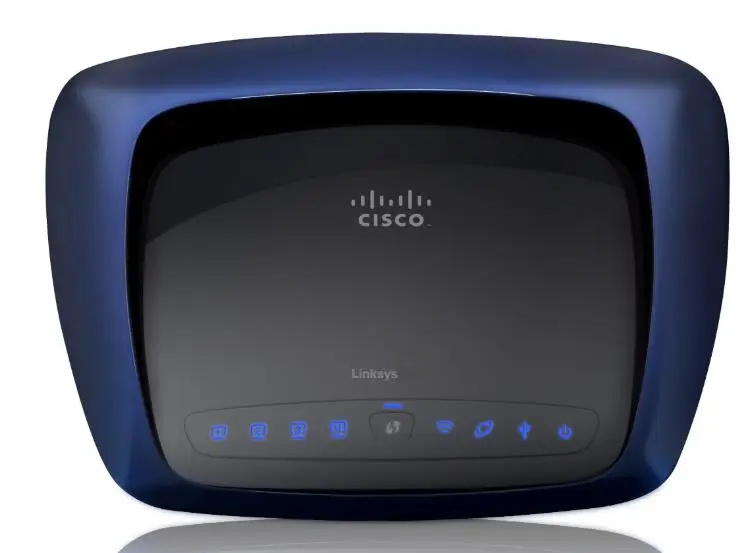
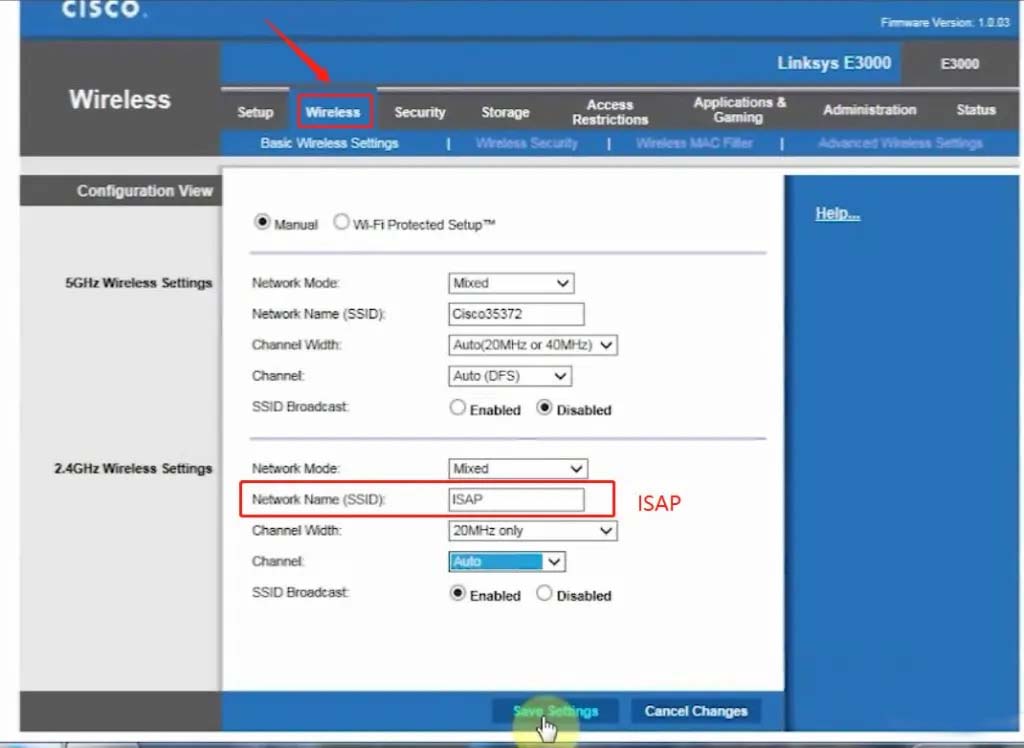
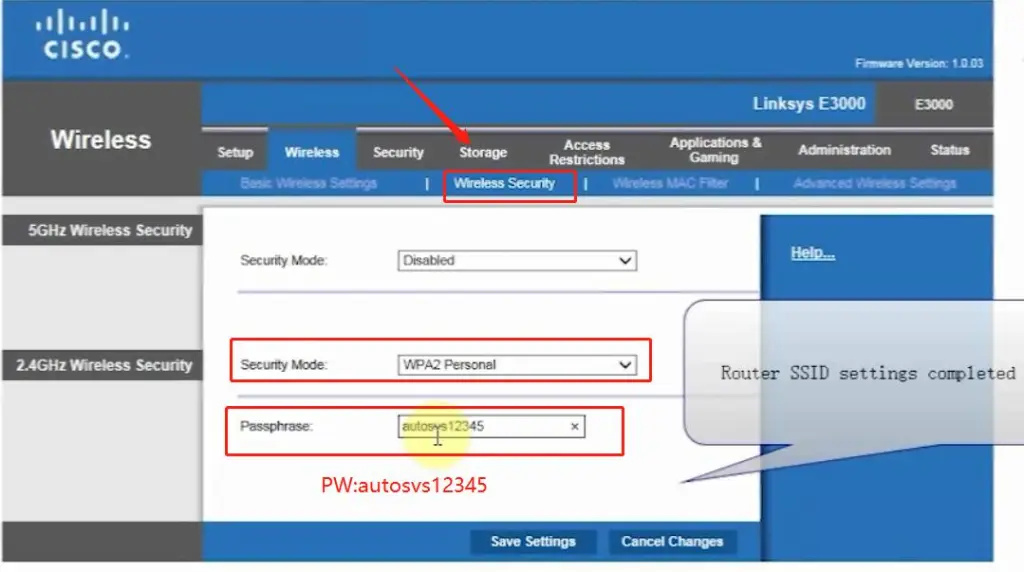
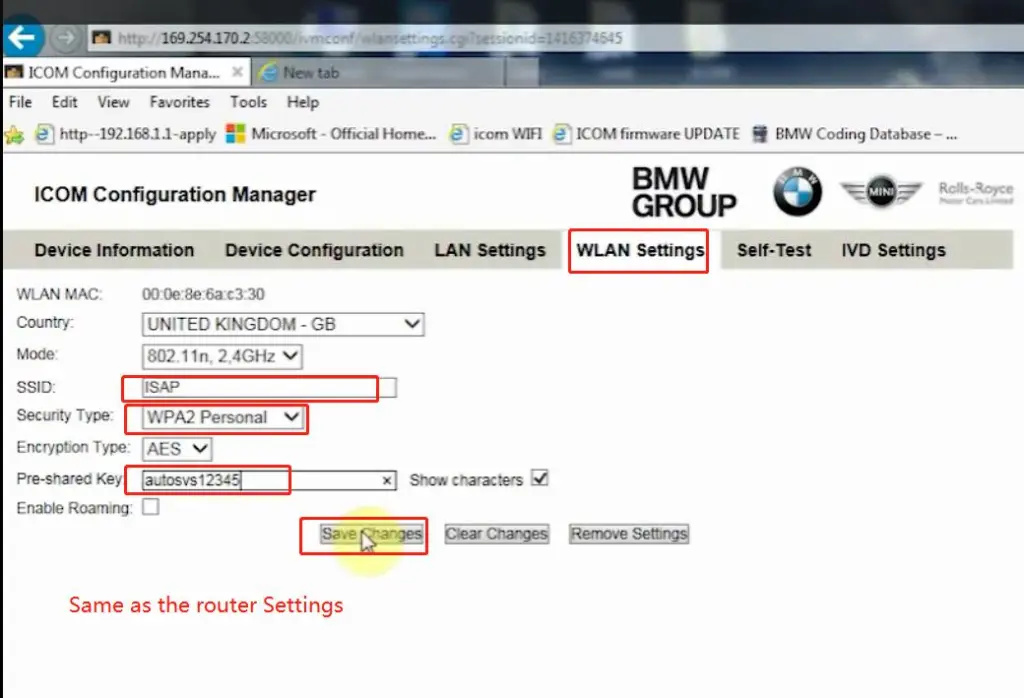
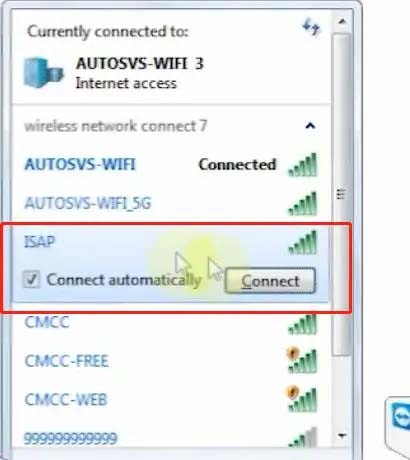
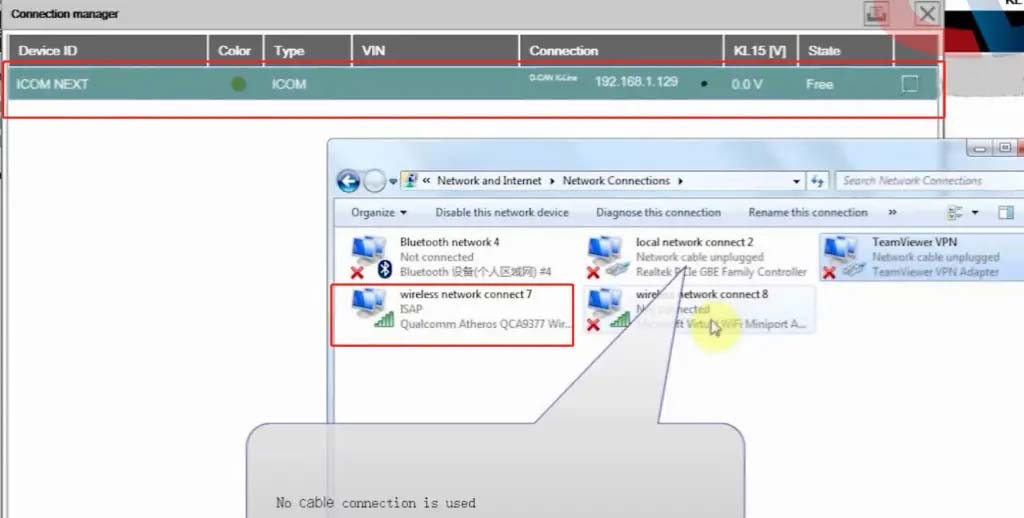
1.Set router wireless, wireless SSID name:ISAP,password:autosvs12345
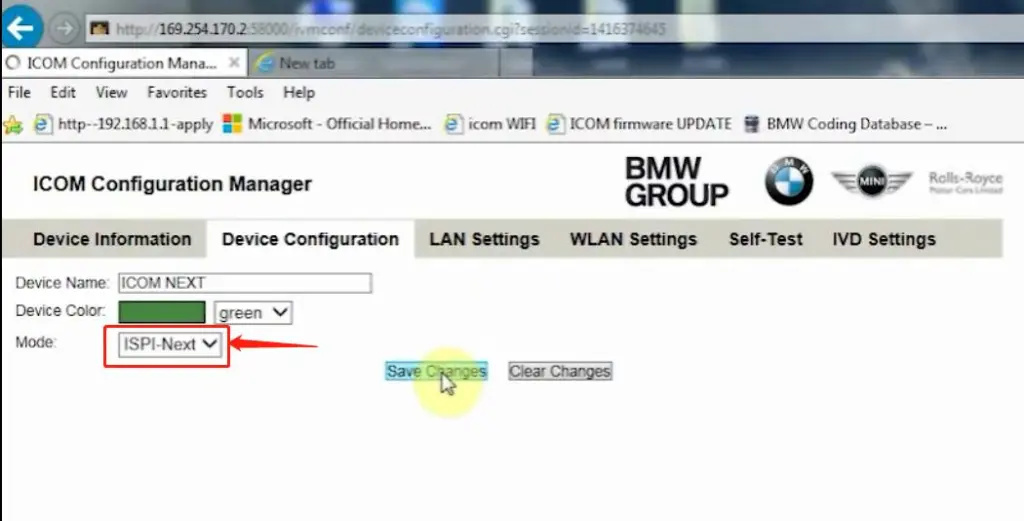
2.Set ICOM NEXT A wireless, connected to the router,
wireless SSID name:ISAP,password:autosvs12345,
(Same as router setting, After setting the ICOM NEXT need to reconnect to vehicle)
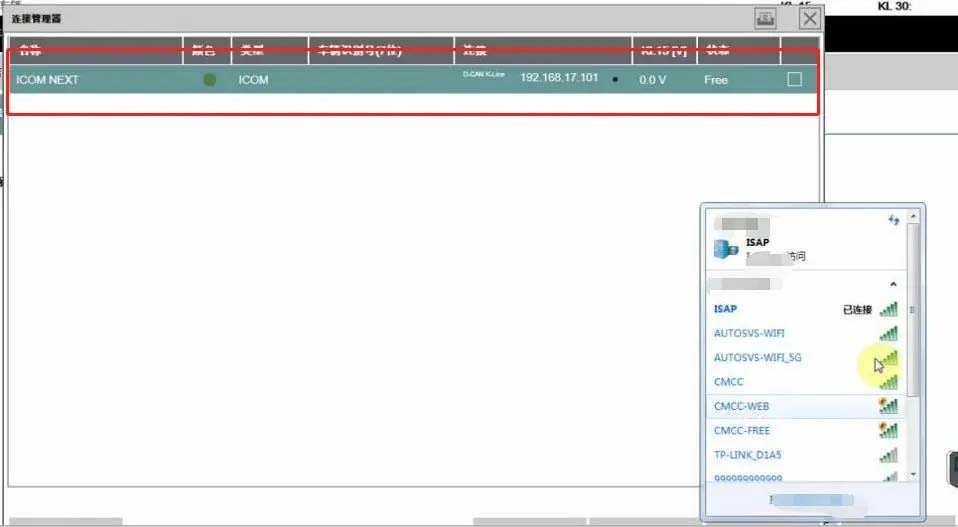
3.BMW diagnostic PC connect to wireless router ISAP, you can start wireless diagnosis.
How-to-setup-ICOM-Next-A-WLAN-connection-1

1.Configuration router

How-to-setup-ICOM-Next-A-WLAN-connection-2
How-to-setup-ICOM-Next-A-WLAN-connection-3

2.Configuration ICOM NEXT A

How-to-setup-ICOM-Next-A-WLAN-connection-4
How-to-setup-ICOM-Next-A-WLAN-connection-5
How-to-setup-ICOM-Next-A-WLAN-connection-6

3.Same as the router configuration;

How-to-setup-ICOM-Next-A-WLAN-connection-7

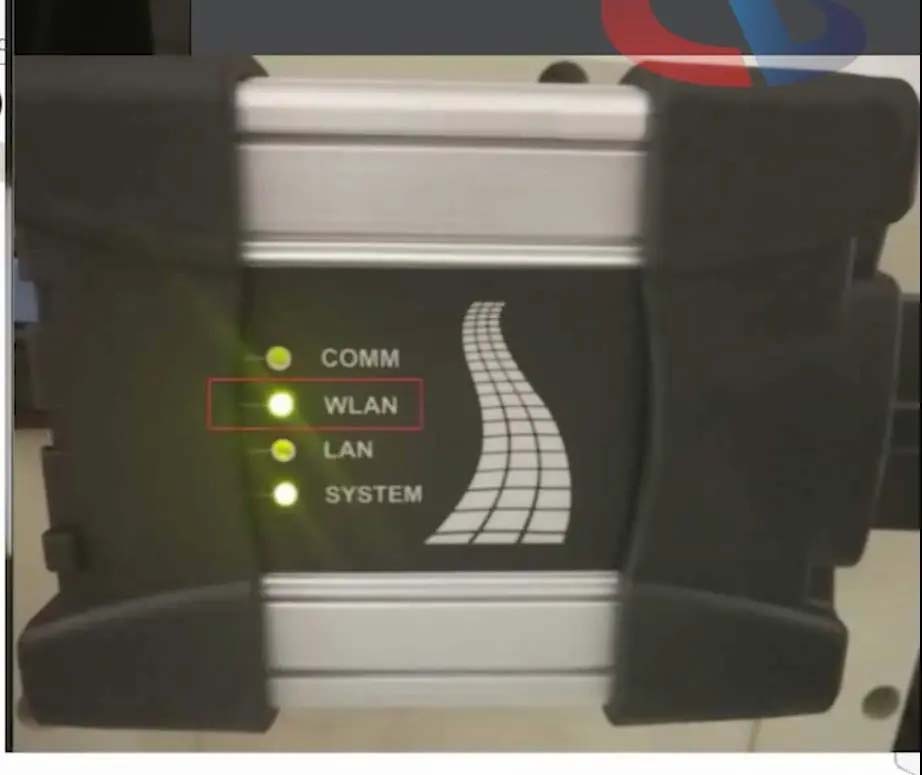
4.After ICOM NEXT configuration is completed, you need to reconnect, ICOM NEXT will automatically open the WLAN connection function;

How-to-setup-ICOM-Next-A-WLAN-connection-8

5.Connect ISAP WIFI;

How-to-setup-ICOM-Next-A-WLAN-connection-9

How-to-setup-ICOM-Next-A-WLAN-connection-10

6.After the ISAP WIFI connection is successful, you can use the ISTA diagnostic test

How-to-setup-ICOM-Next-A-WLAN-connection-11


Friday, February 11, 2022

How to Use BMW ICOM Next ISTA Software Diagnose BMW Cars

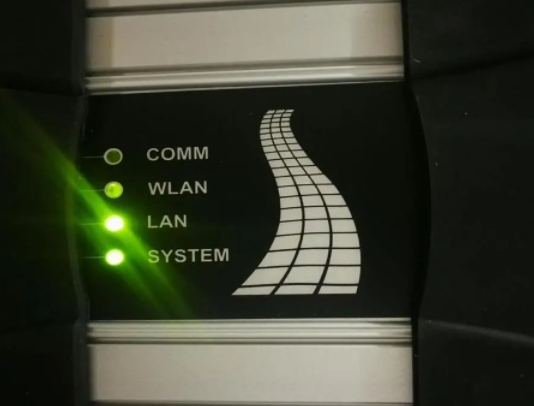
BMW ICOM NEXT Latest Generation Diagnostic Head For BMW, MINI, Rolls-Royce BMW-Model. Can Replace BMW ICOM A2, including all function of ICOM A2. BMW ICOM NEXT not support WIFI. ICOM NEXT can works together with ICOM Software we provided.

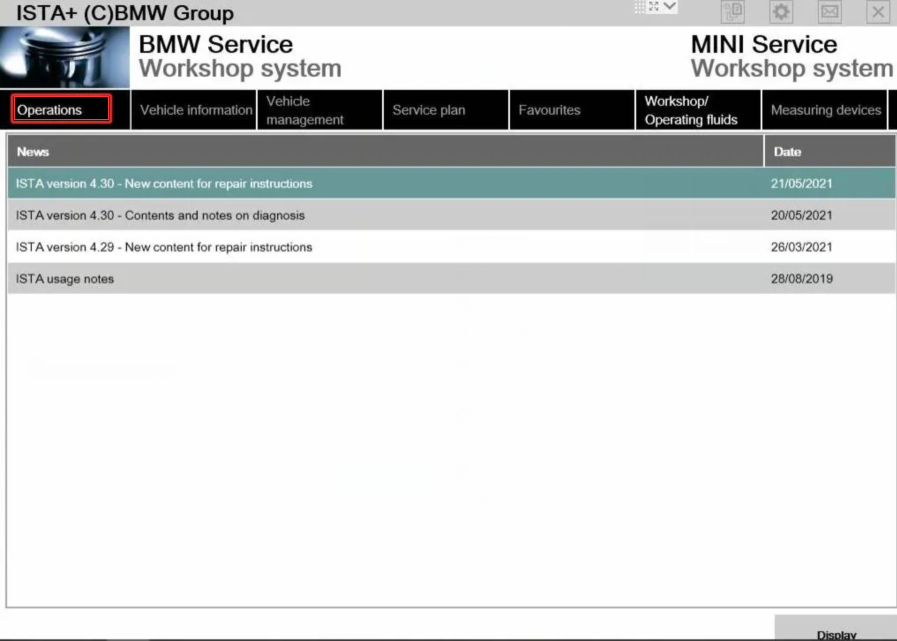
1.BMW ISTA software requires BMW ISTA ICOM NEXT or ENET cable to connect to BMW cars

How-to-Use-BMW-ICOM-Next-ISTA-Software-Diagnose-BMW-Cars-1
How-to-Use-BMW-ICOM-Next-ISTA-Software-Diagnose-BMW-Cars-2

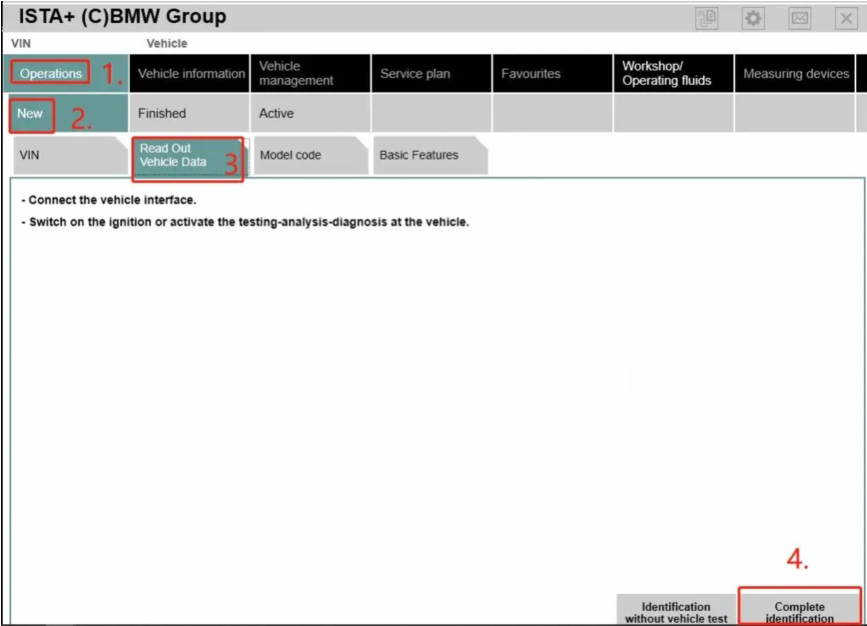
2. Operations-New-Read out vehicle data-complete identification

How-to-Use-BMW-ICOM-Next-ISTA-Software-Diagnose-BMW-Cars-3
How-to-Use-BMW-ICOM-Next-ISTA-Software-Diagnose-BMW-Cars-4

3.Connect

How-to-Use-BMW-ICOM-Next-ISTA-Software-Diagnose-BMW-Cars-5

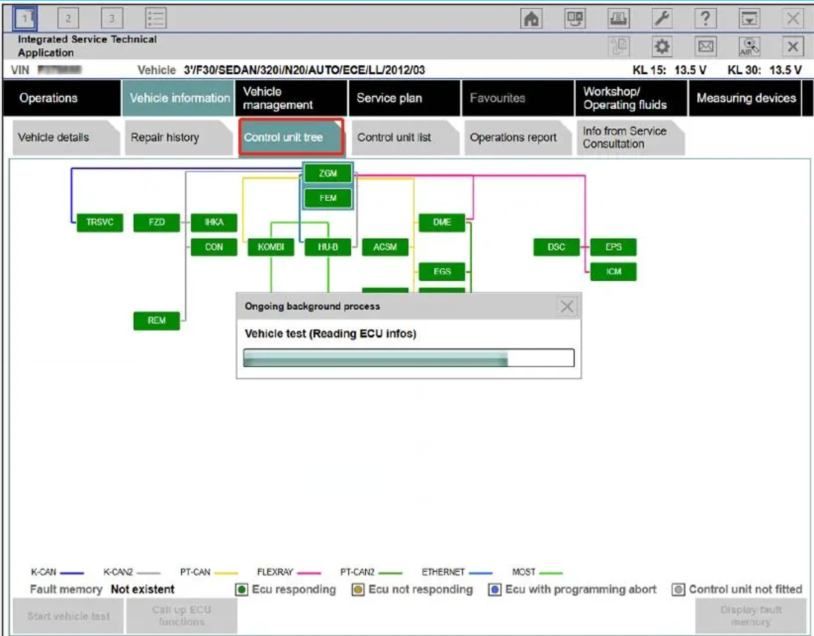
4. Read control unit tree(Read ecu)

How-to-Use-BMW-ICOM-Next-ISTA-Software-Diagnose-BMW-Cars-6

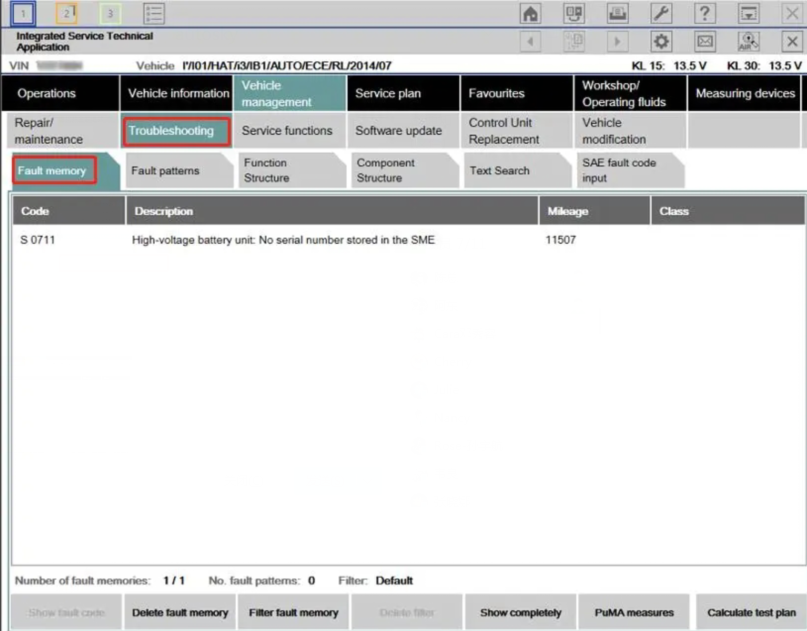
5.Read Fault memory

How-to-Use-BMW-ICOM-Next-ISTA-Software-Diagnose-BMW-Cars-7

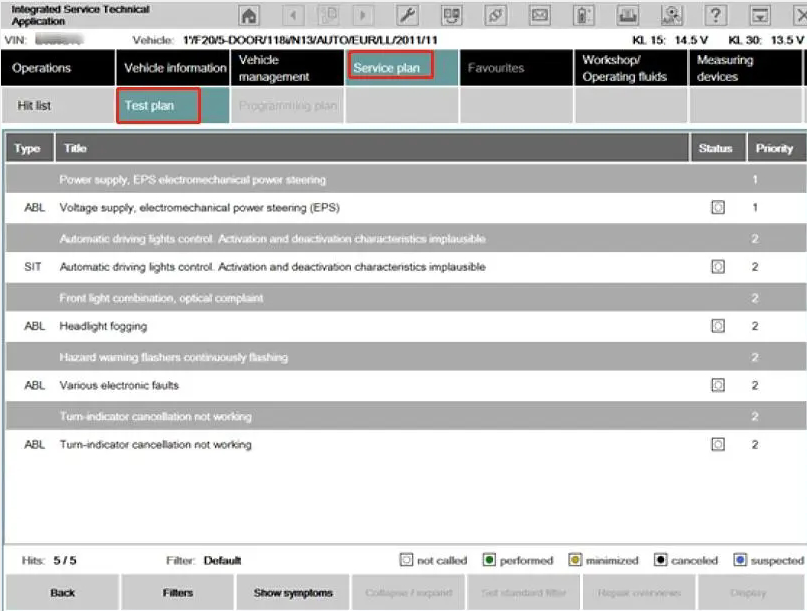
6.Test plan

How-to-Use-BMW-ICOM-Next-ISTA-Software-Diagnose-BMW-Cars-8

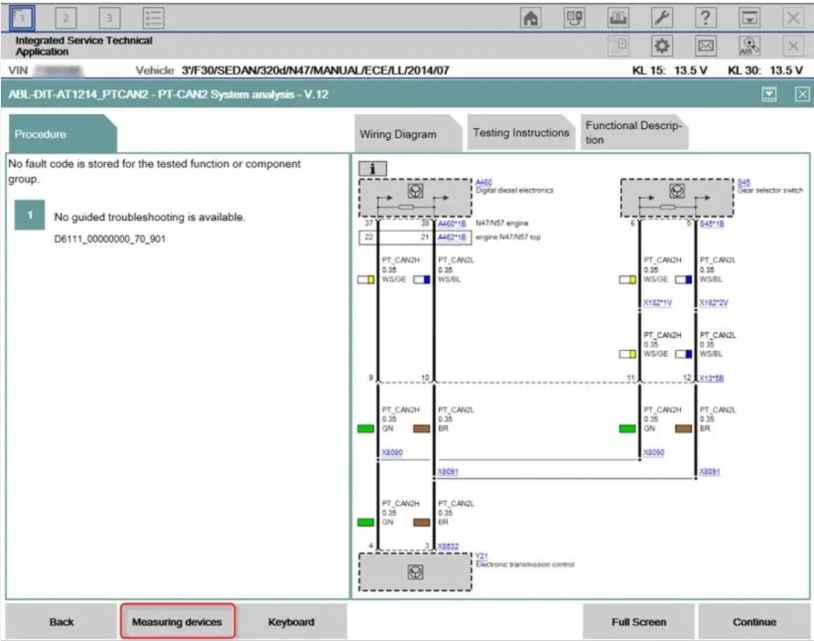
7.Wiring Diagram

How-to-Use-BMW-ICOM-Next-ISTA-Software-Diagnose-BMW-Cars-9

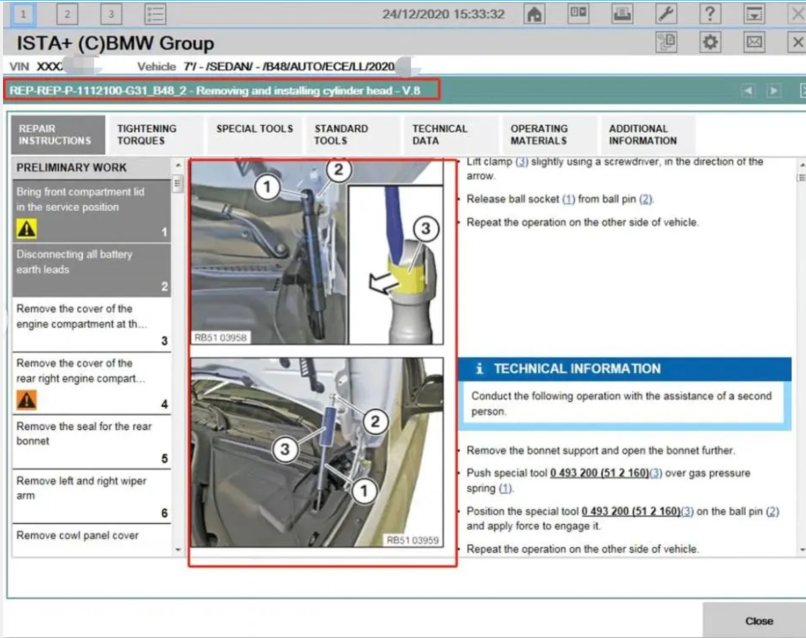
8.Demonstration of car disassembly and installation

How-to-Use-BMW-ICOM-Next-ISTA-Software-Diagnose-BMW-Cars-10

More interesting for BMW ICOM diagnostic tools , welcome to check our website www.obd2tool.com