Friday, August 18, 2017

How to use 2017.07 version BMW ICOM A2 ISTA for diagnostic car ?


Category : BMW ICOM
BMW ICOM A2+B+C latest software version is 2017.07.   ISTA-D 4.05.32  ISTA-P 3.61.5    VIN: 2017.05   Now we show you how to use BMW icom A2 and ISTA D software ,check  all car module status and delete fault code history.  the operation steps is easy.
steps 1:  connect your ICOM A2 main unit with your car, then open ISTA-D  4.05.32
You need to do  a vehicle test firstly.
go to ” vehicle information ” -” control unit free”-“start vehicle test”
icom 1
click” yes” , then start vehicle test
2
steps 2: when finish vehicle test.  the faulty module will be display in yellow or red.  yellow means there is a error memory,  red means no response.
if you see there are all is green,   it means not problems at all.
press the “display fault memory ” button to check the error code.
3

steps 3:   click” vehicle management”-“troubleshooting” – ” fault memory”
you can see the error description with error code.   double click every item, you can see detail description of phenomenon.
4
just click” delete fault memory” to clear the faulty memory
5
6
7
BMW ICOM Software support Multi-language available in diagnosing, programming and TIS diagram circuit: American English, British English, German, Spanish, French, Italian, polish, Portuguese, Turkish, Czech, Swedish, Dutch, Indian, Greek, Russian, Simplified Chinese, Traditional Chinese, Japanese, Korean and Thai.

http://www.obd2tool.com/blog/2017/08/15/how-to-use-2017-07-version-bmw-icom-a2-ista-for-diagnostic-car/

V2017.7 BMW ICOM Software HDD ISTA-D 4.05.20 ISTA-P 3.61.4.0

Software version:
ISTA-D 4.05.32
ISTA-P 3.61.5
VIN: 2017.04.25
Not connected 9000 days remaining
BMW ETK: 2017.06
BMW KSD: 06.2017Multilanguage
BMW FSC Navigation Code Generator
BMWAiCoder for BMW Coding
With free BMW Engineer Software (INPA, NCS, WinKFP, E-Sys 3.27.1, Psdzdata 59.0), BMW FSC code generator and BMW AiCoder
Multi-language available in diagnosing, programming and TIS diagram circuit: American English, British English, German, Spanish, French, Italian, polish, Portuguese, Turkish, Czech, Swedish, Dutch, Indian, Greek, Russian, Simplified Chinese, Traditional Chinese, Japanese, Korean and Thai.
Compatible with BMW ICOM, ICOM A2, ICOM A3.ICOM PRO+A3,ICOM Next
ISTA/D— Integrated Service Technical Application Diagnostic. ISTA/D is used to diagnose BMW all series and models from all systems.
ISTA/P— Integrated Service Technical Application/Programming. ISTA/P is used to process all coded, programmed and enable-dependent control modules in BMW Group vehicles.
Rheingold—Diagnostic and repair guide, including Diagrams and disassembly Figure
KSD—BMW KSD (Kaufmännische Service Daten, i.e. Commercial Service Data) is a collection of invaluable data for determining labor hours, inspection sheets and general service methods. There’s also information about wheels and rims for the various models.
EasyConnect— Used to Configure the Environment Parameter of Engineer Software for E series, can activate or release ICOM Port
IToolRadar— Used to recognize ICOM, activate or release ICOM Port
ETK— Accessories Catalog
EDIABAS Tool32— Engineer Software for E series, able to run directly
INPA— Engineer Software for E series, for diagnosis
NCS Expert Tool—- Engineer Software for E series, for coding
WinKFP—Engineer Software for E series, for programming
E-sys — Engineer Software for F series (available for programming and coding)
BMW Standard tool
Coding Database
Coding Tool

http://forobd2tool.com/blog/2017/08/17/v2017-7-bmw-icom-software-hdd-ista-d-4-05-20-ista-p-3-61-4-0/

ICOM A2 ISTA/P ISPI Next Expired, Not Started & Closed

What to do if BMW ICOM A2BC ISTA/P ISPI Next has expired, or could not be started or closed? Here’s the useful solution offered by OBD2TOOL.
Emulator:
ICOM A2 with ista-p v3.56.1002
Symptoms:
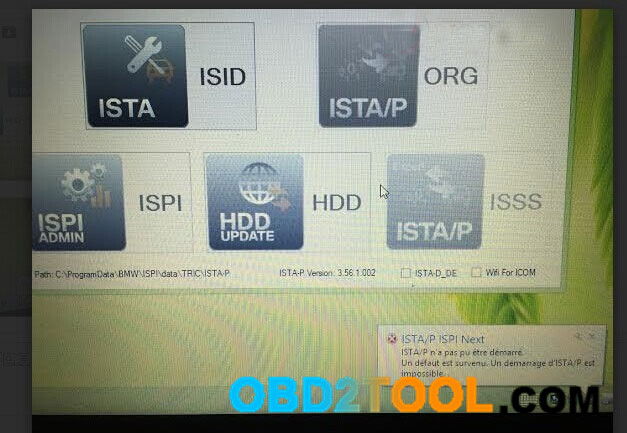
ISTA/P ISPI Next
ISTA/P n’a pas pu être demarre
Un defaut est survenu
Un demarrage d’ISTA/P est impossible
(ISTA / P could not be started
A default has occurred
A boot of ISTA / P is impossible)
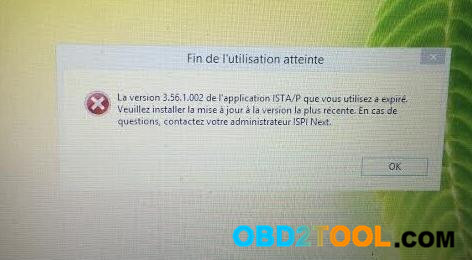
9-1
Fin de L’utilisation atteinte
La version 3.56.1002 de l’application ISTA/P que vous utilisez a expire
Veuillez installer l a mise a jour a version la plus recente
En questions, contactez votre administrateur ISPI Next
(End of use Achievement
The bmw scanner 3.56.1002 version of ISTA / P application you use has expired
Please install the update has a version of the most recent
In questions, contact your administrator ISPI Next)
9-2
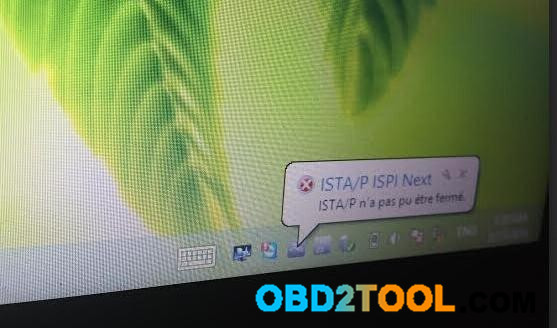
ISTA/P ISPI
ISTA/P n’a pas pu etre ferme
(ISTA / P could not be closed)
9-3
Possible reasons:
Restart ISTA/P ISPI for two many times
Solutions:
To enter ISTAP interface, you had better restart your computer. Then, open this diagnostic application and click ISTA-P ISPI directly.
http://obd2trade.com/2017/08/18/icom-a2-istap-ispi-next-expired-not-started-closed/

Update ICOM Firmware Error Solved


8-1
This is the solution I find when I have trouble in updating my car diagnostic scanner BMW ICOM A firmware. Hope this helps you also.
Background:
I’m trying to update my ICOM firmware but I can only update the System/Boot firmware. Every time I try to update the Application firmware, I get a server timeout, no matter which browser I use.
Tool supported:
BMW ICOM A
Try this procedure here:
(NOTE: please be responsible to what you try, for some inexperienced may damage your device.)
1).Use your cable and connect BMW Engineer Software to port
2). Power ICOM by 12V power adapter or from 1x DLC
3). Use your browser (IE) and browse 169.254.92.38:60080/
User name: root
Password: NZY11502
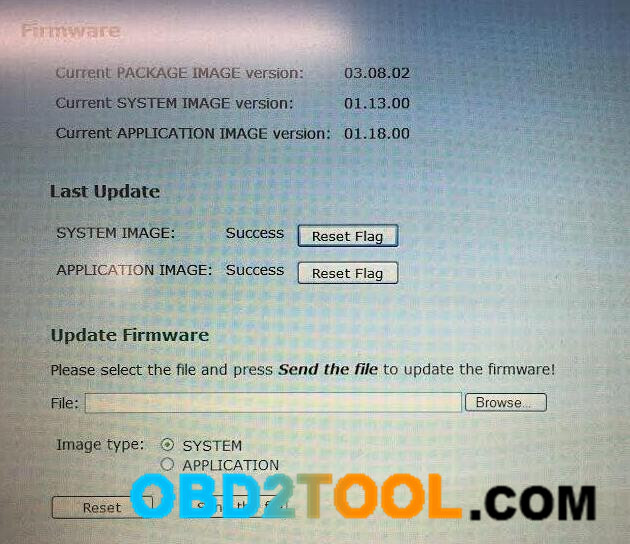
4). Click “Update Firmware”,and you can find the version of firmware.
5). Select ICOM-BootImage-XX-XX-XX.bin, set image type to “SYSTEM”,
click “Send the file”
6). When it will say “Write the image file to the flash?”, click “Yes”,
then the ICOM led it will been RED
7). When it will say “The SYSTEM IMAGE update was successful”,
click “Update Firmware”
8). Select ICOM-ApplicationImage-XX-XX-XX.bin, set image type to “APPLICATION”,
click “Send the file”,the file is big so it will take some minutes to finish have patience.
9). When it will say “Write the image file to the flash?”, click “Yes”,
then the BMW ICOM A2+B+C led it will been RED again
10). When it is ok, click “reboot”.
Good Luck!
http://cheapobd2scanner.com/2017/08/18/update-icom-firmware-error-solved/

What to do if ICOM A2 prompt “The connection to ISIS is lost”

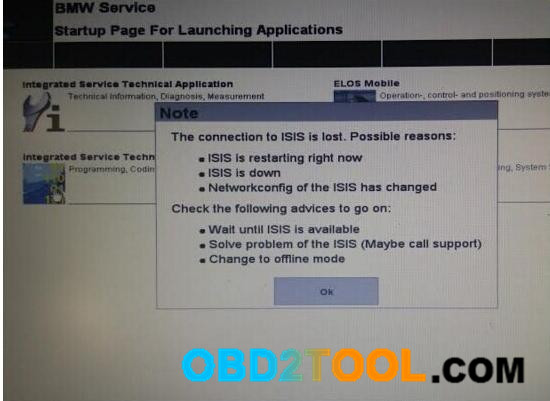
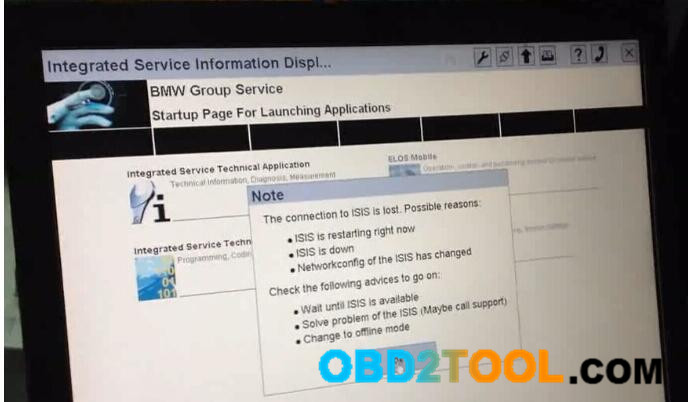
When I was doing programming with ICOM A2, i cut off the power by accident and then it prompts that “The connection to ISIS is lost..”
icom-a2- ISIS-connection-lost-solved
Possible reasons given:
– ISIS is restarting right now
– ISIS is down
– Networkconfig of the ISIS has changed
Advice given by the system:
– Wait until ISIS is available
– Solve problem of the ISIS (maybe call support)
– Change offline mode
Solution by professional technician at obd2tool.com
Click OK.
10-1
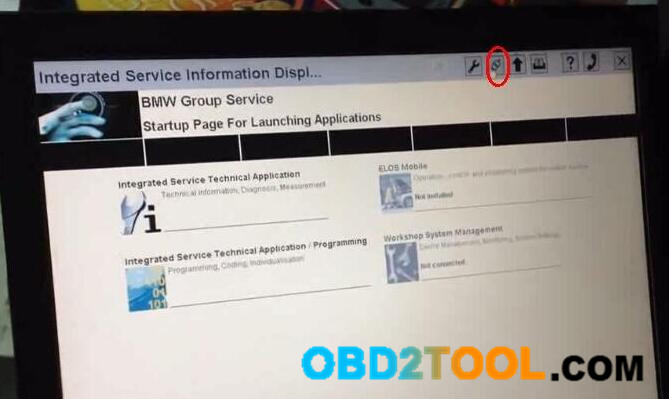
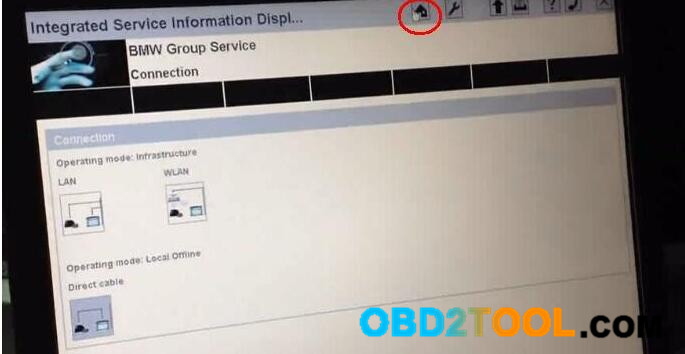
Click here (marked with red).
10-2
Select “Direct cable”.
10-3
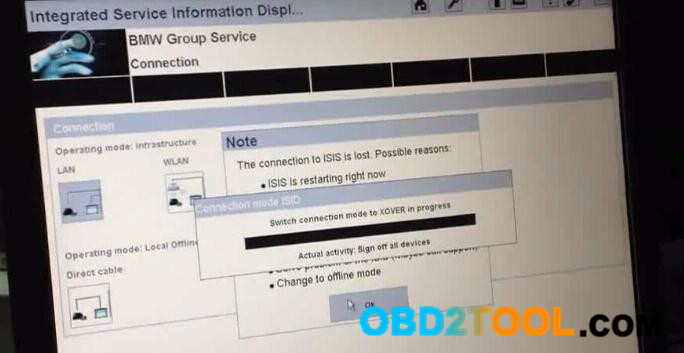
Switch connection mode to XOVER in progress…
10-4
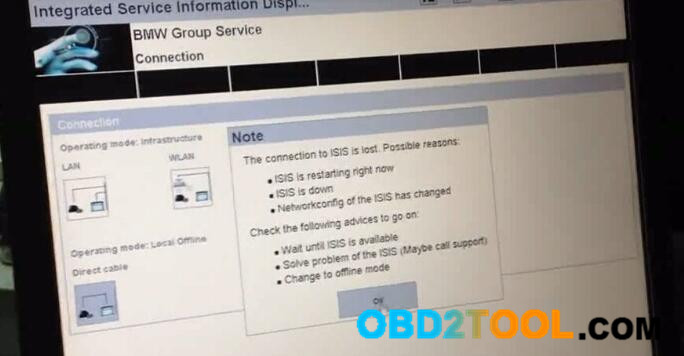
Click OK.
10-5
Click OK.
10-6
Click here (marked with red)
10-7
Device is configuring. Do not change anything on network. Network changes may cause an inconsistant system and requires a reboot.
10-8
If you see the interface below, it means that you succeed in settling “connection to ISIS is lost”
10-9
Done.
Note:
Tips above are mainly available for China BMW ICOM A2+B+C.

BMW ICOM A2 System LED Turns Red and Flashes Always(SOLVED)

Symptom:

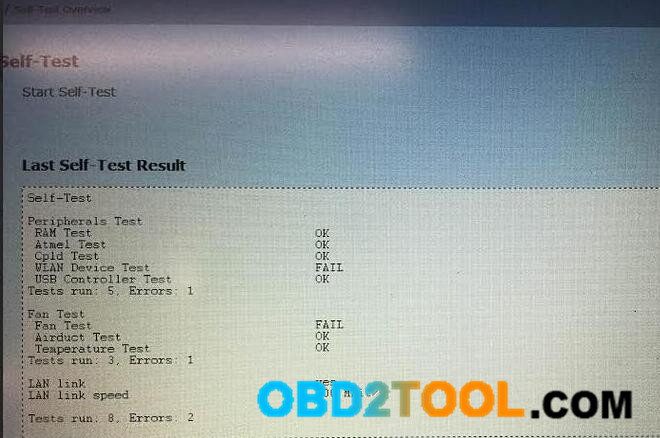
BMW diagnostic mux ICOM A2 System LED stays red and flashes/blink always. No problem exists after self-test and firmware update.


7-1
7-2

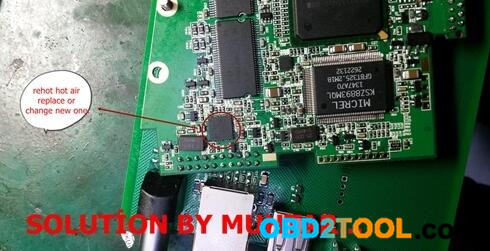
Solution 1:

1)-rehot hot a?r gun th?s ?c ..
2)-?f no, replace or change new one ..
3)-problem that ?c..

7-3

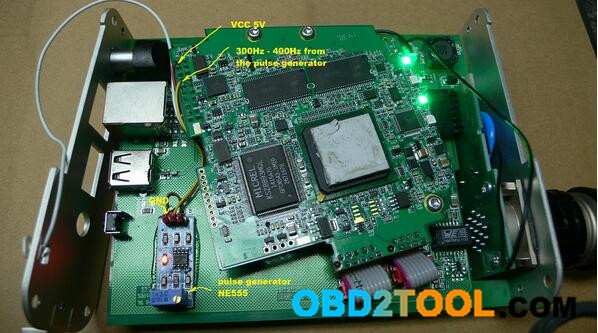
Solution 2:
 
Solution of the problem with the nonexistent fun. LED is again green.
The pulse generator to buying on auctions.

7-4

NOTE: it’s technical, so if you are not experienced, please be careful to try this; otherwise, you may destroy your Car Diagnostic Tool ICOM mux.

Esys Fix 2014 M5 Crash after ISTA/P update(like flash module)

I have a 2014 M5 and flashed the car, the junction box and a bunch of other modules too, with ISTA/P 2.52.4 and an BMW ICOM clone A2 from www.obd2tool.com. It was the fourth or fifth car that I had flashed with this equipment.

It seemed that ISTA/P crashed during flashing. ISTA/P is now not able to read the VO from VCM (also E-sys) and if you load the stored VO and read out the ECU with E-Sys (read VCM isn’t possible) you see 0 ECUs.

It looks like that all ECUs are unavailable and in programming mode. He can open and close the car but nothing more.

Connection via E-Sys is only possible by Gateway/Url (OBD Ethernet cable) or ICOM IP. ZGW is of course not available.

What I did to fix it is, I used Esys to fix the BMW Diagnostic Tool.
I need to use the Psdzdata that was on the module before it was flashed.
Run these step like flashing a module

Here are the basic steps:
Go to Comfort Mode => TAL-Calculating
– Read and Save FA
– Activate FA
– Read and Save SVT Actual as SVT_ist
– Create an SVT Target
Under KIS/SVT Target Calculation Strategy, select Complete Flash
Select I-Step (shipm.) to match your original I-Level as read and shown in VCM I-Step (Shipment)
I-Step (target.) will be unselectable as it is fixed based on current PSdZData I-Level
Do a KIS/SVT Target Calculation and Save as SVT_soll
– Do a TAL Calculation and Save as SVT_tal
Go to Expert Mode => TAL-Processing
Load TAL (SVT_tal)
Load SVT Target (SVT_soll)
Select “Read FA” button.
Check radio button for “read VIN out of FA”
On ECU Tab, uncheck let top box in column “All” (All checked boxes should toggle to unchecked)
On ID Base Row for Modules, make check boxes in blFlash, swDeploy, cdDeploy, and ibaDeploy columns.
Press Check software availability
Press Start and it will proceed with processing TAL to flash
blFlash, swDeploy, cdDeploy, and ibaDeploy uncheck all boxes but these in the modules it finds.
Then Esys finds the modules its strange mine were half on 53.5 and half on 53.2 in some strange state.
after doing this I was able to restore them back to a working state before the upgrade. And everything was normal again

Mine looked like the attached picture. It was pretty bad. I really don’t trust Ista/p on a BMW ICOM A2 clone doesn’t seem to cause more issue then good during programming on these new model cars. ICOM clone from reliable sellers sometimes can be nice also.
http://forobd2tool.com/blog/2017/08/18/esys-fix-2014-m5-crash-after-istap-updatelike-flash-module/